
GOHIGHLEVEL SNAPSHOT FOR REMODELERS AND BUILDERS
GoHighLevel Contractor Snapshot for Remodelers and Builders
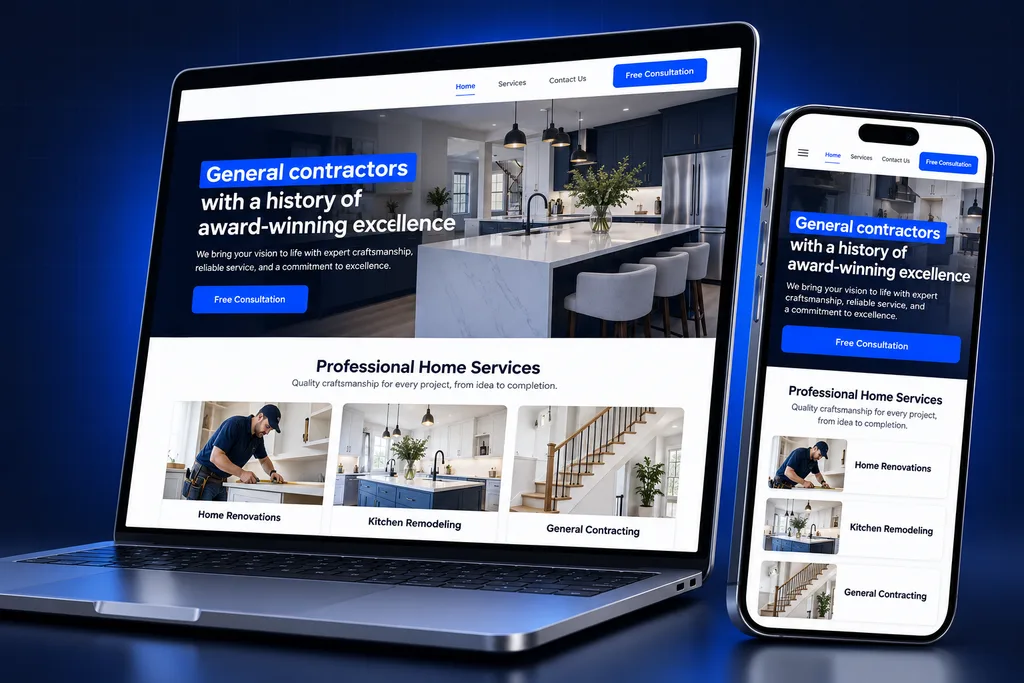
This GoHighLevel contractor snapshot is built for remodelers, additions crews and custom builders whose jobs take weeks to sell. It includes a project inquiry form with photo upload, an estimate and proposal pipeline and financing follow-up. Milestone updates during the build, plus review and referral requests at handover, complete it.
What's inside
What Is Inside the GoHighLevel Contractor Snapshot
The build follows a remodeling job from the first photo a homeowner sends to the review they leave at handover. The GoHighLevel contractor snapshot includes a project inquiry form, a site visit calendar and an estimate pipeline. Financing follow-up, milestone updates, reviews and referrals cover the rest of the job.

Project Inquiry Form
Homeowners pick a project type, add photos, a rough budget band and a target start, so estimators know what they are walking into.

Site Visit Calendar
Estimators offer in-home or virtual walkthrough slots, and homeowners get confirmations that say who is coming and what to have ready.

Estimate Pipeline
Jobs move from inquiry through site visit, estimate sent, revision and signed contract, with the dollar value of open bids visible at a glance.

Financing Follow-Up
Homeowners who ask about payment options get a separate track that reminds your team to follow up while the lender handles the application.
Milestone Updates
Message templates for demo day, inspections, material delays and substantial completion keep homeowners informed without a phone call for each step.

Reviews and Referrals
At handover, happy clients are asked for a review and for neighbors or friends planning similar work, at a moment your team chooses.
Remodeling Leads Are Projects, Not Service Calls
A plumber's lead wants someone today. A remodeling lead may spend months collecting ideas, comparing three bids and waiting on a financing decision. The GoHighLevel contractor snapshot is built around that long, expensive decision, with assets for the slow stretch between first contact and signed contract.
New to the idea of a prebuilt account? Our overview of GoHighLevel snapshots explains how one configured account becomes a template. This page lists what our contractor version contains.
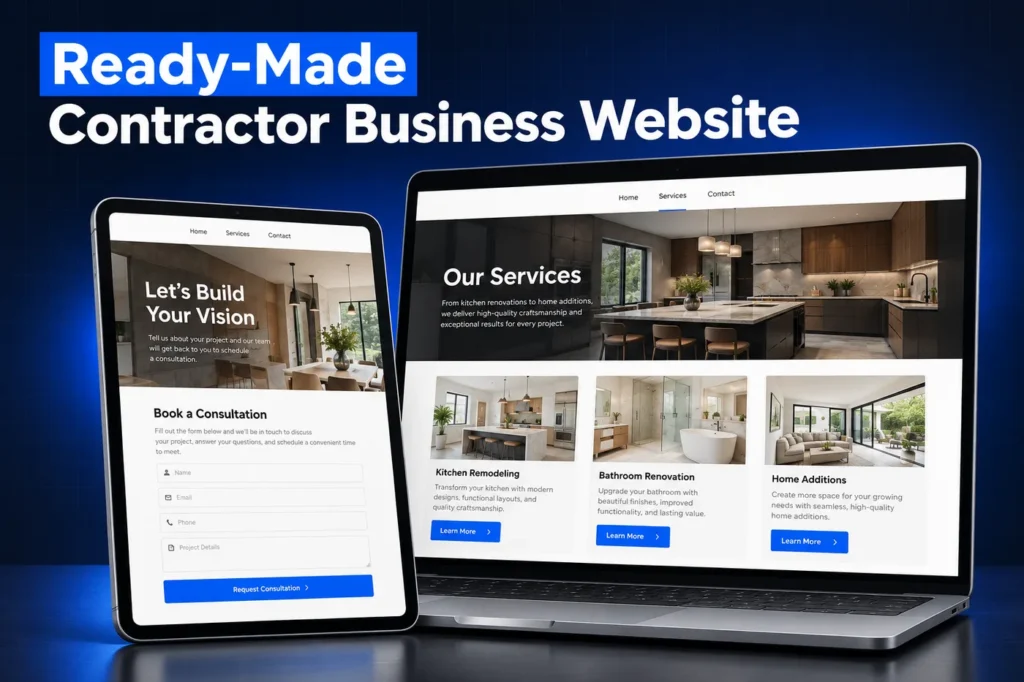
Remodeling leads also arrive from more places than a service business usually sees. They come from home shows, yard signs at active jobs, referrals from past clients and designers, review sites, paid search and social ads. The inquiry form records the source of each one, so the dashboard can show which channel produces signed contracts rather than just phone calls.
The snapshot is not a fit for every builder. Commercial general contractors bidding public work need a different scope. So do production builders whose sales run through a model-home team, since this build follows a residential, design-led process.
Side by side
GoHighLevel Contractor Snapshot Asset Inventory
This inventory lists each asset type in the contractor build, what is included and its purpose. Pipelines carry bids from inquiry to signed, then jobs from deposit to handover. Forms capture scope and feedback, calendars book the key meetings, and pages match each service you advertise.
Asset type
Included
Purpose
Pipelines
Project Sales; Active Projects
Bids from inquiry to signed, then jobs from deposit to handover
Forms and surveys
Project inquiry with photo upload, change-request form, post-project survey
Capture scope early and feedback at the end
Calendars
Site visit, design selections meeting, final walkthrough
Book the moments that move a job forward
Funnel and website pages
Project-type landing pages, portfolio gallery page, financing information page
Pages for ads and referrals that match each service
Documents
Proposal template in Documents and Contracts
Online review and signature
Email and SMS templates
Inquiry reply, visit confirmation, estimate follow-up, milestone updates, review and referral requests
Consistent updates from every crew lead
Workflows, by outcome
Fast inquiry reply, missed-call text back, stalled-bid reminders, milestone notices, handover review request
No lead or client left without a reply
Dashboards
Open bid value, close rate by project type, jobs by stage
Weekly sales and production view
Missed calls matter here because homeowners often ring from a job site or during work hours. Our page on GHL missed-call text back explains how that reply works and why it needs a registered number.
A closer look
Photo Inquiries, Site Visits and Older Homes
The inquiry form asks for photos of the space, the type of project and a budget band. That lets an estimator tell a cosmetic refresh from a structural change before driving out. Site visits are then booked on a calendar that respects each estimator's territory.

The form also asks roughly when the home was built. Under the EPA's Renovation, Repair and Painting Rule, firms paid to disturb painted surfaces in pre-1978 homes must be certified and use lead-safe work practices. The answer helps you send the right crew and price the job correctly.
How it works
Your Contractor Account, Live in 4 Steps
Your contractor account goes live in four steps. We review your project types, service area, sales process and software, then adapt the build to your trades, license and warranty terms. Next we import it, attach your domain and lines and file A2P registration. Last, we walk a test job through with your team.
1
Trade Review
We list your project types, service area, sales process and the software that already runs scheduling and job costing.
2
Adapt the Build
Inquiry questions, proposal wording and milestone messages are rewritten for your trades, license and warranty terms.
3
Import and Wire Up
Once it sits in your sub-account, we attach your web address, add business lines and file A2P registration for texting.
4
Walk a Test Job
A mock homeowner inquiry is pushed from photo upload to signed estimate while your team watches each view.
Estimates, Proposals and Financing Follow-Up
HighLevel's estimates feature lets you build a quote from products and send it by email or text. You then see it move through draft, sent, accepted, declined and invoiced. Accepted estimates can be turned into invoices. Your price list is loaded after install, because product catalogs are not among the asset types HighLevel lists for snapshots.
Larger proposals go out from Documents and Contracts, which collects legally binding signatures online with an audit record. The Project Sales pipeline adds a revision stage, because most remodels change at least once before anyone signs.
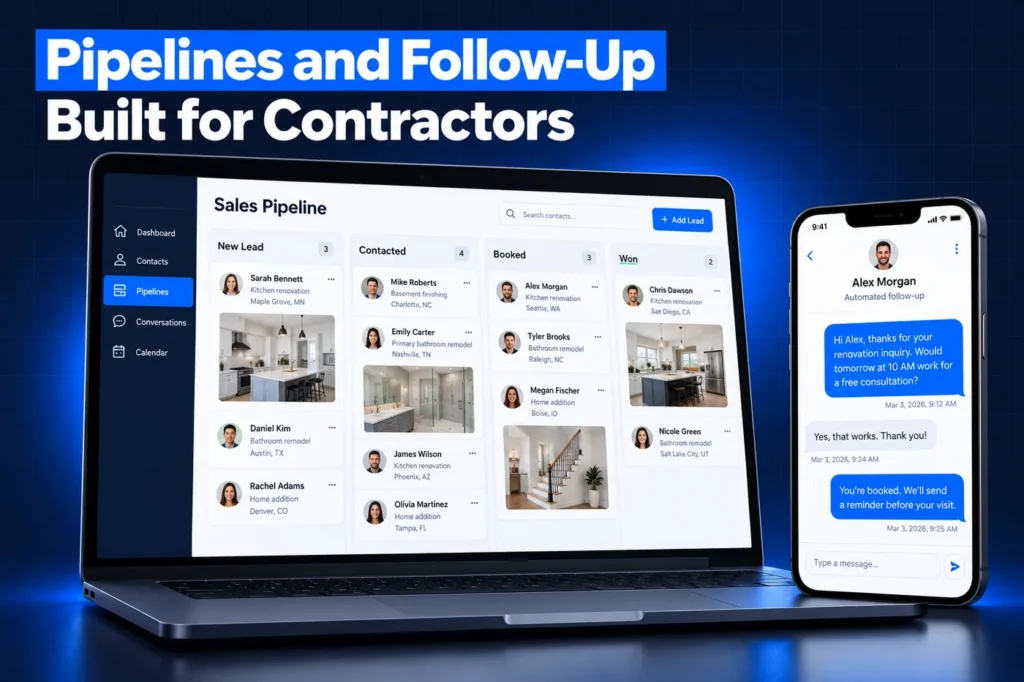
Financing stays with your lender. The snapshot tracks which homeowners asked about payment options and reminds your team to check in, but it never quotes rates or promises approval.
In-Home Sales and the Three-Day Cancellation Window
Many remodelers close at the kitchen table, and that triggers a federal rule. The FTC Cooling-Off Rule gives buyers until midnight of the third business day to cancel most sales of $25 or more made at their home. Sales finalized at your permanent place of business, and sales needed to meet an emergency, are among the exemptions.
The Project Sales pipeline therefore includes a "signed, cancellation window open" stage, so crews do not order materials or schedule demolition before the window closes. Many states add their own home-improvement contract and licensing rules. This is general information, not legal advice; confirm with counsel.
Milestone Updates, Handover and Referrals
Once a job is signed, the Active Projects pipeline follows it through deposit received, permits, scheduled start, in progress, inspections, punch list and complete. Milestone templates let a project manager send a clear update in seconds instead of fielding calls.
At handover, a final walkthrough is booked, then a review request and a referral ask go to clients your team marks as happy. If invoices end up in your accounting software, our QuickBooks integration guide covers that link. It is set up separately, because integrations never travel in a snapshot.
Limits of Any Snapshot, and the Two Install Routes
A snapshot moves setup, not history. According to HighLevel's snapshot documentation, your old leads, booked visits, text threads, review data, payment processor and connected apps all remain in the source account. That is why a contractor switching from another system plans a separate contact import.
Business phone lines, carrier registration and the web address for your landing pages are created fresh for you. Every landing page lands unpublished and goes live only after your domain is attached.
Marketing agencies with several contractor clients receive a share link. At load time they pick which items to bring in and resolve every name clash by keeping the old item or replacing it. Single companies usually hand the import to us. Our snapshot installation guide shows each route step by step.
Questions and answers
GoHighLevel Contractor Snapshot FAQs
Straight answers before you book a call. Have a question that is not covered here? Ask us directly.
What is in the GoHighLevel contractor snapshot?

Ours includes a photo-based project inquiry form, site visit, selections and walkthrough calendars, Project Sales and Active Projects pipelines, a proposal template, project-type landing pages, a financing information page, milestone and follow-up message templates, review and referral requests, and dashboards for open bids and close rates. All of it is adapted to your trades first.
Can homeowners sign proposals inside GoHighLevel?
Yes. Documents and Contracts in HighLevel collects legally binding signatures online and keeps an audit record with signer details and timestamps. The snapshot includes a proposal template laid out for remodeling scope, allowances and payment milestones, which we reword with your own terms before the account goes live.
Does the snapshot replace my project management software?
No. It handles sales, client communication and reviews. Scheduling crews, job costing, purchase orders and daily logs stay in the construction software you already use. The Active Projects pipeline gives the office a client-facing view of where each job stands, so homeowners get updates without your team double-entering detailed production data.
How does the snapshot handle the three-day cancellation rule?
For sales made at the homeowner's house, the FTC Cooling-Off Rule generally allows cancellation until midnight of the third business day. The pipeline has a stage that holds signed jobs until that window closes, so materials are not ordered early. The rule also requires a written cancellation notice for the buyer, so have your attorney check the contract package.
Will it work for a custom home builder?
Yes, with adjustments. Builders usually add stages for lot status, plan selection and construction loan approval, and swap remodeling landing pages for plan or community pages. The inquiry form, selections calendar, proposal template and milestone updates carry over well. We scope those changes on the strategy call.
Do I need A2P registration before texting homeowners?
Yes. Business texting from a US local number requires A2P 10DLC brand and campaign registration, and snapshots never carry it over. We handle the filing during setup through our A2P registration service and add consent wording to the inquiry form so homeowners agree to receive texts.
Ready when you are
Get a GoHighLevel Contractor Snapshot Built for Your Crew
Set up a free strategy call and tell us how your jobs are sold and built. You can also WhatsApp us at +1 (681) 276-7045.