
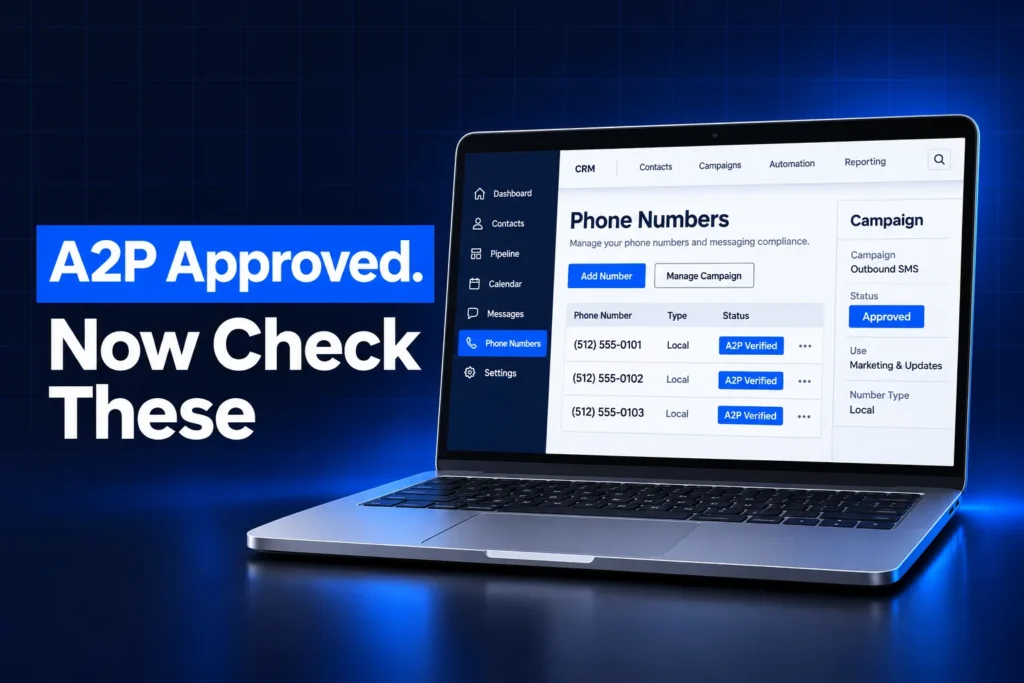
Once your A2P is approved in GHL, there is still setup left before texting works. Each phone number has to be linked to the approved campaign, your messages have to stay inside the use case carriers approved, and your sending volume has to fit your brand’s limits. Approval also covers texting only, not how your calls look.
This guide is the checklist our team runs in a GoHighLevel sub-account the day a campaign comes back approved. It covers what approval unlocks, the number-linking step behind most “approved but not sending” complaints, throughput limits, opt-outs and the voice settings that sit outside A2P.
What does A2P approved in GHL actually unlock?
A2P approved in GHL means The Campaign Registry and the US carriers accepted your brand and your campaign for A2P 10DLC texting. It allows business SMS from linked local numbers under that campaign’s use case. It does not link numbers by itself, raise every limit or register your calls.
Two separate approvals sit behind that green status, and both matter:
- Brand approval confirms who you are: legal business name, EIN and business details. On its own, an approved brand does not let you send a single text.
- Campaign approval confirms how you text: the use case, campaign description, sample messages and opt-in method. Sending only works through an approved campaign.
Here is what approval covers and what still needs your attention:
| Area | Covered by A2P approval? | What to do |
|---|---|---|
| Texting from local 10DLC numbers | Yes, once each number is linked | Check every number for the A2P Verified label |
| Message content | Only the approved use case | Keep texts matching the sample messages |
| Daily and per-second volume | Set by brand type and Trust Score | Plan broadcasts inside your limits |
| Toll-free numbers | No | Toll-free verification is a separate process |
| Call display and spam labels | No | SHAKEN/STIR, CNAM and Voice Integrity are separate |
| Email deliverability | No | LC-Email needs SPF, DKIM and DMARC on your domain |
Is every phone number linked to the approved campaign?
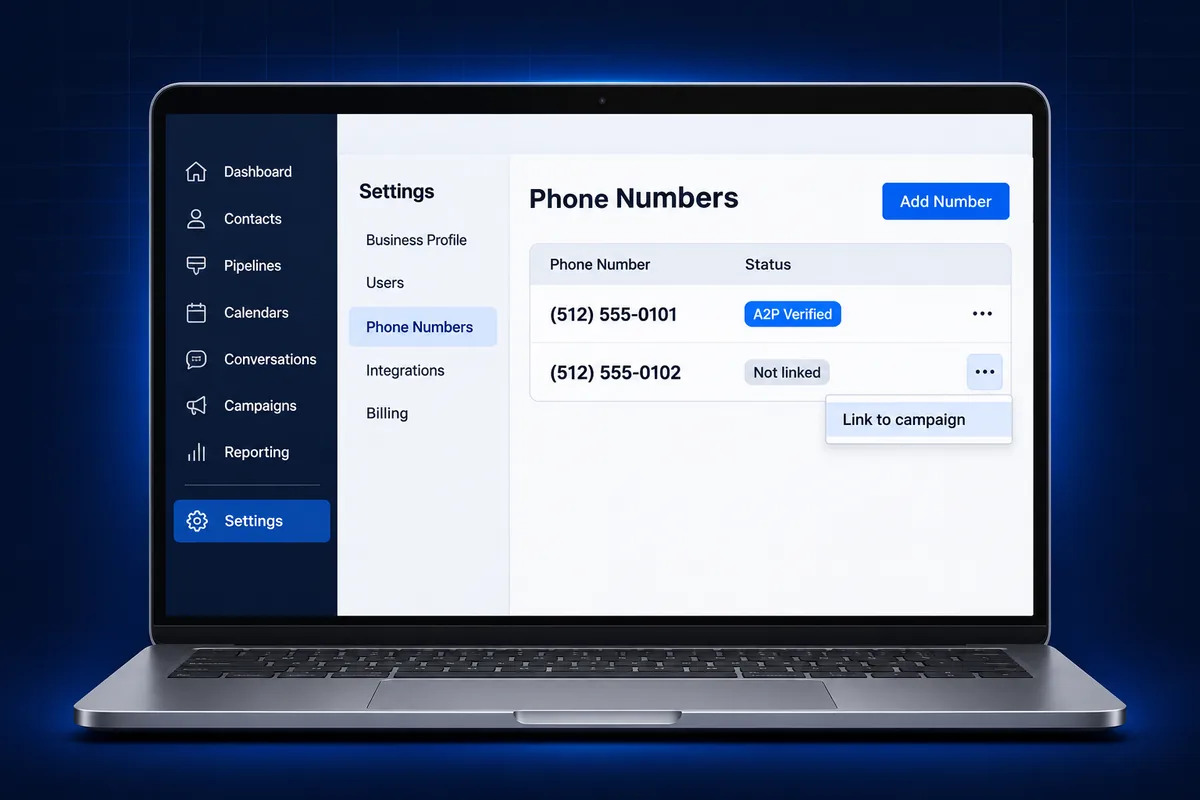
Campaign approval in GoHighLevel does not automatically link every phone number in the sub-account. Each local number that sends texts must be attached to the approved A2P campaign. A linked number shows an A2P Verified label in the phone numbers list; an unlinked number fails with carrier error 30034.
This is the most common reason we hear “A2P approved, but my texts still fail.” Check it first:
- Open the sub-account’s phone system settings and go to the phone numbers list.
- Look under each local number for the A2P Verified label.
- For any number without it, use the number’s menu to attach it to the approved campaign.
- Expect an A2P In Progress tag while carriers process the link. HighLevel says this usually finishes within 24 hours.
Watch for two other states. A number tagged A2P Unlinking has been removed from its campaign and needs linking again from the Trust Center. A number you buy later is not covered until you link it, so add this check to every number purchase.
The Sole Proprietor one-number limit
Sole Proprietor brands are limited to one campaign and one phone number on that campaign. If a Sole Proprietor sub-account holds two or more local numbers, texts can fail with error 30034 even though one number was approved. Keep one texting number, or move to a Standard brand if you have an EIN. Our A2P 10DLC Sole Proprietor guide explains the trade-offs.
For a platform-neutral breakdown of this error, see this guide to why error 30034 still appears after approval.
New to GoHighLevel? Try it free for 30 days
HighLevel's standard free trial is 14 days. Through our partner link you get 30 days plus HighLevel's free onboarding bootcamp. Rather have it built for you? Our US team sets up GoHighLevel accounts, websites, funnels and automations.
Partner link: we may earn a commission at no extra cost to you. Disclosure
Do your texts still match the approved use case?
An approved A2P campaign only covers the messaging you described to carriers. If your live texts drift away from the use case, campaign description or sample messages, carriers can filter them. In GoHighLevel, the use case cannot be switched after approval; a different purpose needs a new campaign.
Messaging drift usually happens slowly. A business registers appointment reminders, then adds promotions, then a review request blast. Each step looks harmless, but carriers judge traffic against what you registered.
- Compare live templates with your sample messages. Same purpose, same tone, your business name in the text.
- Register a second campaign for a different purpose. HighLevel recommends separate campaigns when messaging is materially different, such as marketing and transactional notifications.
- Do not change the use case on the live campaign. HighLevel’s answer to switching an approved use case is no: you register a new campaign with updated details and sample messages.
- Keep your opt-in path live. The form, chat widget or keyword you described at registration should still exist and still show the consent wording. Our guide to SMS opt-in language shows what that wording needs.
Every active campaign also carries a monthly carrier fee, roughly $1.50 to $10 a month depending on brand type, billed through your GoHighLevel balance. A second campaign is worth it only when the messaging is truly different.
How many texts can you send after A2P approval?
A2P approval does not mean unlimited texting. Throughput in GoHighLevel depends on brand type, campaign type and, for Standard brands, a Trust Score from carrier vetting. T-Mobile also applies a daily cap per brand, counted across every platform that brand is registered on.
What this means in practice:
- Standard brands get a Trust Score between 0 and 100 during secondary vetting. A higher score allows more messages per second (MPS). HighLevel does not assign or change Trust Scores, and a high score does not guarantee delivery.
- Sole Proprietor and Low Volume Standard brands skip the score and get fixed, lower daily limits. A Sole Proprietor brand is capped at about 1,000 message segments a day to T-Mobile.
- The T-Mobile cap is per brand (per EIN). If the same EIN is registered in another tool too, both draw from one daily allowance. Going over returns error 30023.
- New LC-Phone sub-accounts ramp up. LC-Phone’s messaging policy raises daily volume over a ramp-up period for new sub-accounts, so a large first-day broadcast can hit limits that disappear a week later.
Segments count, not messages. A long text, or one with special characters, splits into several segments and uses your allowance faster. Keep first texts short and plain.
Are opt-outs and DND handled before you go live?
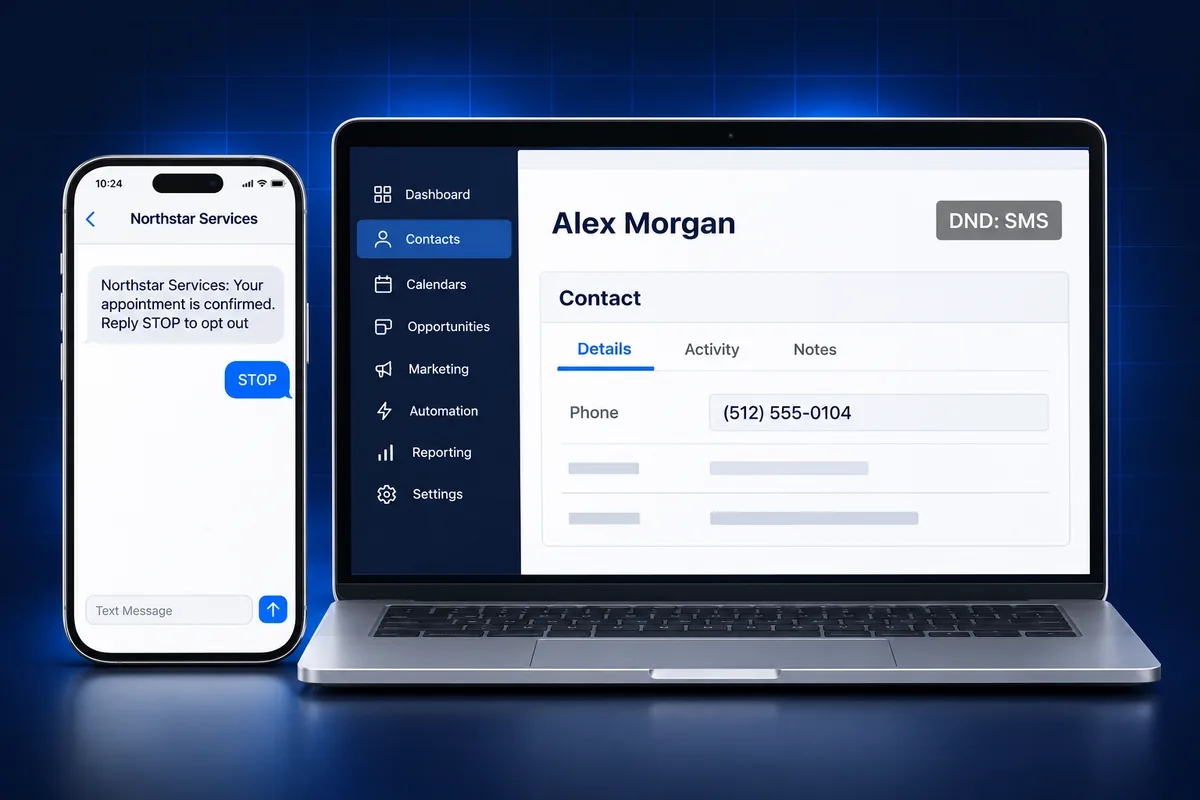
GoHighLevel handles carrier opt-out keywords automatically. When a contact replies STOP, consent is revoked, queued texts to that contact fail and a permanent SMS DND is set on the contact record. Before launching campaigns, confirm your first messages name your business and tell people how to opt out.
Points to check before the first broadcast:
- Opt-out wording. Use standard words such as “Reply STOP to opt out.” HighLevel warns that variants like “Reply 2 to unsubscribe” get filtered.
- Re-subscribing. A permanent DND from STOP cannot be removed in the interface. The contact has to text START, YES or UNSTOP to the number.
- Imported lists. Approval does not make an old list texting-ready. Only contacts who agreed to receive texts from your business belong in a broadcast. Our TCPA texting rules guide covers quiet hours and consent.
- SMS compliance setting. HighLevel’s phone system includes an SMS compliance option that adds your business name and opt-out language to first messages. Turn it on if your templates do not already do this.
This is general compliance information, not legal advice. Confirm the rules for your situation with counsel.
Which number will GoHighLevel send texts from?
GoHighLevel picks the SMS sending number in a fixed order: a number chosen manually in the conversation, then the number assigned to the sending user, then the number already used in that conversation, then the sub-account’s default outbound number. After approval, make sure every one of those numbers is linked.
This order explains many “some texts work, some fail” cases. A team member with an unlinked assigned number fails while everyone else sends fine.
- Assign numbers to users. Each user’s number is set in the staff settings under call and voicemail settings. Make sure every assigned number carries the A2P Verified label.
- Check the default outbound number. If a user’s assigned number cannot send SMS, GoHighLevel falls back to the default. That default must be linked too.
- Retire stray numbers. Old numbers left in the sub-account can still be picked up by a conversation. Release the ones you no longer need.
Once texting runs from the right numbers, automations like missed-call text-back and appointment reminders can go live without silent failures.
What A2P approval does not cover: calls and toll-free
A2P 10DLC approval only registers texting from local numbers. Calls are handled by separate voice registrations: SHAKEN/STIR call authentication, CNAM caller name and Voice Integrity for spam labels. Toll-free numbers need their own toll-free verification. None of these change when the A2P campaign is approved.
In our A2P jobs, these are the items we check right after messaging is approved:
- SHAKEN/STIR status for call authentication on your numbers.
- CNAM caller name. The display name has a short character limit (15 characters), so plan a short version of your business name.
- Voice Integrity if your outbound calls already show Spam Likely.
We cover each one in detail in our guide to GoHighLevel verified caller ID and spam labels. For toll-free numbers, HighLevel’s toll-free verification replaces A2P campaign linking entirely.
Common mistakes after A2P approval in GoHighLevel
Most texting problems after A2P approval come from setup gaps, not from the registration itself. The usual causes are unlinked numbers, messages outside the approved use case, broadcasts sent before the ramp-up ends, and old lists texted without consent. Each one is fixable without registering again.
| Symptom | Likely cause | Fix |
|---|---|---|
| Error 30034 | Number not linked to the campaign, or a second number on a Sole Proprietor brand | Link the number; keep one number on Sole Proprietor |
| Error 30007 | Filtered by LeadConnector or a carrier for content or policy | Match the use case, add opt-out wording, drop URL shorteners and ALL CAPS |
| Error 30023 | Brand’s T-Mobile daily cap reached | Spread sends over more days; check other platforms using the same EIN |
| Error 21610 | Contact replied STOP | Do not resend; the contact must reply START to opt back in |
| Only some users’ texts fail | Their assigned number is unlinked | Link the number or reassign a verified one |
One more habit helps: before resending anything, read the exact error code in Conversations or the phone system’s messaging analytics. Resending the same message into a filter only adds failures. If a whole account looks off, from numbers to workflows, a GoHighLevel sub-account audit finds the gaps in one pass.
A2P approved but texts still failing?
If your campaign is approved but texts still fail, the problem is almost always in the sub-account setup around the registration. Our team checks number linking, sending numbers, use case fit and opt-out handling, then fixes what is blocking delivery, so texting works the way carriers approved it.
Our GoHighLevel A2P 10DLC registration service covers brand and campaign filing, opt-in and sample message review, carrier follow-up and sub-account preparation for a flat $50, with carrier fees passed through at cost. If you were rejected first, start with our GHL A2P rejection help guide, and if you manage A2P across many client accounts, see how the GoHighLevel Agency Trust Center shows every brand and campaign in one place.
Frequently Asked Questions
Can I start texting as soon as my A2P brand is approved?
No. Brand approval only confirms who your business is. In GoHighLevel you also need an approved A2P campaign, and each local number that sends texts has to be linked to that campaign and show the A2P Verified label. Until both steps are done, carriers treat texts from your number as unregistered traffic and can block them.
Why do I get error 30034 after my A2P campaign was approved?
Error 30034 means the sending number is not registered under an approved campaign. Campaign approval in GoHighLevel does not link every number automatically, so check each number for the A2P Verified label and link any that lack it. On a Sole Proprietor brand, having two or more local numbers can also cause 30034, because only one number is allowed.
Can I change my A2P campaign use case after approval in GHL?
No. HighLevel does not let you switch the use case on an approved campaign. To text for a different purpose, register a new campaign with an updated description and sample messages that match the new use. Keep the existing campaign for its original messaging, and remember each active campaign carries its own monthly carrier fee.
Do I need to register A2P again when I add a new phone number?
Usually not. On a Standard brand, a new local number is linked to your existing approved campaign from the phone numbers list, then shows A2P In Progress while carriers process it, which HighLevel says normally takes under 24 hours. A Sole Proprietor brand is the exception, since it allows only one number on its campaign.
Does A2P approval stop my calls from showing Spam Likely?
No. A2P 10DLC registration covers texting only. Call display is handled by separate voice settings: SHAKEN/STIR call authentication, CNAM caller name and Voice Integrity registration for spam labels. If outbound calls from your GoHighLevel numbers show Spam Likely, those voice registrations are what to check, not your A2P campaign.
Does A2P approval cover my toll-free number?
No. Toll-free numbers do not use A2P 10DLC campaign linking. They go through a separate toll-free verification process in GoHighLevel, with its own business details and use case review. If you text from both local and toll-free numbers, each needs its own approval before carriers deliver your messages reliably.