
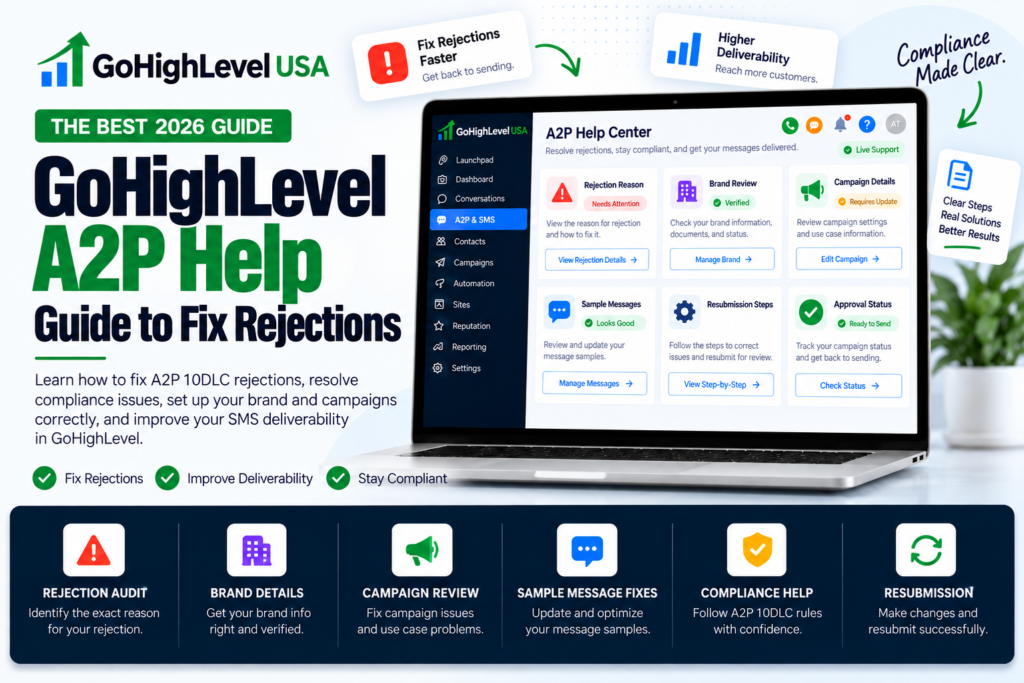
GHL A2P rejected? Open Settings > Phone System > Trust Center, read the rejection code, fix that exact cause, then edit and resubmit the same campaign instead of deleting it. This GoHighLevel A2P help guide explains the common codes and the fix for each one.
We will walk through why A2P campaigns fail, what each common error code means, and the fixes that address each one. Everything here is based on HighLevel’s own help center and published carrier rules. It is general guidance, not legal advice, so talk to an attorney about TCPA or consent questions.
What Is A2P 10DLC, in Plain Words?
A2P means “application to person”. It is any text sent from software, like GoHighLevel, to a real person’s phone. 10DLC means a normal 10 digit local phone number. US phone carriers want to know who is sending texts and why.
So every business must register a brand and a campaign before texting from a local number. If you skip it or get rejected, carriers block or filter your messages.
Most people who search for GoHighLevel A2P help are not stuck on the idea. They are stuck on a rejection. So let’s go there.
Where to Check Your A2P Status in GoHighLevel
Your A2P status in GoHighLevel lives in the Trust Center of each sub-account. Open the sub account and go to Settings > Phone System > Trust Center. Look at the Brand and Campaigns area, where the brand and each campaign show their own state. You will see one of these states:
- Pending: carriers are still reviewing. Wait.
- Approved: you are good to text.
- Rejected or Failed: you get a reason code. This is what you fix.
Write down the code. Every piece of GoHighLevel A2P help below starts with that code.
New to GoHighLevel? Try it free for 30 days
HighLevel's standard free trial is 14 days. Through our partner link you get 30 days plus HighLevel's free onboarding bootcamp. Rather have it built for you? Our US team sets up GoHighLevel accounts, websites, funnels and automations.
Partner link: we may earn a commission at no extra cost to you. Disclosure
GHL A2P Rejected? Brand or Campaign: Fix the Right One
A2P registration has two layers. The brand says who you are. The campaign says what you will text, to whom, and how they agreed to it. Both show in the Trust Center, and they fail for different reasons. When we take over an account, the first thing we check is which layer is red, because the fixes do not overlap.
Brand problems
- The legal business name does not match the IRS record for the EIN, letter for letter.
- A DBA or trade name was entered where the legal name belongs.
- The address, business type, or contact email does not match the business records.
- The EIN is brand new. HighLevel suggests waiting 30 to 90 days after the EIN is issued before you retry, so the number can show up in registration databases.
Campaign problems
These are the numbered codes in the next section: opt in flow, disclosures, website, privacy policy, and sample messages. A campaign cannot be approved until its brand is approved, so fix the brand first if both are failing.
Standard brands may also go through secondary vetting. HighLevel notes this can take up to 7 business days before a trust score appears.
The Most Common Rejection Codes and Their Fixes
Every rejection comes with a reason code, and each code points to one specific fix. HighLevel lists dozens of codes. These ten are the ones worth knowing first, because they cover most rejections we see. Match your code to the list, fix only that item, then resubmit.
- 30909, message flow cannot be verified: explain every way people agree to get texts. Name the form, the page, and the checkbox.
- 30924, missing disclosure: add the message type and how often you text. Put “Msg and data rates may apply” and “Reply STOP to opt out” right next to the checkbox.
- 30925, missing or pre checked box: add an SMS consent checkbox that starts unchecked.
- 30908, no privacy policy: publish one and link it inside your message flow.
- 30932, data shared with others: your privacy policy must say mobile information will not be shared with third parties for marketing.
- 30919, not enough business info on the website: show your company name, services, contact details, privacy policy, and a mention of your SMS program.
- 30893, sample messages unclear or not matching the use case: write real samples with your business name, brackets like [First Name], and opt out words.
- 30892, public link shorteners: remove bit.ly and TinyURL links. Use full HTTPS links. Shorteners or HTTP links logged under high risk codes 30963 and 30964 cannot be resubmitted, so clean them up before the first try.
- 30911, copy and paste content: every field and every sample must be different.
- 30971, personal email: use a business email, like name@yourcompany.com, not Gmail.
Bookmark this list for quick GoHighLevel A2P help later. Fix the exact thing the code names. Do not change ten other things at once, or you may create a new problem.
How to Fix Your Opt In Form
The opt in form is one of the most common reasons for rejection. Carriers want proof that every person agreed to texts, knew who would text them and knew how to stop. Good GoHighLevel A2P help always starts here. Your form needs all of these:
- A checkbox for SMS that is not checked by default.
- Your business name, so people know who will text them.
- What kind of texts they will get, like appointment reminders.
- How often you will text, like “up to 4 messages a month.”.
- “Msg and data rates may apply.”.
- “Reply HELP for help. Reply STOP to opt out.”.
- A link to your privacy policy and terms.
Two more rules trip people up. First, texting must be optional. People must be able to submit the form without saying yes to texts. Second, keep marketing texts and service texts as separate choices.
Here is a simple consent line you can adapt:
“I agree to receive appointment reminders and service updates by text from [Business Name]. Up to 4 messages a month. Msg and data rates may apply. Reply HELP for help or STOP to opt out. See our Privacy Policy.”
How to Fix Your Website and Privacy Policy
Carriers visit your website during review, and an empty or broken site leads to rejection. They check that the business name matches your registration and that a public privacy policy covers SMS. If it looks empty, they reject you. Your site must:
- Load with no login and no errors.
- Show the same business name you registered.
- Describe what you sell and how to contact you.
- Link to a public privacy policy.
Your privacy policy needs one key sentence. It should say that mobile phone numbers and SMS consent will not be shared or sold to third parties for marketing. Without it, you will likely see code 30932.
This part of GoHighLevel A2P help is easy to skip, but carriers check it every single time.
If your client only has a single form page, build a real page first. A form only site gets code 30920.
How to Write Sample Messages That Pass
Sample messages show carriers what you will send. Write two or three that match your use case, and make sure they agree with your campaign description and opt in form. Carriers compare all of them during review. Follow these rules from HighLevel:
- Put your business name in at least one message.
- Put opt out words, like “Reply STOP to opt out,” in at least one message.
- Use brackets for changing details, like [First Name] or [Appointment Date].
- Use full HTTPS links only. No link shorteners.
- Make every sample different.
Clear samples are one of the quickest GoHighLevel A2P help wins, because they are fully in your control.
Good example: “Hi [First Name], this is Smile Dental. Your cleaning is on [Date] at [Time]. Reply C to confirm. Reply STOP to opt out.”
Use the Built In Compliance Check Before You Submit
HighLevel now has an AI powered A2P compliance validation step inside the campaign submission flow. It reviews your opt in form, privacy policy, and terms of service. It then shows what passed and what needs work, and it currently supports website forms and Facebook lead forms as opt in methods.
Use it. It is GoHighLevel A2P help that runs right inside the submission form. But remember, a clean check does not promise approval. Carriers still make the final call.
What Does It Cost to Fix and Resubmit?
Good news: HighLevel dropped its old $15 resubmission fee on February 1, 2026. According to HighLevel’s fee page, resubmitting a rejected campaign costs $0. The other fees are passed through from The Campaign Registry and carriers. If your agency rebills them to a client, HighLevel adds a fixed 5% markup:
- Sole proprietor or low volume standard registration: $22.50 one time, including a $3 fast track fee.
- High volume standard registration: $64.00 one time, including the $3 fast track fee.
- Each extra campaign: $15 vetting fee.
- Monthly campaign fee: $2 sole proprietor, $10 standard, $1.50 low volume mixed, $3 charity, $5 emergency.
Keep this in mind when you pay anyone for GoHighLevel A2P help. The carrier fees are the same no matter who submits the form. So a rejection mostly costs you time, though the one time and monthly fees start at your first submission, whatever the outcome. That is why it pays to fix things right the first time.
Edit and Resubmit. Do Not Delete and Start Over
When a campaign is rejected, open it from the Campaigns tab, select View required fixes, and edit the existing campaign. HighLevel shows the error code, the category, what went wrong, and what to change. Deleting the campaign and creating a new one is a common mistake.
A new campaign is a new registration. It can bring a new vetting fee and puts you back at the end of the review line.
How long review takes
Carriers do not publish a fixed review time. Sole proprietor campaigns are often decided faster. Standard campaigns usually take several business days and can take longer when vetting queues are busy.
While a campaign shows Pending, leave it alone. Editing a campaign under review can restart the process. Use the wait to line up the website, privacy policy, and form so the next submission is clean if you do get a rejection.
What If You Hit the Three Try Limit?
Brand registration has a limit. After 3 failed tries, HighLevel asks for proof of your business. You will need an IRS CP 575 EIN letter. If the CP 575 is missing, a 147C letter from the IRS works instead. HighLevel support uses that letter to resubmit the brand for you.
The business name and EIN must match that letter exactly, down to “LLC” or “Inc”. This is a common reason people look for GoHighLevel A2P help. Often the name has a tiny spelling difference, like a missing comma or “LLC.”
Rejections You Cannot Fix
Some rejections cannot be fixed with better wording, because the content itself is banned from A2P texting. Cannabis, high-risk lending, gambling and adult content are among the restricted categories. Some content is simply not allowed on A2P texting. No edit will get it approved. HighLevel lists these, among others:
- Cannabis, CBD, prescription drugs, and illegal drugs.
- Payday, auto title, and personal loan marketing, debt relief, credit repair, and third party debt collection.
- Gambling, sweepstakes, crypto, forex, and stock tips.
- Adult content, hate speech, firearms, alcohol, and tobacco (the “SHAFT” group).
- Third party lead generation and MLM.
No GoHighLevel A2P help service can change these rules, so beware of anyone who promises it. If your client is in one of these areas, texting through a local number is not an option. Be honest with them early.
Pick the Right Brand Type and Use Case
Many rejections start before anyone writes a sample message. The wrong registration type or use case makes the rest of the application look inconsistent. Choose sole proprietor, low volume standard or high volume standard based on your EIN and daily volume. Then pick the use case that matches what you will send.
- Sole proprietor: for a business with no EIN. It has the lowest fees but also tight limits on campaigns, numbers, and daily volume.
- Low volume standard: for a business with an EIN that sends modest daily volume. Most single location local businesses fit here.
- High volume standard: for brands that need higher throughput. It adds secondary vetting and a higher one time fee.
For the use case, match what you will send. If a client only sends appointment reminders and service updates, do not pick marketing. If they send promotions too, choose a use case that covers both and make the opt in language mention both.
Carriers compare the use case, the campaign description, the samples, and the opt in form. When all four tell the same story, reviewers have less reason to push back.
GHL A2P Best Practices: A Checklist Before You Resubmit
- Business name matches the EIN letter exactly.
- Business email uses your own domain.
- Website is public, complete, and names the SMS program.
- Privacy policy says no sharing of mobile data for marketing.
- Checkbox is unchecked, optional, and has full disclosure text.
- Campaign description says who texts, who gets texts, what, and why.
- Two or three unique samples with brackets, name, and STOP words.
- No short links. HTTPS only.
Before you resubmit, check the brand details, opt in form, website, privacy policy, use case and sample messages against each other. One mismatch can cause another rejection. This checklist is the heart of our own GoHighLevel A2P help process. Check every line. Then submit once, cleanly.
When to Get GoHighLevel A2P Help From an Expert
You can do all of this yourself. But if you have been rejected twice, or you manage many client accounts, expert GoHighLevel A2P help saves weeks. Our GoHighLevel A2P registration service fixes forms, privacy pages and campaign text for a $50 flat charge, plus carrier fees at cost.
If you just need advice on one account, book time with a GoHighLevel consultant.
Frequently Asked Questions
These are short answers to the GoHighLevel A2P questions we hear most often. They cover resubmission fees, approval times, texting while a campaign is pending and what to do after repeated rejections. Each answer reflects HighLevel’s published help pages and fees, so check them again before you submit.
Is it free to resubmit a rejected A2P campaign in GoHighLevel?
Yes, since HighLevel dropped its old $15 resubmission fee on February 1, 2026, editing and resubmitting a rejected campaign costs nothing extra. The one time registration fee and the monthly campaign fee still start when you first submit, whatever the outcome. Creating a brand new campaign instead of editing the rejected one can add a new vetting fee.
How long does A2P approval take in GoHighLevel?
There is no fixed timeline because carriers and The Campaign Registry do the review, and sole proprietor campaigns are often decided fastest. Standard campaigns usually take several business days, and secondary vetting for a standard brand can take up to 7 business days. Avoid editing while a campaign is pending, since that can restart the review.
Can I text from my GoHighLevel number while A2P is pending?
Not reliably, because US carriers block texts from unregistered local 10DLC numbers, so messages from a number without an approved campaign will not get through. Calls are not affected. If a client needs to text right away, a verified toll free number is a separate option with its own verification process.
Does every client sub-account need its own A2P registration?
Yes, because A2P registration belongs to the business that sends the texts, so each client needs its own brand and campaign under its own EIN. Registering your agency does not cover your clients. If you manage many accounts, our A2P 10DLC registration service handles the paperwork for each one.
Final Thoughts
A2P rejections feel scary, but they follow clear rules. Read the code. Fix that one thing. Use the compliance check. Resubmit for free. Follow this GoHighLevel A2P help guide and you give your account its best chance of approval on the next try.
Save this page. The next time a client says “my texts are not sending,” you will know exactly where to look.