
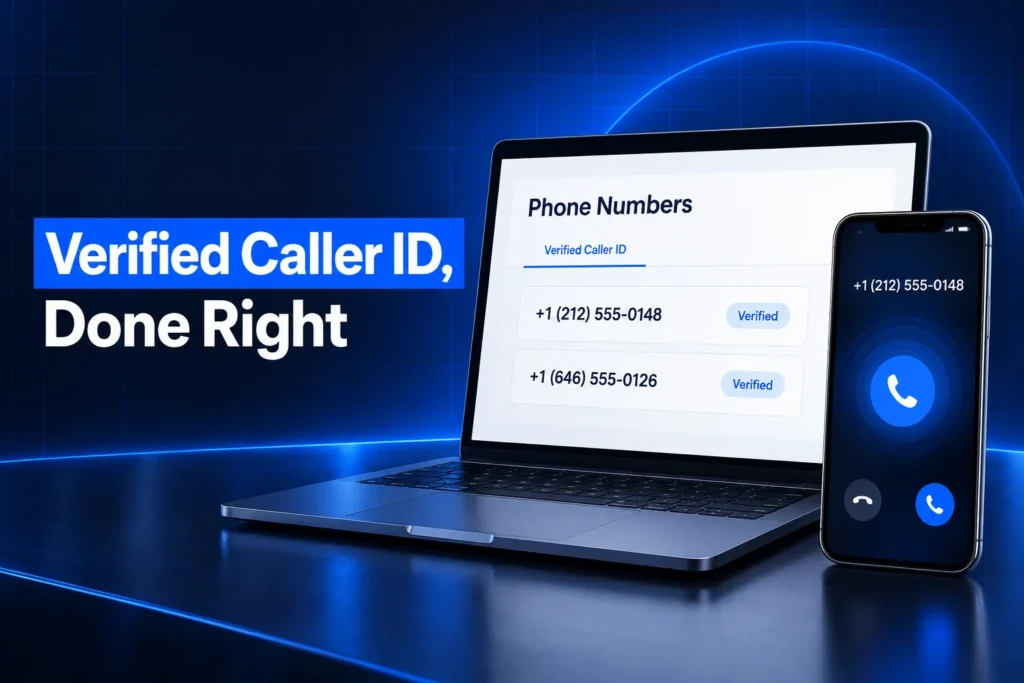
GoHighLevel verified caller ID lets you show a phone number you already own as the caller ID on outbound calls from an LC Phone sub-account. It proves you own that number. It does not stop “Spam Likely” labels on its own. Those depend on SHAKEN/STIR, CNAM, Voice Integrity and how you call.
This guide explains what verified caller ID does, how it differs from the trust tools in HighLevel’s Trust Center, why business calls get flagged, and what to fix first when a number already shows as spam. It is written for US business owners and agencies running calls from GoHighLevel.
What is GoHighLevel verified caller ID?
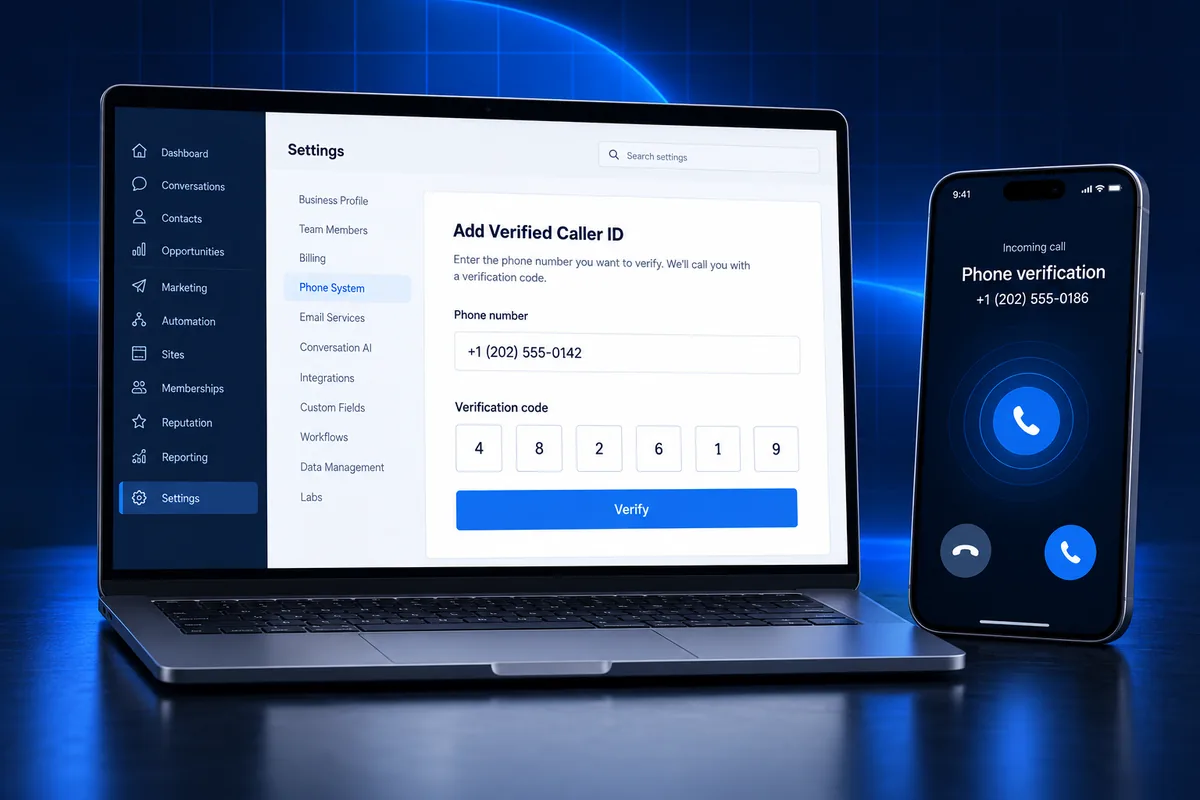
GoHighLevel verified caller ID is an LC Phone setting that lets a sub-account place voice calls that display a number you already own, such as your office line or cell. You confirm ownership with a verification call and code, then assign that number as the outbound caller ID on a HighLevel number.
- Who can use it: HighLevel supports it on LC Phone only. Sub-accounts running their own Twilio account can’t use it.
- Limit: each sub-account can hold 10 verified caller IDs by default. HighLevel support can raise the limit.
- What it covers: outbound voice calls. HighLevel’s documentation doesn’t confirm texting or inbound calls on a verified number you don’t host in HighLevel.
- Where it lives: in the sub-account under Settings, then Phone Numbers.
Use it when customers already know your existing number and you don’t want to port it yet. It keeps the familiar number on their screen while HighLevel places the call.
How does verified caller ID work in GoHighLevel?
Verified caller ID works in two parts. First, HighLevel verifies that you control the number by calling it and asking for a code. Second, you edit the configuration of a HighLevel phone number and choose the verified number as the caller ID for outbound calls from it.
- Add the number: from Phone Numbers, add a verified caller ID and enter the number you own.
- Verify ownership: HighLevel shows a code and calls the number. Answer and enter the code.
- Assign it: open the HighLevel number you call from and turn on the option to use the verified number as its outbound caller ID.
- Call: calls placed through that HighLevel number now show your own number to the person you call.
HighLevel also documents using an existing verified number for calls from its mobile app. The setup screen names can shift between releases, so check the current help article if a label looks different.
Limits worth knowing before you rely on it
Verified caller ID is a display feature, not a phone system. A few limits catch teams by surprise.
- Some countries block it. HighLevel lists countries where domestic calls with a verified caller ID are not supported, including India for +91 to +91 calls since August 1, 2024.
- Replies may not come back to HighLevel. If a customer calls the displayed number back, that call rings wherever the number is hosted today, not in your sub-account. Plan forwarding before you switch.
- Texting needs a HighLevel number. SMS still goes out from an LC Phone number tied to your A2P 10DLC campaign, so customers may see two different numbers.
New to GoHighLevel? Try it free for 30 days
HighLevel's standard free trial is 14 days. Through our partner link you get 30 days plus HighLevel's free onboarding bootcamp. Rather have it built for you? Our US team sets up GoHighLevel accounts, websites, funnels and automations.
Partner link: we may earn a commission at no extra cost to you. Disclosure
Verified caller ID vs SHAKEN/STIR, CNAM and Voice Integrity
Verified caller ID, SHAKEN/STIR, CNAM and Voice Integrity solve different problems. Verified caller ID chooses which number displays. SHAKEN/STIR authenticates that you may use it. CNAM attaches a business name. Voice Integrity asks the analytics companies behind spam labels to review the number’s reputation.
| Tool | What it does | Requirement | Removes “Spam Likely”? |
|---|---|---|---|
| Verified caller ID | Shows a number you own on outbound calls | LC Phone, verification call | No |
| SHAKEN/STIR | Signs calls so carriers can check you are authorized to use the number | EIN, Trust Center registration | No |
| CNAM | Links a business or personal name to a US number | EIN in the Trust Center | No |
| Voice Integrity | Submits US numbers to First Orion, Hiya and TNS for reputation review | SHAKEN/STIR completed first | It can help clear wrong labels |
| Free Caller Registry | One form that asks all three analytics engines to reconsider a flag | None; free | It can help clear wrong labels |
HighLevel states plainly that selecting a verified outbound caller ID is separate from SHAKEN/STIR authentication. A verified number still needs good reputation signals to be answered.
Why do GoHighLevel calls show as Spam Likely?
GoHighLevel calls show as “Spam Likely” when carrier analytics engines score the number as unwanted. AT&T relies on Hiya, T-Mobile on First Orion and Verizon on TNS. They weigh calling patterns, complaints, number history and authentication, so a verified number can still be flagged.
HighLevel’s own help center lists the patterns that hurt a number most:
- Sudden spikes in outbound volume, or a new campaign going straight from zero to high volume.
- Neighbor spoofing: calling from numbers chosen to look local to each recipient.
- Changing the displayed number when calling the same person again.
- One number used for marketing, surveys and support callbacks at once.
- Stale lists full of disconnected numbers, and repeated calls to the same people.
- Ignoring opt-outs or Do Not Call requests, and calling at odd or unlawful hours.
- Complaints, including an FTC complaint against the number.
Notice that most causes are behavior, not settings. That is why registering a number fixes nothing if the dialing habits that caused the flag continue.
What does SHAKEN/STIR do for GoHighLevel calls?
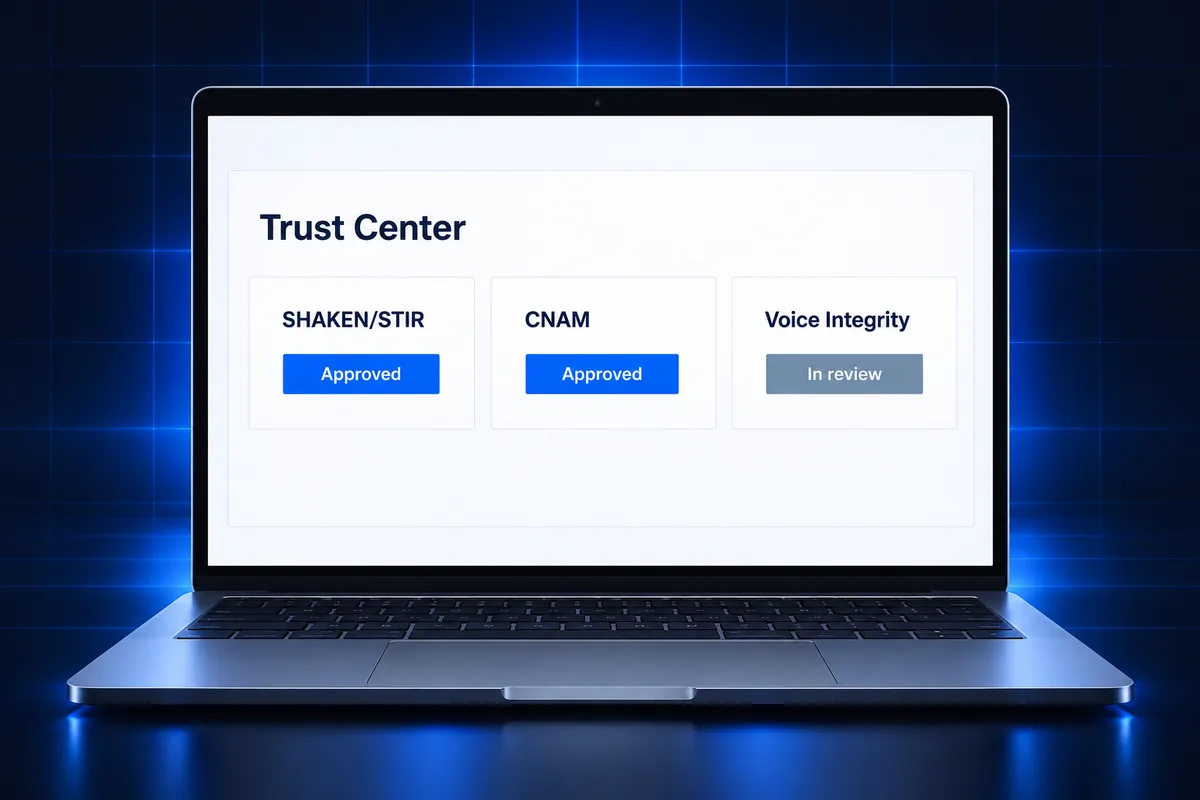
SHAKEN/STIR is the FCC-mandated caller authentication framework that uses digital certificates so receiving carriers can confirm a caller is authorized to use the number shown. In GoHighLevel, it is registered in the Trust Center with your EIN, and it is required before Voice Integrity.
- Automatic enrollment: HighLevel says eligible numbers linked to a qualifying A2P SMS registration may be enrolled automatically. This applies to A2P applications submitted after April 23, 2025, and older sub-accounts are being updated.
- Manual registration: in Settings, Phone Numbers, Trust Center, find SHAKEN/STIR, enter the business details and submit. Status shows in the Trust Center.
- Attestation: carriers sign calls at full (A), partial (B) or gateway (C) attestation. Full attestation is the strongest signal that the caller owns the number.
- What it won’t do: it doesn’t guarantee a “Verified” badge and doesn’t remove existing nuisance labels.
No EIN means no SHAKEN/STIR through HighLevel’s documented process. Sole proprietors are pointed to the Free Caller Registry instead. If that is you, our guide to A2P 10DLC for sole proprietors covers the texting side.
How does CNAM show your business name?
CNAM (caller ID name) links a US phone number to a registered business or personal name, which some carriers and phones display under the number. In GoHighLevel, CNAM is registered in the Trust Center, needs an EIN, and is optional but recommended before a Voice Integrity application.
- The name is a signal, not a promise. Display depends on the receiving carrier, the device, the person’s plan and their contact settings.
- Keep the name close to the business name customers know, so a displayed name matches what they expect.
- CNAM doesn’t replace SHAKEN/STIR, and neither one clears a spam label by itself.
How do you fix a number already flagged as spam?
To fix a GoHighLevel number already flagged as spam, first decide whether the number is worth saving. Then complete SHAKEN/STIR and CNAM, submit Voice Integrity or the Free Caller Registry, and change the calling habits that caused the flag. HighLevel suggests replacing new or non-critical numbers instead.
| Your situation | Best next move |
|---|---|
| Number is new, not printed anywhere, or has an FTC complaint | Replace it with a fresh number and fix the calling pattern |
| You have an EIN and the number matters | SHAKEN/STIR, then CNAM, then Voice Integrity |
| No EIN (sole proprietor) | Submit the free Free Caller Registry form |
| Flag came back after removal | Audit volume, list quality and opt-out handling before resubmitting |
What Voice Integrity asks for
The Voice Integrity form sits in the Trust Center. HighLevel asks for the use case, such as sales outreach or customer support, plus employee count, average business-day call volume and optional CNAM details. HighLevel says applications are typically processed within two business days.
Label changes can take longer to reach every network. Each analytics provider reviews separately, and HighLevel doesn’t guarantee removal. Voice Integrity covers US numbers only.
When to use the Free Caller Registry
The Free Caller Registry was set up jointly by Hiya, First Orion and TNS, so one submission reaches all three. It is free with no submission limit. HighLevel’s guide says flags are usually reviewed within about 4 business days, and you can resubmit or contact each engine directly if the label stays.
How to keep a GoHighLevel number off spam lists
A GoHighLevel number stays off spam lists when its calling pattern looks like a real business with a steady, consented audience. Keep volume steady, ramp new campaigns slowly, use one number per purpose, clean your lists and honor every opt-out. Registration only holds if behavior stays clean.
- One number, one job. Separate sales outreach from support callbacks so complaints on one don’t sink the other.
- Same number for the same person. Don’t rotate caller IDs on repeat calls to a contact.
- Answer what you start. Make sure call-backs to the displayed number reach a person or a missed-call text-back instead of a dead line.
- Say who you are. State the business name early in every call.
- Respect timing and consent. Call within lawful hours and keep consent records. Our TCPA texting rules guide covers the hours and opt-out rules that also shape calling programs.
- Watch AI and automated calls. If you use outbound Voice AI, scale it gradually and keep it to contacts who expect the call.
This is general information, not legal advice. Confirm calling consent rules for your situation with counsel.
Common setup mistakes we see in GoHighLevel phone builds
The most common caller ID mistakes in GoHighLevel are treating verified caller ID as a reputation fix, skipping the Trust Center, and mixing numbers across purposes. Each one leaves calls unanswered even when every setting looks finished in the sub-account.
- Verified number displayed, but call-backs go nowhere. The displayed number isn’t routed to the team that placed the call.
- EIN details don’t match. The legal name or EIN entered in the Trust Center differs from the IRS record, which can stall SHAKEN/STIR and CNAM the same way it stalls A2P.
- Business profile left half done. Missing legal details in the sub-account’s business profile slow every Trust Center registration.
- Imported snapshot numbers left unassigned. After a snapshot import, workflows and calendars may still point at numbers that aren’t configured.
- Registering, then blasting. A fresh Voice Integrity approval followed by a large cold-call push often brings the label straight back.
Our GoHighLevel sub-account setup guide covers the business profile and phone pieces that should be finished before any outbound calling starts.
Calls going to voicemail or labeled spam? Get the setup checked
If your GoHighLevel calls show the wrong number, get labeled spam or ring nowhere when customers call back, the phone setup needs a review. The fix is usually in the Trust Center, the number configuration and the calling pattern, not in buying more numbers.
- Haven’t registered texting yet? We handle GoHighLevel A2P 10DLC registration for a $50 flat service charge, with carrier fees billed at cost. HighLevel says qualifying A2P-linked numbers may be enrolled in SHAKEN/STIR automatically.
- Numbers, workflows and routing already tangled? Our sub-account audit and rebuild reviews the phone setup with the rest of the account and gives you a fixed quote.
- Compare plans on our services and pricing page.
Frequently Asked Questions
Does verified caller ID stop calls from showing as Spam Likely?
No. Verified caller ID only lets an LC Phone sub-account display a number you own. Spam labels come from carrier analytics engines that weigh call patterns, complaints and number history. To address a label, complete SHAKEN/STIR and CNAM, then submit Voice Integrity or the Free Caller Registry, and fix the calling habits behind it.
How many verified caller IDs can a GoHighLevel sub-account have?
HighLevel sets a default limit of 10 verified caller IDs per sub-account to prevent misuse. If you need more, HighLevel support can raise the limit. Each verified number still has to pass the ownership check, which is a verification call with a code you enter in the sub-account.
Does verified caller ID work with my own Twilio account?
No. HighLevel documents verified caller ID as an LC Phone feature only, so sub-accounts connected to a personal Twilio account can’t use it from HighLevel. If you plan to keep your own Twilio account, configure caller ID inside Twilio or move the numbers to LC Phone first.
Do I need an EIN for SHAKEN/STIR and CNAM in GoHighLevel?
Yes. HighLevel’s documented Trust Center process for SHAKEN/STIR and CNAM requires a valid EIN. Businesses without one can’t use that route. HighLevel points them to the Free Caller Registry, a free form that asks Hiya, First Orion and TNS to review a flagged US number.
How long does Voice Integrity take to remove a spam label?
HighLevel says Voice Integrity applications are typically processed within two business days. Removing the label can take longer, because First Orion, Hiya and TNS each review separately and carriers apply changes on their own timeline. HighLevel doesn’t guarantee removal, and labels can return if calling patterns stay the same.
Can I text from a verified caller ID number?
HighLevel documents verified caller ID for outbound voice calls only. Texts still go from an LC Phone number registered to your A2P 10DLC campaign. If you want one number for both calls and texts inside HighLevel, porting the number into LC Phone is usually the cleaner path.