
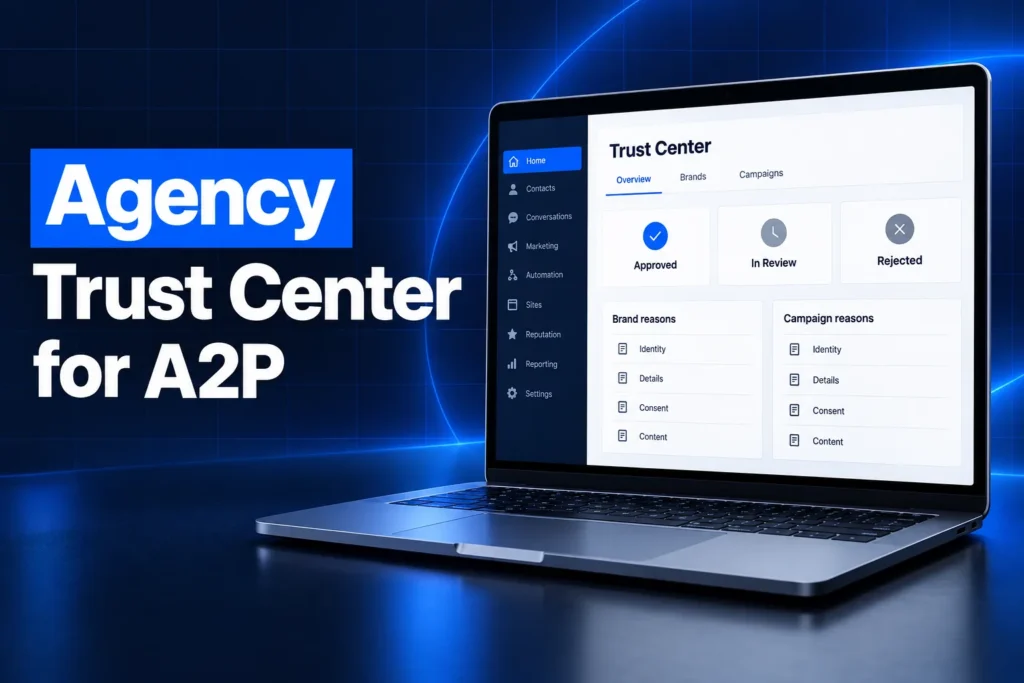
The GoHighLevel trust center for agencies is a new agency-level console, announced at LevelUp Day 2026, that shows A2P 10DLC registration health for every sub-account in one place. Agency Owners and Admins can see approvals, read rejection reasons, fix and resubmit Brands and Campaigns, and start new Brand registrations without logging into each client account.
This guide covers where the Agency Trust Center lives, what each tab shows, how it differs from the sub-account Trust Center, and which A2P rejection reasons HighLevel surfaces. It ends with the other compliance and deliverability updates from the same release.
What is the GoHighLevel Agency Trust Center?
The Agency Trust Center (A2P) is a centralized dashboard in the agency view of GoHighLevel for managing A2P 10DLC registrations across all sub-accounts. Instead of opening each client account, agency administrators track approvals, spot rejected Brands and Campaigns, see why they failed, and start registrations from the agency level.
A2P 10DLC is the registration US carriers require for businesses that send application-to-person texts from 10-digit long code numbers. Each sub-account needs an approved Brand and a verified Campaign before its texts go out reliably. For agencies with many clients, that used to mean checking every account one at a time.
HighLevel splits the console into three tabs:
- Overview: A summary of approval status, the most common rejection reasons, and a comparison of registration methods across your sub-accounts.
- Brands: A table of every Brand registration with its status, remaining attempts and latest rejection reason, plus the option to start a new registration.
- Campaigns: A table of every Campaign with its status, connected Brand, use case and latest issue.
Where do you find the Trust Center in GoHighLevel?
You find the Agency Trust Center in Agency View under Settings, then Phone Integration, then Trust Center (A2P). Open that section and choose the Overview, Brands or Campaigns tab. It sits at agency level, so you do not need to switch into a sub-account to use it.
Two access limits matter before you go looking for it:
- Plan: HighLevel’s help article says the console is currently available only to agencies on HighLevel’s $497/month plan. Agencies on lower plans should not expect to see it yet.
- Users: Only Agency Owners and Agency Admins can open it. Other agency users and all sub-account users do not have access to the agency-level console.
New to GoHighLevel? Try it free for 30 days
HighLevel's standard free trial is 14 days. Through our partner link you get 30 days plus HighLevel's free onboarding bootcamp. Rather have it built for you? Our US team sets up GoHighLevel accounts, websites, funnels and automations.
Partner link: we may earn a commission at no extra cost to you. Disclosure
What does the Overview dashboard show?
The Overview tab shows A2P registration health across your whole agency. Three summary cards count sub-accounts that are fully approved, in review, or rejected, and two lists show the most common Brand and Campaign rejection reasons. A date range selector and refresh icon let you check a recent period with current data.
- Fully Approved: The number and percentage of sub-accounts where both the Brand and the Campaign are approved or verified. A sub-account with only one of the two does not count.
- In Review: Sub-accounts whose registrations are still being reviewed, broken down into Brands and Campaigns.
- Rejected: Sub-accounts with rejected registrations, with separate Brand and Campaign counts. Clicking a count takes you to the matching records.
- Registration methods: A “How your sub-accounts are registering” section compares the Chat Widget method with Self-Serve, showing how many sub-accounts used each and the approval share for each among final decisions.
HighLevel notes that these figures count sub-accounts, not individual registration attempts.
Chat Widget vs Self-Serve registration
With the Chat Widget method, consent is captured through the website chat widget and stored automatically, which helps show the opt-in process. With Self-Serve, the business supplies its own proof of consent, such as its opt-in forms and website. HighLevel recommends the Chat Widget but states it does not guarantee approval.
How do the Brands and Campaigns tabs work?
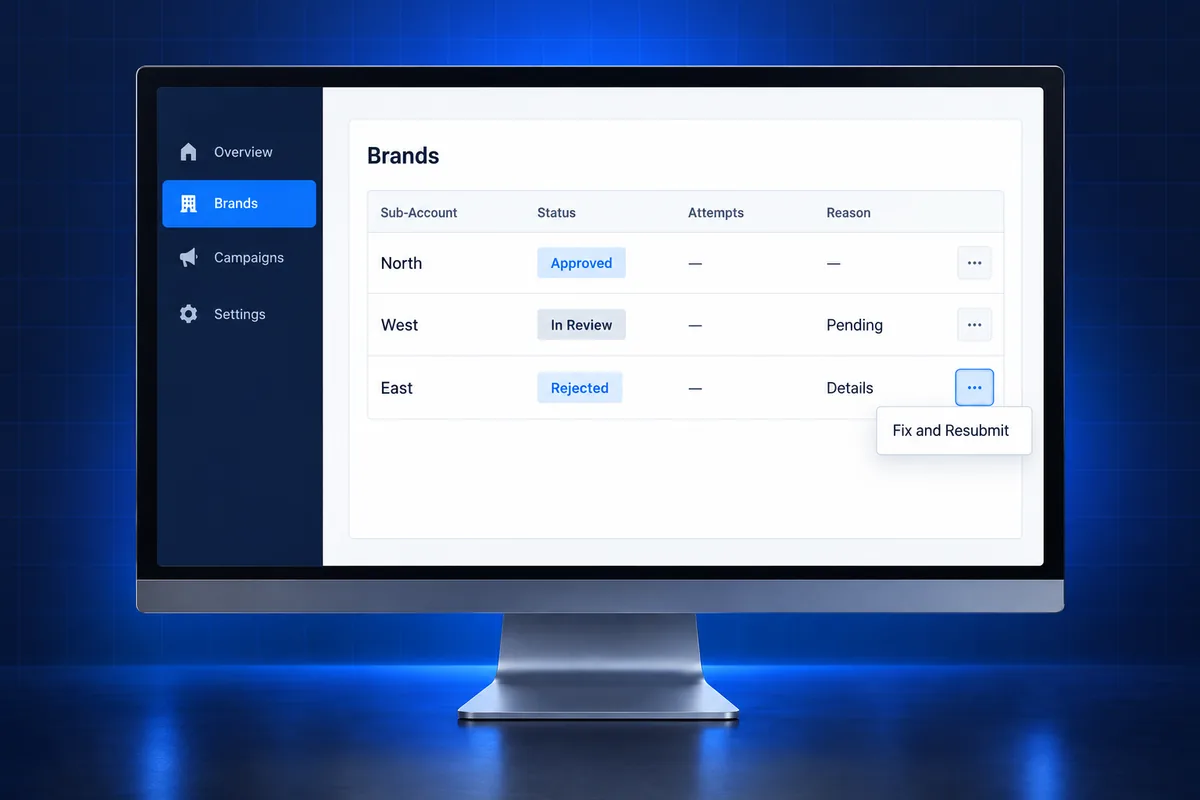
The Brands and Campaigns tabs are tables of every registration across your sub-accounts. Each row shows the sub-account, status and latest rejection reason, and filters narrow the list to in-progress, rejected or approved records. An Actions menu on each row offers Fix and Resubmit when the record’s status allows it.
Brands tab
- Columns: Brand SID, Sub-Account, Brand Status, Brand Type, Attempts left, Rejection Reason and Actions.
- Filters: All, In Progress, Rejected and Approved, plus search by sub-account.
- Start registration: Begin a new Brand registration for any sub-account you select, then track it from the same tabs.
The Attempts left column is the one to watch. A rejected Brand is not a free retry, so fix the cause before you resubmit.
Campaigns tab
- Columns: Messaging Service, Sub-Account, Campaign Status, Connected Brand, Use Case, Rejection Reasons and Actions.
- Filters: All, In Progress, Rejected and Verified.
- Order rule: A Campaign can only be created for an approved Brand, so Brand problems always come first.
How is it different from the sub-account Trust Center?
The sub-account Trust Center handles one business’s A2P Brand and Campaign. The Agency Trust Center adds a portfolio view on top of it, so owners and admins can see and act on every client’s registration from one screen. It does not replace the sub-account Trust Center, which stays available as before.
| Point | Sub-account Trust Center | Agency Trust Center (A2P) |
|---|---|---|
| Scope | One sub-account | All sub-accounts in the agency |
| Who can use it | Users inside that sub-account | Agency Owners and Agency Admins only |
| Rejection insight | That account’s own registration | Most common Brand and Campaign rejection reasons across clients |
| Fix and resubmit | Inside the sub-account | From the agency level, per row |
| Plan | Standard part of the sub-account | Currently HighLevel’s $497/month plan only |
| Export | Not applicable | CSV export not available in the first version |
Why does GoHighLevel A2P get rejected?
A GoHighLevel A2P registration is usually rejected because the submitted details do not match official records or the consent process is not clearly shown. HighLevel’s examples include a name that does not match the EIN, weak opt-in evidence, an unverifiable website, and a description that does not fit the use case.
These are the reasons HighLevel lists as examples in the new dashboard:
- Business name does not match EIN (Brand): The legal name submitted must match the name tied to the Employer Identification Number in IRS records.
- Opt-in consent not properly evidenced (Brand and Campaign): The registration does not clearly show how customers agree to receive texts.
- Business category not eligible for 10DLC (Brand): The business type or activity does not meet A2P registration requirements.
- Description does not match use case (Campaign): The campaign description does not accurately describe the messaging use case selected.
- Website could not be verified (Campaign): The website given in the registration could not be checked successfully.
HighLevel also warns that incorrect business names, EINs, addresses or other identity details can lead to rejection. Before any resubmit, compare the legal name and EIN against the IRS letter, confirm the website is live on the business’s own domain, and check that the privacy policy and SMS opt-in wording are easy to find. Our guide to SMS opt-in language that carriers accept covers the consent side in more detail.
For a platform-neutral breakdown of what each campaign rejection means, see this explainer on why an A2P campaign gets rejected from our sister site.
What this means for agencies managing many sub-accounts
For agencies, the Agency Trust Center turns A2P from a per-client chore into a weekly portfolio check. The biggest gain is seeing every rejected Brand and Campaign, with its reason, in one list. The risk is moving faster than your data allows, since every resubmit uses an attempt.
- Start with the Rejected card: Click the Brand and Campaign rejection counts first. Those clients are the ones whose texts are most likely blocked or filtered right now.
- Group fixes by reason: If several clients fail on the same reason, such as opt-in evidence, the fix is often a shared website or form pattern you can correct once and apply across accounts.
- Respect Attempts left: Do not click Fix and Resubmit until the legal name, EIN, address, website and opt-in proof have been checked against source documents.
- Use the method comparison carefully: The Chat Widget vs Self-Serve split shows how your own clients fare, but HighLevel is clear that no method guarantees approval.
- Check access before you plan around it: Confirm your agency is on the plan that includes the console and that the people doing the work are Owners or Admins.
- Keep your own records: With no CSV export in the first version, note status changes for clients you are actively fixing.
Clients who need a toll-free number rather than 10DLC follow a different process, covered in our GoHighLevel toll-free verification guide. Businesses without an EIN can look at the A2P 10DLC sole proprietor option.
Other compliance and deliverability updates from LevelUp 2026
Alongside the Agency Trust Center, HighLevel announced several updates that protect sender reputation on email and WhatsApp. They cover list hygiene, spam checks, domain reputation and WhatsApp consent. Most are general releases, while automated domain warm-up is in private beta.
- Email verification during contact import: A checkbox on the last step of Contacts import checks email addresses before you send, so invalid addresses are caught early. Processing status shows under Bulk Actions.
- Pre-send spam check for campaigns: Email Marketing can now review both the sender setup and the email content for spam risks, give an overall severity rating, and suggest fixes before launch.
- Automated email domain warm-up (private beta): The LC Email System can gradually ramp up sending on a dedicated domain and track a domain health score, without a third-party warm-up tool. It needs a verified dedicated domain with an issued SSL certificate.
- WhatsApp native forms in Flows: Leads can fill out forms inside the WhatsApp chat instead of opening a browser, and submissions map to the contact under Forms, then Submissions.
- WhatsApp media carousel templates: Marketing templates can hold up to 10 swipeable cards, per HighLevel, and the carousel counts as one marketing message against Meta billing and frequency limits.
- WhatsApp call recording and transcription: Calls can be recorded and transcribed into Conversations, with an automated consent announcement played before recording starts.
- WhatsApp template library: HighLevel lists 52 pre-built marketing and utility templates in six languages, built to suit Meta’s approval process and editable before submission.
If you are setting up WhatsApp for clients, our WhatsApp setup guide for agencies covers the groundwork these features build on.
Stuck on A2P rejections across client accounts?
If several sub-accounts keep coming back rejected, the dashboard will show you where, but it will not fix the underlying records. GoHighLevel USA handles done-for-you GoHighLevel A2P 10DLC registration for a $50 flat fee, with carrier fees passed through at cost. We check the legal name, EIN, website and opt-in before anything is submitted.
See our GoHighLevel A2P 10DLC registration service to get a client registered, or visit the GoHighLevel A2P help page if a registration is already stuck.
Frequently Asked Questions
Who can access the GoHighLevel Agency Trust Center?
Only Agency Owners and Agency Admins can open the Agency Trust Center (A2P). HighLevel’s help article says it is currently available only to agencies on HighLevel’s $497/month plan. Other agency users and all sub-account users do not have access to the agency-level console, though they can still use the sub-account Trust Center.
Does the Agency Trust Center replace the sub-account Trust Center?
No. HighLevel states that the existing sub-account Trust Center remains available. The Agency Trust Center is an extra, centralized view for agencies, so owners and admins can manage many registrations without switching between sub-accounts. Work done in either place applies to the same Brand and Campaign records for that sub-account.
What does “Fully Approved” mean in the A2P dashboard?
Fully Approved means both the Brand and the Campaign for a sub-account have received their required approvals. A sub-account with an approved Brand but a Campaign still in review or rejected does not count. The dashboard counts sub-accounts rather than individual registration attempts, so the numbers reflect clients, not submissions.
Can I create an A2P campaign before the brand is approved?
No. HighLevel requires an approved Brand before a Campaign can be created. That is why the Overview shows Brand and Campaign rejections separately: if the Brand is rejected, fix and resubmit it first. Once the Brand is approved, you can create the Campaign from the Campaigns tab for that sub-account.
Can I export A2P registration data from the Agency Trust Center?
Not yet. HighLevel says CSV export is not available in the initial version of the Agency Trust Center. For now you can filter the Brands and Campaigns tables by status, search by sub-account, and use the date range on the Overview tab. Keep your own notes for clients you are actively fixing.