
GOHIGHLEVEL SNAPSHOT FOR PLUMBERS
GoHighLevel Plumber Snapshot: Ready-to-Customize Build
Our GoHighLevel plumber snapshot is a complete account build for plumbing companies. It catches emergency calls, books service work and follows up on big-ticket estimates.
What's inside
Inside the GoHighLevel Plumber Snapshot
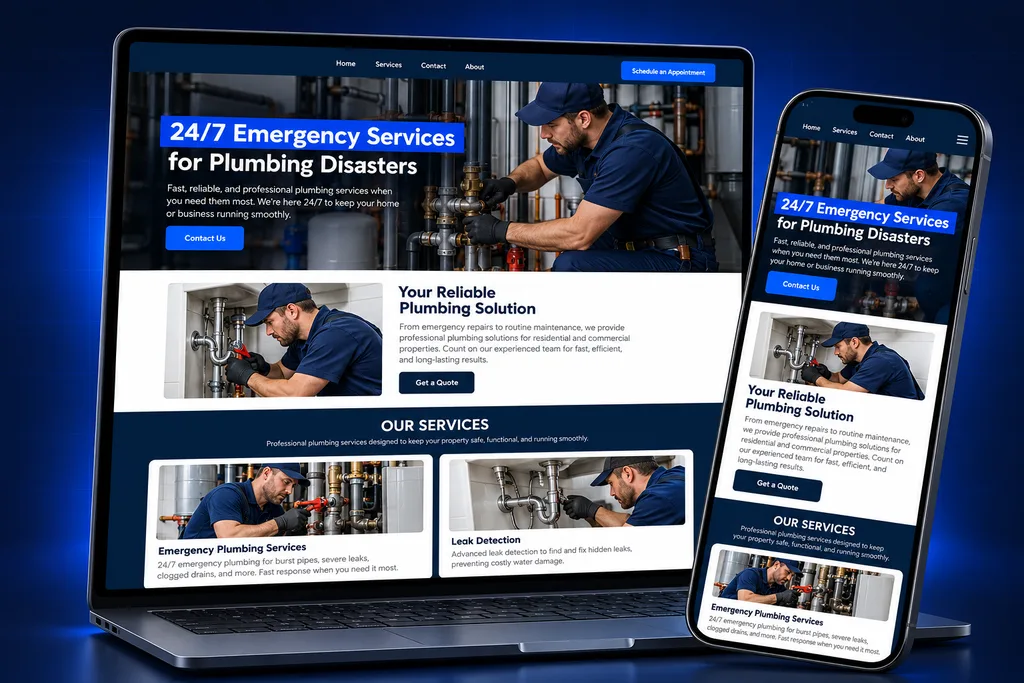
Each asset is named for a plumbing job and built around an outcome your office manager will recognize. The GoHighLevel plumber snapshot covers emergency call capture, a service pipeline and an estimate pipeline. Service-area booking, job landing pages, review requests and maintenance-plan reminders complete the build.

Emergency Call Capture
Missed calls get an instant text back, so a homeowner with a burst pipe hears from you before they dial the next plumber.

Service Pipeline
Scheduled repairs and drain calls move from new request to booked, completed and paid in one board your dispatcher can read at a glance.

Estimate Pipeline
Water-heater, repipe and sewer-line quotes get their own pipeline and follow-up, because these jobs take days to decide.

Service-Area Booking
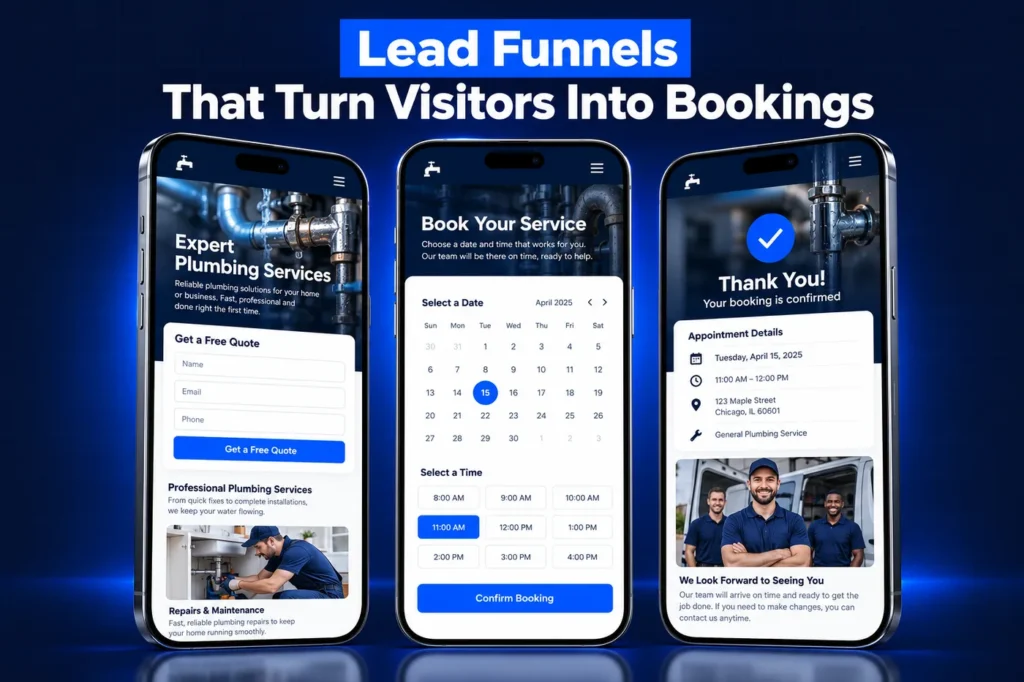
A booking calendar asks for the service address up front and sends confirmations and reminders before the visit.

Job Landing Pages
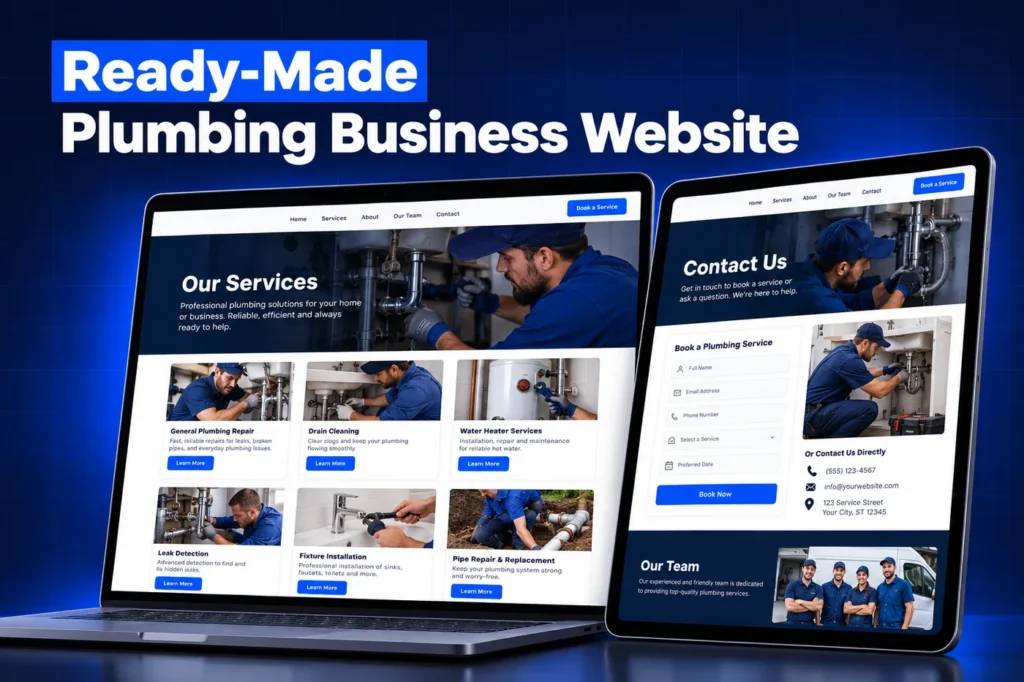
Funnel pages for emergency service, water heaters and drain cleaning, each with a short form and click-to-call button.

Reviews and Plans
Review requests after completed jobs, plus reminders for customers on a maintenance plan so they book their annual visit.
Side by side
The GoHighLevel Plumber Snapshot Asset List
A snapshot in HighLevel is a copy of an account's setup: pipelines, workflows, forms, calendars, templates, funnels and custom fields. It does not include customer data. We build ours for plumbing first, then shape it to your company before it goes live.
Asset type
What we build
Outcome for your shop
Pipelines
Emergency and Scheduled Service; Water Heater and Repipe Estimates
Fast jobs and long-decision jobs never compete for attention
Workflows
Missed-call recovery, booking confirmations, estimate follow-up, review request, maintenance-plan reminder
Follow-up happens even when every tech is under a sink
Forms and surveys
Service request, estimate request, post-job feedback survey
The office gets the address, problem and urgency up front
Calendars
Service-area booking calendar, estimate visit calendar
Customers pick a slot without phone tag
Templates
SMS and email for confirmations, reminders, on-the-way notices, estimate check-ins and review asks
Consistent wording in your brand voice
Custom fields and values
Job details your office asks on every call, plus business info used across templates
Change a phone number or hours once, not in fifty places
Funnels
Emergency plumbing, water heater and drain cleaning pages
Ad traffic lands on a page that matches the search
Two Pipelines, Because Plumbing Jobs Move at Two Speeds
A clogged main line on a Saturday is decided in minutes. A tankless water heater or a whole-house repipe can take a week of quotes and spouse conversations. Putting both in one pipeline hides the expensive jobs behind the urgent ones.
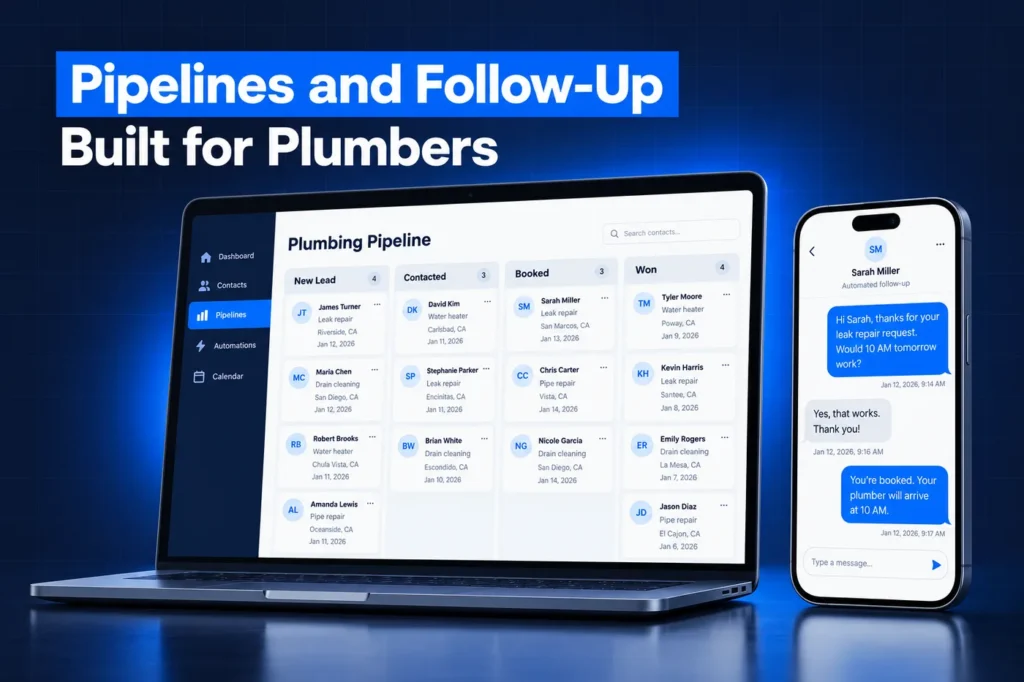
The service pipeline tracks requests from new to booked, dispatched, completed and paid. The estimate pipeline tracks quotes from visit booked to estimate sent, follow-up, won or lost, so nobody forgets the big quote they sent last Tuesday.
Stage names are edited to match your language during the build. If your dispatch software already tracks job status, we keep the pipeline focused on sales and follow-up rather than duplicating dispatch.
Custom fields without the clutter
Many prebuilt accounts arrive with dozens of fields nobody fills in. We keep the plumber build lean, with only the job details your office asks for on a call. Business values like hours, license line and review link feed every template.
That matters more than it sounds. When a dispatcher can read a contact record at a glance, follow-up gets done, and your templates never show an empty placeholder to a customer.
A closer look
Missed Calls, After Hours and Where Leads Come From
Plumbing is a call-first trade. Leads come from Google Business Profile, Google Local Services Ads, search ads, your website, Facebook and referrals, and most of them pick up the phone. HighLevel's Missed Call Text Back setting sends a text when a call goes unanswered.
We pair it with the snapshot's recovery workflow. The caller gets a reply, the office gets an alert and the contact lands in the right pipeline. Read more on our GHL missed call text back page.
After-hours handling is set to your rules: some shops want every emergency routed to the on-call tech, others want a booking link for the morning. We build whichever you choose.
Reviews and maintenance plans
Plumbing customers search, compare stars and call the top few. The review request goes out after a job is marked complete and links to your own Google profile. That link is set during the install, so it never points at someone else's business.
If you sell an annual inspection or drain maintenance plan, the snapshot reminds plan members when their visit is due. It also gives them a booking link. Recurring work keeps techs busy in slow weeks, and this GoHighLevel plumber snapshot makes sure the reminders go out on time.
How it works
From Strategy Call to Live Plumber Account in 4 Steps
Your plumber account goes from strategy call to live in four steps. We scope your services, service area, hours and tools, then build and adapt the assets in a staging sub-account. Next we load the snapshot and reconnect domains, numbers and integrations. Last, we test calls, forms and bookings end to end.
1
Scope Call
We confirm your services, service area, hours, booking rules and the tools you already use for dispatch and invoicing.
2
Custom Build
We build the snapshot assets in a staging sub-account and adapt every template to your brand and wording.
3
Install
We load the snapshot into your sub-account or share it to your agency, then reconnect domains, numbers and integrations.
4
Test and Hand Over
We test calls, forms and bookings end to end, then walk your team through the account.
What a Snapshot Does Not Carry Over
HighLevel is clear that a snapshot copies configuration, not live data or connections. Your customer records, reviews and integrations are imported or reconnected after the load, as part of our install. According to the HighLevel snapshots overview, these items do not transfer:
✓ Contacts, appointments, conversations and message history.
✓ Reputation data such as existing reviews.
✓ Stripe and other third-party integrations or account connections.
✓ Phone numbers assigned to Voice AI agents.
Also outside the snapshot itself: A2P 10DLC registration, purchasing phone numbers, your domain and DNS, and any paid tools such as dispatch or invoicing software. Funnels and websites arrive unpublished until a domain is connected. We handle that setup as part of the install, and texting registration through our A2P 10DLC registration service.
Installing It: Agency Path or Single-Business Path
If you run a GoHighLevel agency, we share the finished snapshot to your agency account. You can create a new sub-account from it, or load it into an existing one and choose to override or skip any conflicting assets. If you are a plumbing company with your own sub-account, we install the build directly for you.
Once loaded, a snapshot cannot be unloaded, so we install into a clean account or review conflicts with you first.
Snapshots also do not update themselves. When we improve your build, the source is refreshed and the changes are pushed to linked accounts. Our GoHighLevel snapshot installation guide covers each path in detail.
Why We Customize Instead of Selling a Download
Off-the-shelf snapshots ship with another company's wording, service list and review links. Fixing those after import often takes longer than the build itself, and mistakes reach real customers. Every GoHighLevel plumber snapshot we deliver is built for one shop: your services, your towns, your hours and your follow-up style.
If you are still comparing options, read custom vs free GoHighLevel snapshots or our overview of what a GoHighLevel snapshot is.
Questions and answers
GoHighLevel Plumber Snapshot: Common Questions
Straight answers before you book a call. Have a question that is not covered here? Ask us directly.
What is a GoHighLevel plumber snapshot?

It is a saved copy of a GoHighLevel account setup designed for plumbing companies: pipelines, workflows, forms, calendars, templates, custom fields and funnel pages. Loading it gives a new sub-account the full structure at once. Ours is built and customized for each client rather than sold as a generic file.
Does the snapshot include my contacts or reviews?
No. HighLevel snapshots copy configuration only. Contacts, conversations, appointments and reputation data stay in the account they came from, and existing Google reviews remain on your profile. If you are moving from another CRM, we import your customer list separately during setup.
Is A2P 10DLC registration included in the snapshot?
No. Carrier registration belongs to each business and cannot be copied by a snapshot. We complete the brand and campaign submission as a separate step so your missed-call texts, reminders and review requests deliver reliably. Details are on our A2P 10DLC registration page.
Will it work with my dispatch or invoicing software?
GoHighLevel handles lead capture, follow-up and reviews. Your dispatch and invoicing tool can stay in place. Integrations are not carried by snapshots, so we review what your software supports and reconnect anything needed after the install, so jobs and customer records stay accurate in both places.
Can I see what is in the snapshot before it is installed?
Yes. We review the asset list with you on the scope call, and HighLevel lets account owners view a snapshot's assets before loading it. Nothing is installed until you approve the build, and you can request changes to names, wording or stages first.
How do I install a plumber snapshot?
Agencies can create a sub-account from the shared snapshot or load it into an existing one. Single businesses usually let us install it. Our snapshot installation guide walks through both paths, including what to reconnect afterward, such as your domain, phone number and integrations.
Ready when you are
Get a GoHighLevel Plumber Snapshot Built for Your Shop
Book a free strategy call and we will scope your plumber build. Prefer to chat? WhatsApp us at +1 (681) 276-7045.