
GOHIGHLEVEL SNAPSHOT FOR SALONS AND BARBERS
GoHighLevel Salon Snapshot for Salons and Barbershops
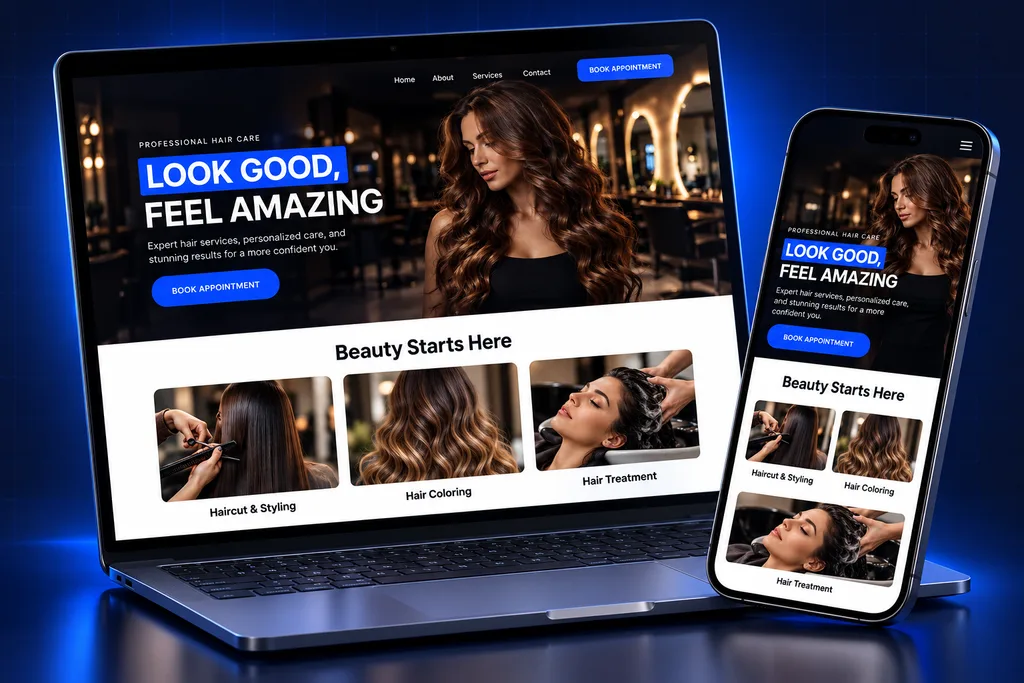
This GoHighLevel salon snapshot is a rebooking-first account build for hair salons, barbershops and beauty studios, with new-client offers, booking by service and stylist, optional deposits, no-show recovery and review requests.
What's inside
Inside the GoHighLevel Salon Snapshot
Every asset is built around the chair: who sits in it, how often they come back and what keeps it full.

New-Client Offer
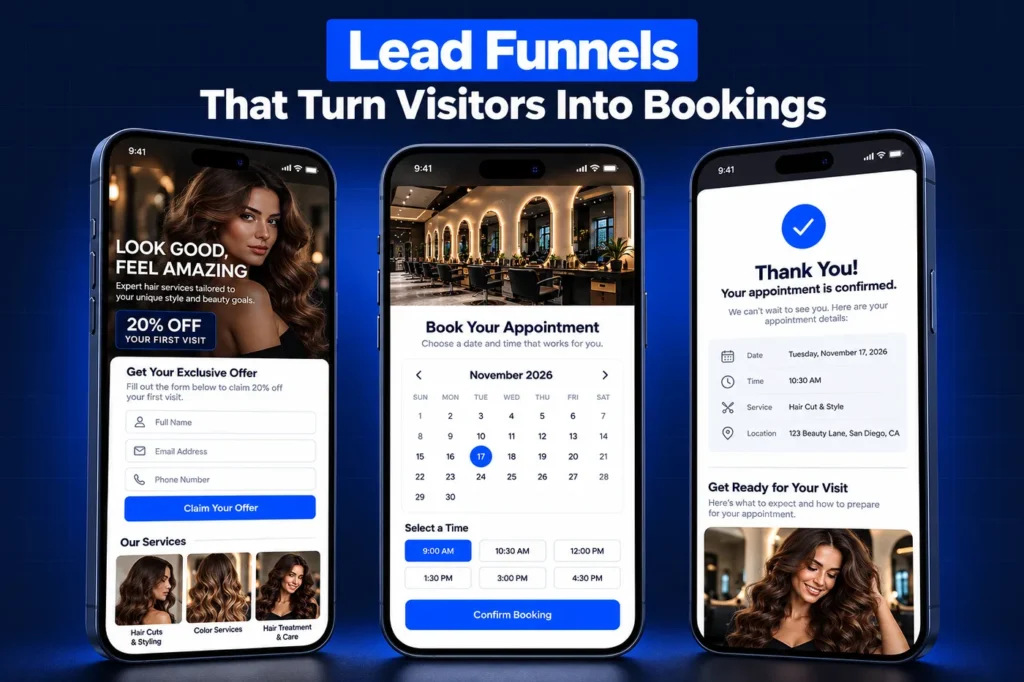
A first-visit offer page and short form bring in new guests, with your policies and consent wording shown before they book.

Book by Stylist
Clients choose the service and the stylist or barber they want, with service lengths and staff pricing set to your menu.

Deposits and Policy
Longer services such as color or extensions can take a deposit at booking, so the chair is protected when someone cancels late.

Rebooking Reminders
Cut, color and treatment clients are reminded when their usual cycle comes around, with a link back to their stylist.
No-Show Recovery
Missed appointments get a polite rebooking message, and repeat no-shows are flagged for the front desk to handle.

Reviews and Retail
Review requests after visits, plus product follow-ups and birthday offers for clients who agreed to receive marketing.
Rebooking Is the Business Model
A salon or barbershop grows on repeat visits. A new client costs real marketing money, and the return comes from the second, fifth and twentieth appointment. Most chairs sit empty not because demand is low, but because regulars drift between visits and nobody nudges them.
New clients find salons through Instagram and TikTok, Google Business Profile, booking marketplaces, walk-ins and word of mouth. The GoHighLevel salon snapshot gives each source a way in, then works to turn first visits into regular ones.
Think of a snapshot as a template of a whole GoHighLevel account, minus the clients. Our snapshot explainer covers the concept if it is new to you.
Side by side
GoHighLevel Salon Snapshot Contents
Build area
Salon version
Effect on the book
Pipelines
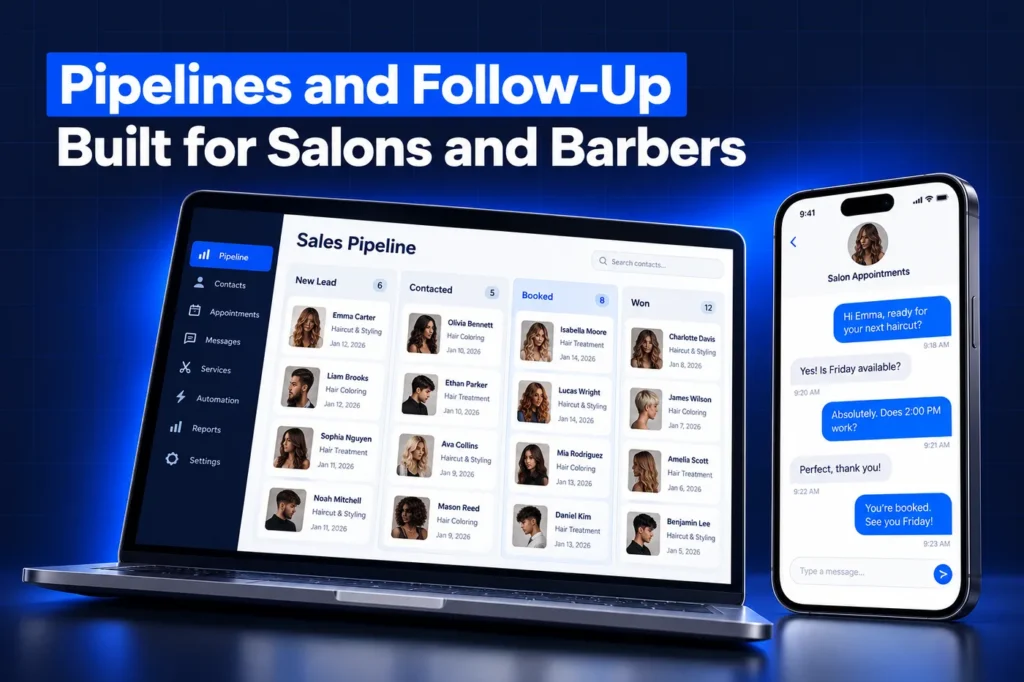
New Client Journey; Client Care and Rebooking
First-timers and regulars each get the right attention
Workflows
Booking confirmation, appointment reminders, no-show rebooking, rebooking reminder by service, birthday offer, product follow-up, review request
The book stays full without the front desk chasing every client
Forms and surveys
New-client form, consultation questionnaire for color or extensions, post-visit survey
Stylists see hair history and goals before the client sits down
Calendars
Service booking by stylist with optional deposits; consultation calendar
Clients book the right service with the right person
Templates
SMS and email for confirmations, prep notes, policy reminders, rebooking nudges, offers and review asks
A consistent voice across every stylist
Custom fields and values
Preferred stylist and service history notes, plus business values like address, parking, policy link and booking link
Change your cancellation policy once and every template updates
Funnels
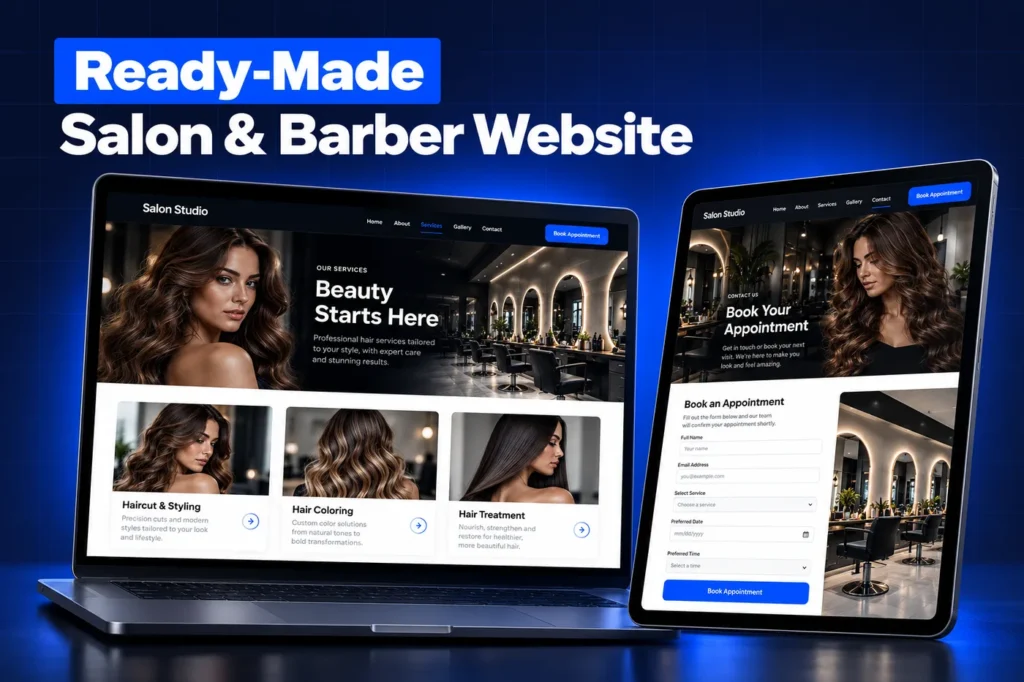
New-client offer, color consultation, bridal or event styling and seasonal promotion pages
Each promotion has a page that matches the ad or post
We describe the fields by what they help a stylist do. A barbershop and a color-focused salon keep very different notes, so the exact set is settled with you.
Booking by Service and Stylist
Salon booking is more than picking a time. A balayage needs a longer block than a trim, a senior stylist may charge more than a junior one, and some services come with add-ons such as a gloss or a deep treatment. HighLevel's Services booking handles this natively: one service can have variations, optional add-ons and a different price per staff member, and clients can book more than one service at once. The menu can mirror how your salon really sells. Clients choose the service, then the stylist or barber, and the calendar shows only that person's open time.
Consultations before big services
Color corrections and extensions often need a consultation first. The consultation calendar and questionnaire capture hair history, photos of the goal look and any sensitivities, so the stylist can quote and plan before blocking several hours.
Booth renters and suite studios
Not every salon runs on one shared book. In salons where stylists rent chairs or suites, each professional often owns their clients and sets their own prices. We can give each renter a separate calendar and their own rebooking messages, or keep one salon-wide brand, depending on who owns the client relationship in your agreements.
How it works
Your Salon Account, Live in 4 Steps
1
Menu Review
We go through your service menu, stylists, pricing levels, deposit policy and the booking tool you use today.
2
Tailored Build
We build calendars, pages and templates with your service names, stylist bios, policies and brand voice.
3
Install
The build is loaded into your account or shared with your agency, then we link your domain, salon number and card processor.
4
Test and Train
We make test bookings with deposits, run a no-show scenario and show your team the daily views.
A closer look
Deposits, Cancellations and No-Shows
Late cancellations hurt most on long services. HighLevel's partial payment setting lets a salon take part of the price up front, defined as a fixed dollar figure or a share of the total. Calendar payments run on Stripe, NMI or Authorize.net, and the setting is available on service menus as well as other calendar types.
Two details matter. Whatever is left after the deposit sits on a draft invoice for your team to settle, usually at checkout, and HighLevel's deposit documentation does not cover cancellation or no-show fees. Your written policy decides what happens to a deposit, and we display it on the booking page and in confirmations.
Appointments can be marked as no-show in HighLevel. The build follows up on those with a polite rebooking message and flags repeat no-shows for the owner, so a policy conversation happens in person rather than by surprise text.
Rebooking Cycles, Retail and Birthday Offers
Different services come back on different rhythms. A fade, a root touch-up and a keratin treatment each have their own natural cycle, and your stylists know them better than any template. We set rebooking reminders per service using the intervals your team recommends.
✓
Rebooking reminders
sent when a client's usual cycle is due, with a link to their own stylist's calendar.
✓
Retail follow-up
a check-in after a visit where the stylist recommended take-home products, with a link to your shop if you sell online through a GoHighLevel online store.
✓
Birthday offer
a short message with your chosen perk for clients who shared their birthday and agreed to receive offers.
✓
Review request
sent after visits to your own Google profile, set during install.
Vagaro, GlossGenius and What the Snapshot Leaves Behind
Many salons already book through Vagaro, GlossGenius or a similar platform. That can stay. In that setup, the GoHighLevel salon snapshot handles new-client capture, consultations, review requests and win-back, while appointments and checkout stay in your booking tool. Deposits through HighLevel only apply to appointments booked in HighLevel.
Per the HighLevel snapshots overview, a snapshot copies configuration only. Client contacts, booked appointments, conversations, reputation data, Stripe and other integrations stay behind, and A2P registration, phone numbers and your domain are set up in the account itself. We reconnect and register those during setup, so your existing reviews and client history are never touched.
Agencies get the salon build shared to them and can launch new salon clients from it, or layer it onto an existing client account while picking which clashing items to replace. Salon owners generally let us do the import. Read the snapshot installation guide or compare a booking-heavy service build in our restaurant snapshot.
Questions and answers
GoHighLevel Salon Snapshot: Common Questions
Straight answers before you book a call. Have a question that is not covered here? Ask us directly.
What is included in a GoHighLevel salon snapshot?

Ours includes new-client and rebooking pipelines, service booking by stylist with optional deposits, a consultation calendar and questionnaire, a new-client offer page, no-show recovery, rebooking reminders by service, birthday and retail follow-ups, and review requests. Every asset is customized to your menu, team and policies before installation.
Can clients pay a deposit when they book?
Yes, when they book through a HighLevel calendar. Deposits can be a flat amount or a percentage, collected through Stripe, NMI or Authorize.net. The rest of the price lands on a draft invoice your team settles at checkout. The deposit feature is not a no-show fee tool, so your written policy governs what happens to a deposit.
Can clients choose a specific stylist or barber?
Yes. HighLevel services scheduling supports multiple services, variations, add-ons and staff-specific pricing. Clients pick a service, then the stylist or barber, and only that person's open time appears. Senior and junior stylists can be priced differently for the same service if that is how your salon works.
I use Vagaro or GlossGenius. Do I have to switch?
No. Your booking platform can stay in charge of appointments and checkout. The snapshot then focuses on new-client capture, consultations, reviews and win-back. Snapshots do not carry integrations, so any data link between the two systems is reviewed and scoped as a separate task during setup.
How do rebooking reminders know when to go out?
We set them per service using the cycles your stylists recommend, since a fade and a color refresh return on very different schedules. Reminders link back to the client's own stylist. They only go to clients who agreed to receive messages, and A2P registration is completed before texting starts.
Can it help sell retail products?
Retail follow-ups are part of the build, and take-home products can be sold through a HighLevel store with your payment gateway connected after install. If you want a full shop, see our online store service. Point-of-sale retail can stay in your salon software.
Ready when you are
Get a GoHighLevel Salon Snapshot Built for Your Chairs
Book a free strategy call and we will scope your salon build. Or WhatsApp us at +1 (681) 276-7045.