
GOHIGHLEVEL SNAPSHOT FOR CAR DEALERS
GoHighLevel Car Dealership Snapshot for Independent Dealers
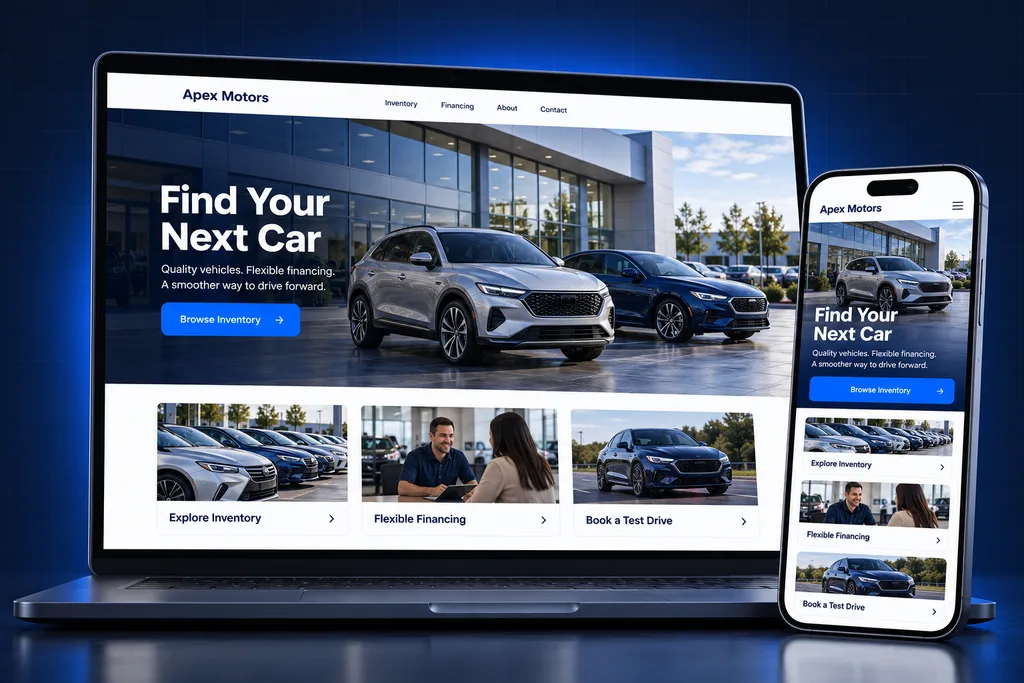
The GoHighLevel car dealership snapshot is a prebuilt account for independent and small-group dealers, with sales and service pipelines, test-drive booking, trade-in requests, unsold follow-up and review requests ready to load.
What's inside
What's Inside the GoHighLevel Car Dealership Snapshot
Six asset groups, each named after a job your sales floor or service drive already does every day.

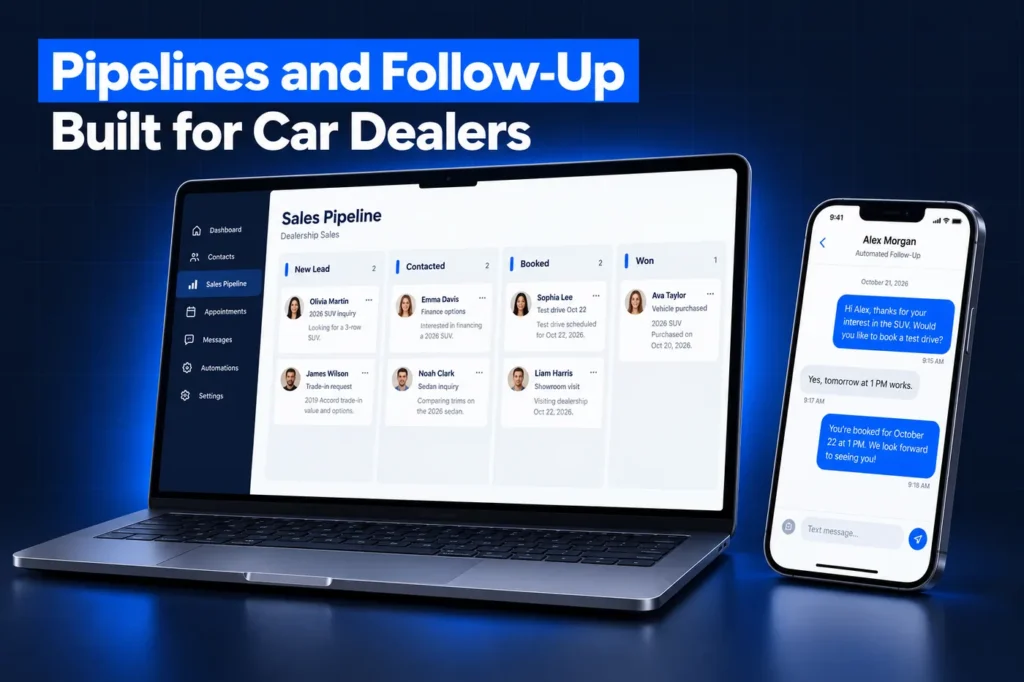
Internet Lead Pipeline
Website, marketplace, social and phone-up leads land on one sales board with their source recorded, from new lead through sold or lost.

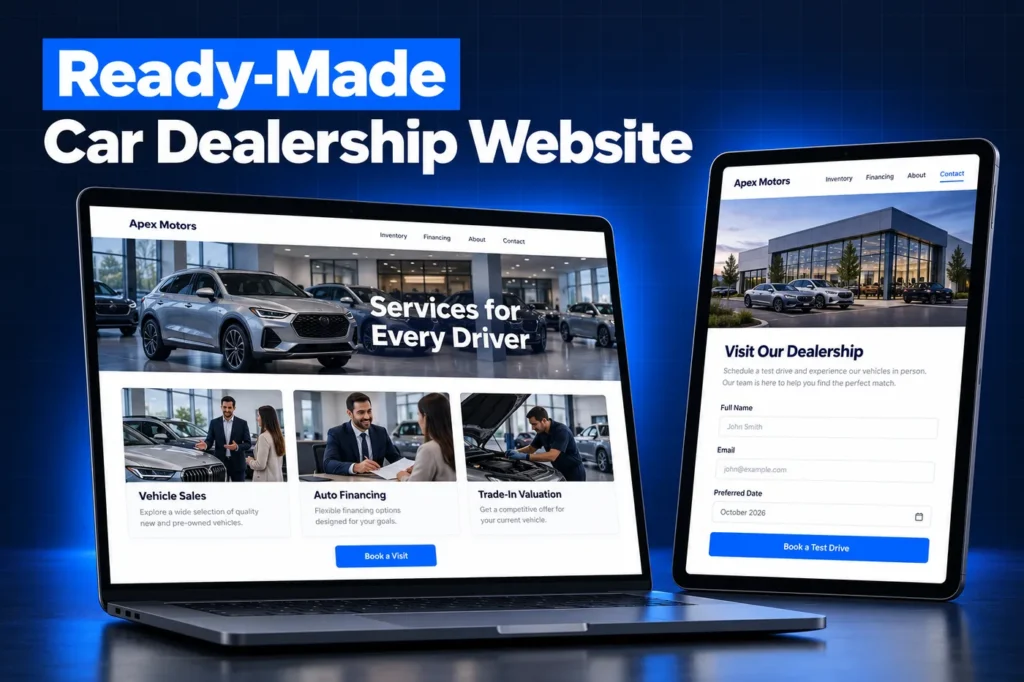
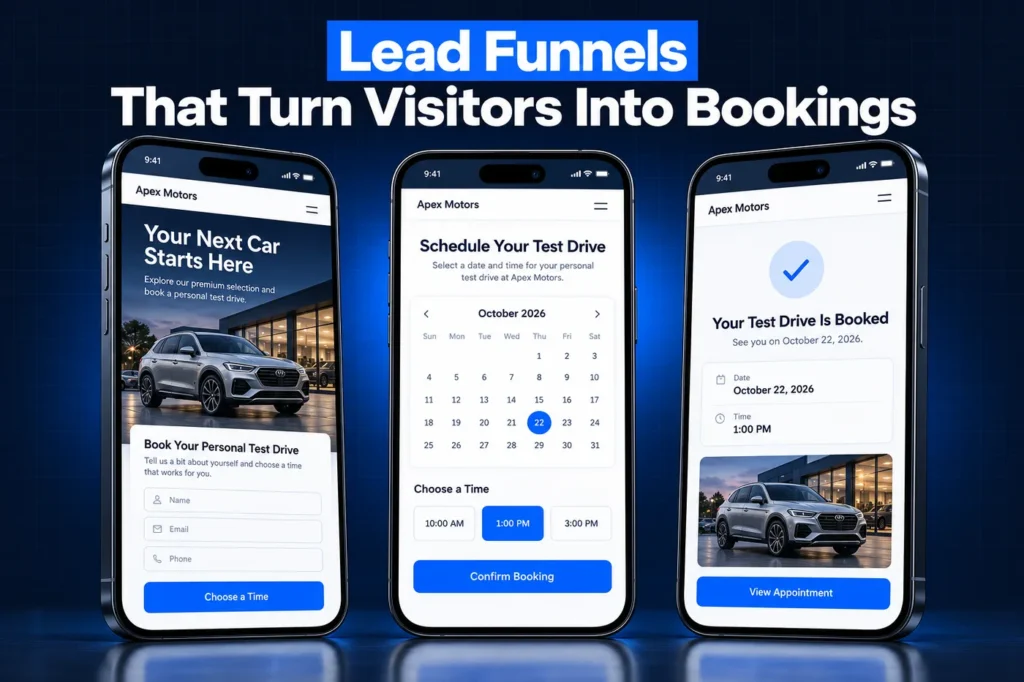
Test-Drive Calendar
Shoppers pick a test-drive or showroom slot online and get a confirmation and reminders, so fewer appointments go cold before they show.

Trade-In Request Form
A short form collects the trade's year, model, mileage and condition so your used-car manager can respond with a real number.

Unsold Showroom Follow-Up
Shoppers who visited but did not buy keep hearing from their salesperson with useful updates instead of being forgotten after the weekend.
Service-Drive Reminders
Sold customers move into a service pipeline that reminds them when maintenance is due and lets them book a drop-off online.

Review Requests
After a delivery or completed service visit, customers get a request that links straight to your own Google profile.
Side by side
What the GoHighLevel Car Dealership Snapshot Puts in Your Account
A snapshot is a saved copy of a HighLevel sub-account's setup. Load it and the pipelines, calendars, forms, templates, dashboards and automations appear in one step, with no customer records attached. If the idea is new to you, start with our explainer on what a GoHighLevel snapshot is. The table below is the dealership build spec, listed by asset type and the result it gives your store. Every name is edited to your rooftop's language before it ships.
Asset type
What the build contains
What it does for the store
Pipelines
Internet and Showroom Sales; Service Drive
Sales opportunities and service customers sit on separate boards with separate owners
Calendars
Test drive, sales appointment, service drop-off
Shoppers book a time themselves and the BDC stops playing phone tag
Forms and surveys
Vehicle inquiry, trade-in request, post-sale survey
Each lead arrives with the vehicle, the trade and the timing it is about
Funnel pages
Inventory specials, trade-in offer, service specials
Ad and social traffic lands on a page that matches the click
SMS and email templates
First reply, appointment confirmation and reminder, unsold follow-up, service due notice, review ask
Every salesperson sends consistent, on-brand messages from the CRM
Automations, by outcome
Instant lead acknowledgment, appointment reminders, unsold-showroom follow-up, service-drive reminders, review requests
Follow-up keeps running between ups and on days off
Custom fields and values
Fields grouped by purpose: the vehicle wanted, the trade offered, where the lead came from and who owns it; store values for hours, address and links
Records read at a glance and templates fill in store details on their own
Dashboards
Lead sources, appointments set and shown, pipeline value by stage
The sales manager sees the floor without a spreadsheet
Sales and Service-Drive Pipelines, Stage by Stage
Car sales and fixed ops move at different speeds and are run by different people. That is why the GoHighLevel car dealership snapshot ships with two pipelines instead of one crowded board. Internet and Showroom Sales runs in this order:
New lead
an inquiry, phone-up or walk-in has been logged
Contacted
a salesperson or BDC agent has reached the shopper
Appointment set
a visit or test drive is on the calendar
Showed
the shopper arrived at the store
Test drive
the shopper drove the vehicle
Desked
numbers have been presented

Sold or lost
the deal closed, or the reason it didn't is recorded
Service Drive tracks owners from service due to booked, in the shop, completed and review requested. Sold customers move into it after delivery, which keeps the relationship going once the car leaves the lot.
The stage names stay close to how a sales manager already talks, so dashboard numbers match the morning meeting. We rename them for your store during the build, and your DMS remains the record for deals and repair orders.
Lead Intake: Forms, Trade-Ins and Third-Party Feeds
Dealership leads come through many doors: your website, Facebook Marketplace and paid social, listing marketplaces such as Cars.com, AutoTrader and CarGurus, OEM programs, phone-ups and the showroom floor. The snapshot gives each door a place to land and a source label, so you can see which ones produce appointments.
The trade-in form asks for the vehicle, mileage and condition, then places the shopper in the sales pipeline with that context attached. It is a request form, not an instant appraisal tool, so your used-car manager still sets the number.
Many marketplaces and OEM programs deliver leads as ADF/XML emails. We do not claim HighLevel reads that format on its own. Where a provider offers a direct connection or a parser is needed, that piece is scoped separately, because no snapshot carries integrations.
What we keep out of the forms
Credit applications, Social Security numbers and driver's license images stay in your secure credit-application and DMS tools. Dealers that finance or lease vehicles are generally treated as financial institutions under the FTC Safeguards Rule, which calls for a written security program and oversight of service providers.
Keeping sensitive data out of marketing forms narrows what your CRM holds. This is not legal advice, so confirm your obligations with counsel for your situation.
How it works
From Scope Call to Live Dealership Account in 4 Steps
1
Store Audit
We map your lead providers, sales process, service drive, DMS and the people who own each step.
2
Tailored Build
We adapt the pipelines, calendars, forms and templates to your store name, inventory focus and wording.
3
Install and Connect
We load the snapshot, then connect your domain, phone numbers and any lead-provider feed scoped for your store.
4
Test and Train
We run test leads and bookings end to end, then walk your sales and service staff through the account.
A closer look
Dashboards That Arrive With the Build
HighLevel snapshots can carry dashboards, custom reports and custom metrics, so reporting arrives with the pipelines instead of being rebuilt by hand. Private dashboards are the exception and do not transfer, so we build the dealership views as shared dashboards.
✓ Leads by source, comparing marketplace, social and website inquiries
✓ Appointments set versus appointments shown
✓ Open opportunities and their value by sales stage
✓ Service-drive bookings that came from reminders
✓ Review requests sent after deliveries and service visits
The numbers in a fresh GoHighLevel car dealership snapshot start at zero, because a snapshot brings no history. If you import past customers from your DMS, the service and sold-customer views fill in from there.
Where the Snapshot Stops
A snapshot copies configuration only. The HighLevel snapshots overview lists what never moves with it, and for a dealership these matter most:
✓ Contacts, appointments and conversation history, so sold and service customers are imported separately
✓ Stripe and every other integration or third-party connection, including any lead-provider link
✓ Reputation data, so existing reviews stay on your profiles
✓ Phone numbers assigned to Voice AI agents
Still per-store work, though not on HighLevel's list: buying local numbers, carrier registration through our A2P 10DLC registration service, connecting your domain and any DMS export. Texting sold and unsold customers also needs consent captured on the forms and opt-out wording in the templates, which we write into the build.
Installing the GoHighLevel Car Dealership Snapshot
Agencies receive the snapshot in their agency account. You can create a new sub-account from it for each dealer, or load it into an existing account, pick the assets you want and decide whether to override or skip anything that conflicts.
Single-rooftop and small-group dealers usually let us install it. Groups often want one sub-account per rooftop, so each store keeps its own numbers, calendars and reviews, and we settle that structure before loading anything.
Two behaviors matter later. A loaded snapshot cannot be unloaded, and it does not update itself: improvements are refreshed into the snapshot and pushed to linked accounts, with Manage Linked Assets deciding what stays connected. Our snapshot installation guide covers each path.
For the strategy behind the build, read our car dealership CRM guide. Before buying any prebuilt GoHighLevel car dealership snapshot, compare custom vs free GoHighLevel snapshots.
Questions and answers
GoHighLevel Car Dealership Snapshot: Questions, Answered
Straight answers before you book a call. Have a question that is not covered here? Ask us directly.
What is included in a GoHighLevel car dealership snapshot?

Ours includes a sales pipeline and a service-drive pipeline, test-drive and service calendars, vehicle inquiry and trade-in forms, landing pages, SMS and email templates, dashboards and automations for lead replies, reminders, unsold follow-up and review requests. Every asset is renamed and reworded for your store before it is installed.
Can GoHighLevel import ADF/XML leads from Cars.com or AutoTrader?
We do not claim HighLevel parses ADF/XML lead emails natively. Some lead providers offer their own connection, and others need a parsing step between the email and the CRM. We review each provider you use and scope that link separately, since integrations never travel inside a snapshot.
Does the snapshot replace my DMS or dealership CRM?
No. Your DMS stays the record for deals, inventory and repair orders. The snapshot adds fast lead response, booking, follow-up and reviews around it. Franchise stores with an OEM-mandated CRM often use only the service-drive and review pieces. Our car dealership CRM page explains the split.
Will my customer list come with the snapshot?
No. HighLevel snapshots copy setup, not data, so contacts, appointments and conversations stay where they are. We import your sold and service customers from a DMS export as a separate step, after checking which customers gave consent to receive texts from your store.
Can one snapshot serve several rooftops?
Yes. The same build can be loaded into one sub-account per store, so each rooftop keeps its own phone numbers, calendars, review links and reporting. When we improve the build, the updated snapshot can be pushed to the linked accounts instead of editing each store by hand.
How is the dealership snapshot installed?
Agencies create a new sub-account from the shared snapshot or load it into an existing one, choosing to override or skip conflicting assets. Dealers usually have us install it. The snapshot installation guide covers both paths and what to reconnect afterward.
Ready when you are
Get a GoHighLevel Car Dealership Snapshot Built for Your Store
Book a free strategy call and we will scope your dealership build around your lead providers and DMS. Prefer to chat? WhatsApp us at +1 (681) 276-7045.