
GOHIGHLEVEL SNAPSHOT FOR STAFFING AGENCIES
GoHighLevel Recruiting Snapshot for Staffing Agencies
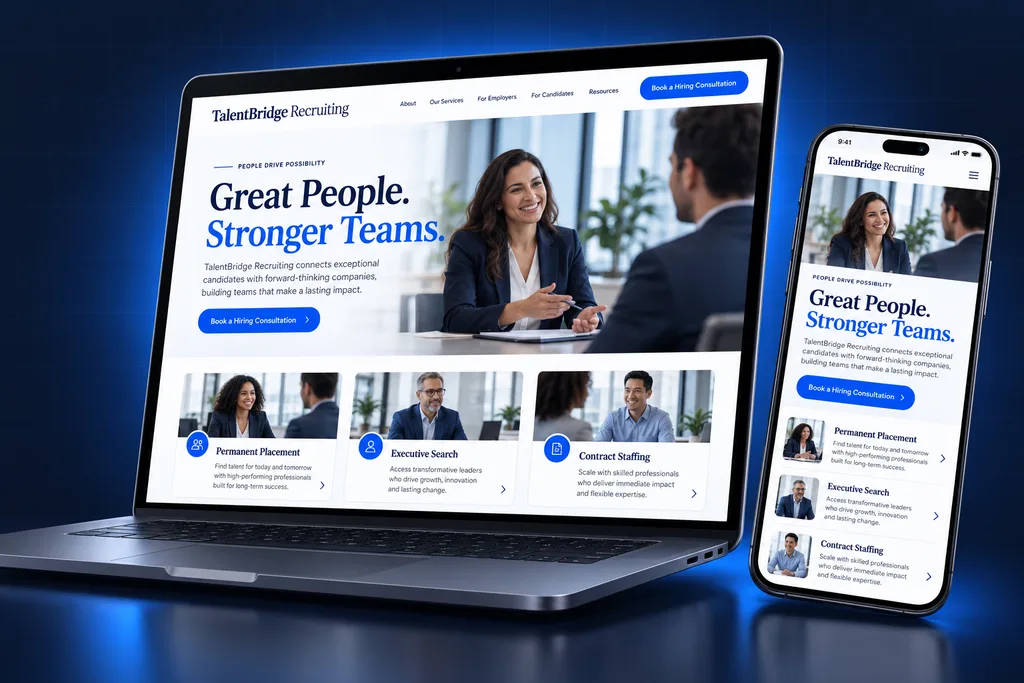
The GoHighLevel recruiting snapshot is a prebuilt sub-account for staffing firms and independent recruiters. It includes a client development pipeline, a mobile application funnel, shared interview calendars, a redeployment pipeline and placement check-ins.
What's inside
What Ships in the GoHighLevel Recruiting Snapshot
Every piece earns its place on a staffing desk, from winning a new account to keeping a contractor working. The GoHighLevel recruiting snapshot ships with a client development pipeline, an application funnel and interview calendars. It also adds a redeployment pipeline, placement check-ins and a rate agreement template.

Client Development Pipeline
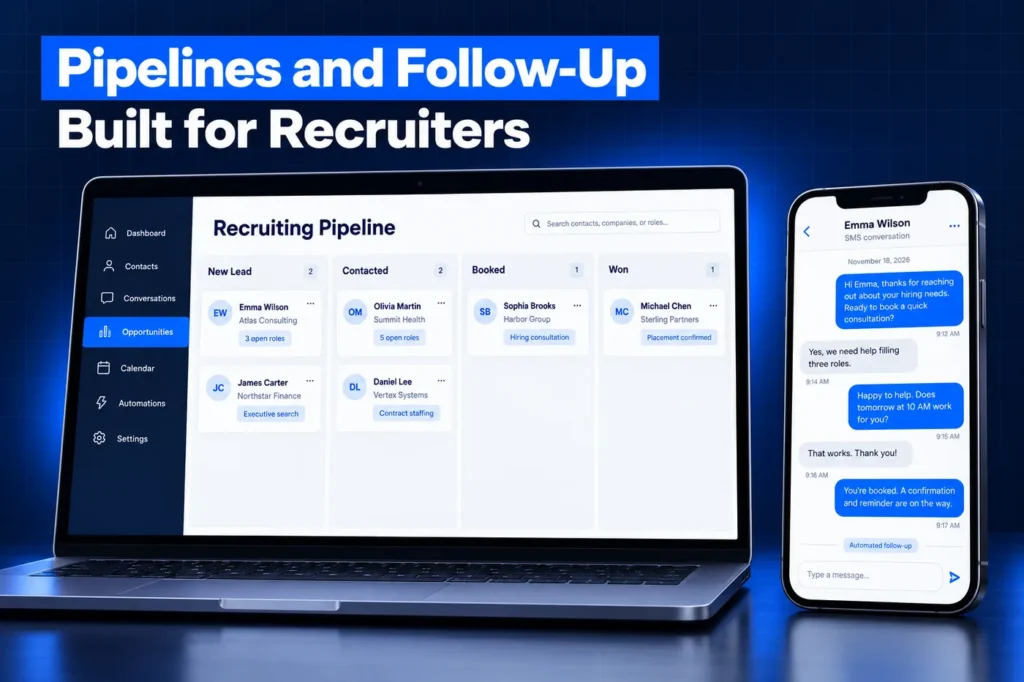
Prospective employers move from target list to intake call, signed terms and first open role, so account managers can see which deals have stalled.

Application Funnel
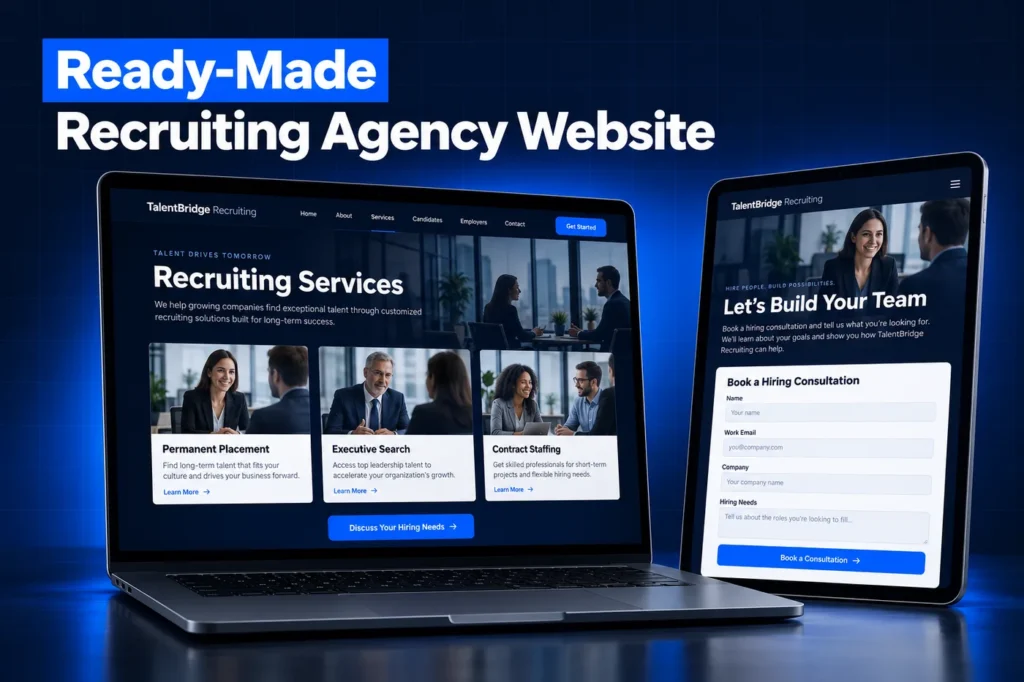
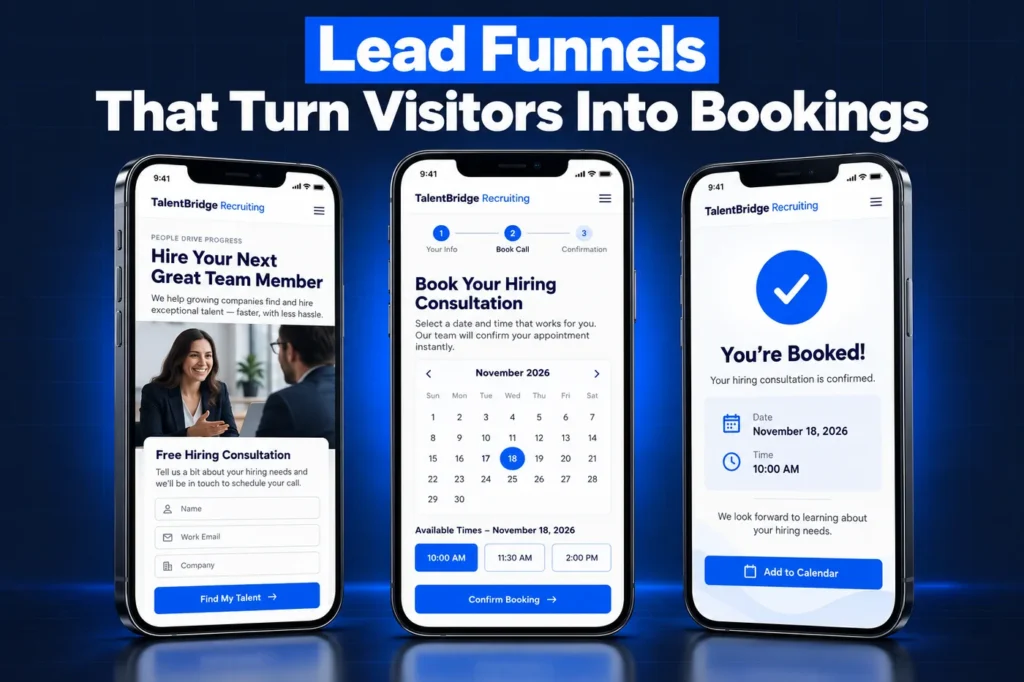
A short, phone-friendly careers funnel with role pages collects the basics, records SMS consent separately and offers a screening slot straight away.

Interview Calendars
Screening calls rotate across your recruiters, and client interviews only show times when every listed interviewer is available.
Redeployment Pipeline
Contractors approaching an assignment end are surfaced to their recruiter early, along with an availability check they can answer in one tap.
Placement Check-Ins
Newly placed workers and their supervisors get short check-in surveys early in the assignment, so problems surface before anyone quits.

Rate Agreement Template
A client terms template in Documents and Contracts, ready for your attorney's wording, so new accounts can sign electronically.
What This Snapshot Is and Is Not
In HighLevel terms, a snapshot bundles one account's setup so a recruiter's new or current sub-account can receive it in a single import. Our snapshot explainer covers the basics. This one is built for the sales and engagement side of staffing, which most applicant tracking systems leave to email and personal phones.
It is not an ATS. Job orders, resumes, submittals, onboarding paperwork, timesheets and payroll stay in Bullhorn, JobAdder, Crelate or whatever you run today. This page lists the assets; our GoHighLevel snapshots page lists the other industry builds we install.
Side by side
GoHighLevel Recruiting Snapshot Inventory
Every asset below is named by what it does. We describe workflows by outcome rather than publishing their internal logic, because each one is tuned to your desk during setup. The table splits the build into the employer side and the candidate side, so you can see what each team uses.
Asset type
Employer side
Candidate side
Pipelines
Client Development, from target account to repeat client
Candidate Flow from application to placed; Redeployment for assignments ending
Calendars
Client intake call; collective client interview calendar
Round robin screening calendar shared by recruiters
Forms and surveys
Staffing request form for hiring managers; client satisfaction survey
Application form, availability update survey, placement check-in survey
Funnels and pages
Hire-talent page with the staffing request form
Careers funnel with role pages and a referral page
Email and SMS templates
Intake recap, proposal follow-up, open-role confirmation
Application received, screening confirmation, interview prep, assignment-ending check
Workflows, by outcome
Prompt reply to staffing requests, account manager follow-up reminders
Instant applicant reply, screening self-booking, interview reminders, redeployment alerts
Custom fields, by purpose
Company size, roles typically ordered, agreed terms status
Role interest, shift preference, availability date
Documents and dashboards
Rate agreement template; new accounts and open roles by source
Applications to placements, redeployments by recruiter
The careers pages are built by our GoHighLevel funnels team, so they load fast on a phone and ask only what a first screen needs. Longer questionnaires and documents belong in your ATS after the screening call.
Consent and fair wording built into the assets
Every candidate form carries an optional, unticked SMS consent box, and job alerts are kept apart from interview logistics. Role page templates describe duties and requirements rather than the kind of person you want, following the EEOC's rules on job advertisements. This is general information, not legal advice; confirm with counsel.
Tailoring the Build to Your Staffing Verticals
A light industrial branch and an IT contract desk use the same pipelines in different ways. Before install we rewrite the role pages, screening questions and templates around your real verticals, pay types, shift patterns and service areas. Here is how that plays out by desk type.

High-volume hourly roles
shorter applications, more weight on shift preference and start dates, and screening slots that suit applicants who work days.

Professional and IT contracts
fewer applicants, longer client interview loops and more use of the collective interview calendar.

Healthcare staffing
credential checks stay in your ATS or credentialing tool, and templates never ask for license numbers by text.
We also brand the hire-talent page for your markets. The staffing request form goes to the account manager who owns each territory, so new client requests never sit in a shared inbox.
Redeployment is where most of the tuning happens. Contract lengths differ by vertical. So we agree with your recruiters how early an ending assignment should surface and which roles a contractor should hear about first.
How it works
Your Recruiting Snapshot, Installed in 4 Steps
Your recruiting snapshot is installed in four steps. We start with a desk intake, then tailor the role pages, forms, templates and rate agreement. Next the build goes live in your sub-account with your domain, numbers and A2P 10DLC registration. Last, we test an application and a client intake end to end.
1
Desk Intake
We confirm your verticals, markets, ATS, job board mix and which recruiter owns screening, interviews and redeployment.
2
Tailor Assets
Role pages, forms, templates and the rate agreement are reworded for your services, pay types and locations.
3
Go Live
The tailored build is imported into your sub-account, followed by your domain, recruiter phone numbers and A2P 10DLC registration.
4
Test the Desk
We run a test application and a test client intake end to end and walk your team through both views.
A closer look
Assets That Stay Out of the Snapshot
HighLevel's snapshots overview is clear that snapshots move configuration, not activity. Your data, connections and phone setup do not travel inside the template. For a staffing firm, that means the following items are set up in your own account instead, after the build is imported:
✓ Your candidate and client databases, past conversations and booked appointments.
✓ Integrations and third-party connections, including any ATS sync, job board feeds and Stripe.
✓ Phone numbers and A2P 10DLC brand and campaign registration.
✓ Your domain, so funnels arrive as unpublished drafts until it is connected.
✓ Paid marketplace apps, background check providers and ad spend.
An ATS connection is quoted as separate development work once we have reviewed your vendor's API. Plenty of firms are happy to pass candidates across by hand at the submittal point.
Installation: Agency Path and Owner Path
Agencies receive a share link and import the snapshot into their agency library. From there it can be applied when creating a sub-account or loaded into an existing one. There, HighLevel lets you pick assets and choose to override or skip each conflict. Existing contacts are not deleted.
Business owners usually let us install it directly. Note that an applied snapshot cannot be unloaded as a whole. Snapshots also do not update by themselves; changes are refreshed in the source account and pushed to linked sub-accounts. Both routes are covered in detail in our snapshot installation guide.
Agencies reselling the build to several staffing clients should decide early which assets stay linked for future pushes. Role pages and templates that each client rewrites are usually better left unlinked, so a later push does not overwrite local wording.
Red Flags When Buying a Staffing Snapshot
✓ Application forms with a pre-ticked or mandatory texting consent box.
✓ Job alert templates sent to every contact, including people who only uploaded a resume.
✓ Role page copy that names an age range, gender or "recent graduates".
✓ Claims of a built-in ATS integration that the seller cannot demonstrate.
✓ Resold import links with no support, updates or named builder.
Before choosing a free download, read how custom vs free GoHighLevel snapshots differ once real recruiters start using them. Price and delivery depend on verticals, offices and integrations, so we quote after the strategy call.
Questions and answers
GoHighLevel Recruiting Snapshot: Common Questions
Straight answers before you book a call. Have a question that is not covered here? Ask us directly.
What is included in a GoHighLevel recruiting snapshot?

Ours includes client development, candidate and redeployment pipelines, screening, intake and client interview calendars, application and staffing request forms, availability and check-in surveys, a careers funnel, a hire-talent page, template sets for both sides, a rate agreement template and dashboards. Each asset is adapted to your desk before install.
Does the snapshot replace my ATS?
No. Your ATS keeps job orders, resumes, submittals, placements and back-office records. The snapshot adds what most ATS products handle weakly: business development, consent-based candidate texting, self-booked screening calls and redeployment outreach. Any data sync between the two is scoped as separate work.
Will my candidates and texting setup transfer with the snapshot?
No. Snapshots never carry contacts, conversations, phone numbers or integrations. Your candidate data is imported separately if you want it in GoHighLevel, and texting needs a registered A2P 10DLC brand and campaign. We handle that through our A2P registration service.
Can I load it into a sub-account I already use?
Yes. HighLevel lets you choose which assets to load and decide, for each conflict, whether to override the existing asset or skip it. Contacts already in the account stay in place. Keep in mind that a loaded snapshot cannot be removed in one step, so review the asset list first.
Is it legal to text job applicants from GoHighLevel?
It can be, with prior consent and a registered texting campaign. Our forms collect consent with an unticked, optional box and keep job alerts separate from interview reminders, and STOP replies are honored. This is general information, not legal advice; confirm with counsel.
Does the snapshot update when you improve it?
Not automatically. HighLevel snapshots only change when the source account is refreshed, and updates reach other accounts when they are pushed to linked sub-accounts. If you buy a one-time build, later improvements are a separate request, which we discuss on the strategy call.
Ready when you are
Get a GoHighLevel Recruiting Snapshot Built for Your Desk
Book a free strategy call to map your staffing desk and decide what the build should include. Or WhatsApp us at +1 (681) 276-7045.