
GOHIGHLEVEL SNAPSHOT FOR DETAILERS
GoHighLevel Auto Detailing Snapshot for Mobile and Shop Detailers
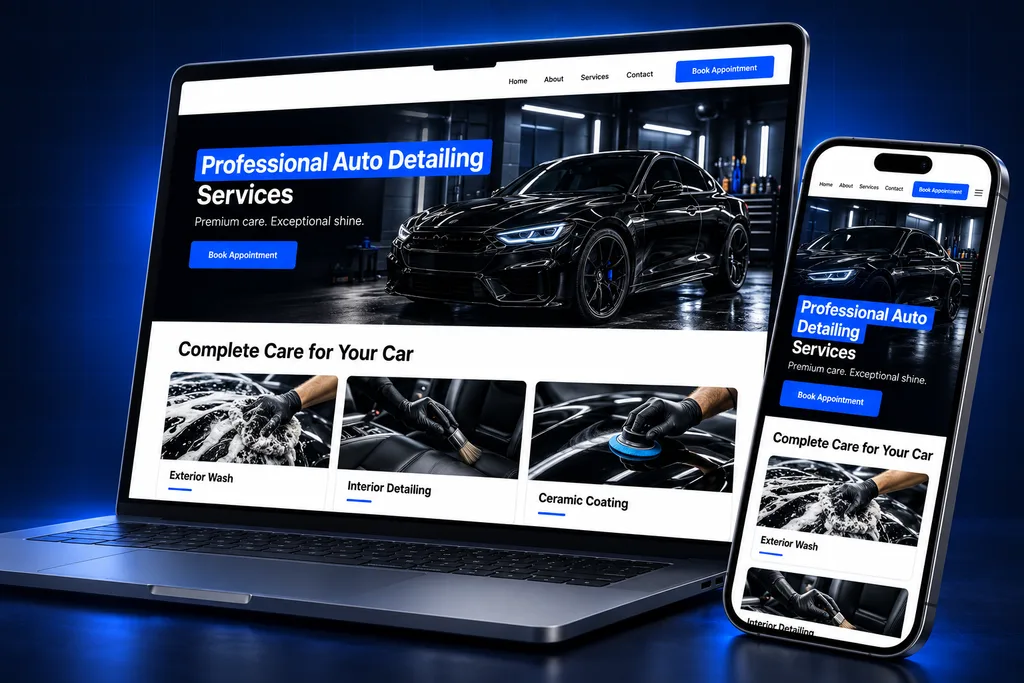
The GoHighLevel auto detailing snapshot is a prebuilt booking and follow-up account for mobile and shop detailers, covering package booking with add-ons, deposits, maintenance-wash memberships, ceramic-coating inspection reminders and review requests. Each build is shaped around your packages and service area through our GoHighLevel snapshots service.
What's inside
What the GoHighLevel Auto Detailing Snapshot Includes
Six parts of the build, each tied to a moment in a detailing customer's year, from first booking to the next coating check.

Package Booking
Customers choose a package and vehicle size, add extras like pet hair or headlight restoration, and pick a time in one flow.
Deposits at Booking
A deposit is taken when the slot is booked, which discourages no-shows on long paint-correction and coating appointments.

Service-Area Check
Mobile detailers qualify the address up front, so bookings from outside your route are caught before you drive there.
Weather Reschedules
Ready-made SMS and email templates let you move a rained-out day's appointments quickly with one clear, friendly message.

Membership Pipeline
Maintenance-wash members are tracked from signup through active and paused, so recurring revenue does not quietly slip away.

Coating Follow-Up
Ceramic-coating customers are reminded when their inspection or top-up is due, then asked for a review with photos.
Side by side
Every Asset in the GoHighLevel Auto Detailing Snapshot
A snapshot is a copy of a HighLevel account's setup that can be loaded into another account in one step. It carries structure, not customers. Our GoHighLevel snapshot explainer covers the basics if you are new to them. Here is the detailing build, grouped by asset type. Package names, prices and photos are swapped for yours before it is installed.
Asset type
In the detailing build
Result for your business
Booking
Package services with vehicle-size options and add-ons; separate calendars for mobile and shop work
Customers book the right job length and price without a phone call
Pipelines
New Bookings and Quotes; Maintenance Memberships; Ceramic Coating Care
One-off jobs, members and coating customers each get the right follow-up
Forms and surveys
Quote request with photo upload, service-area check, post-detail survey
Big jobs are priced from photos and out-of-area requests are caught early
Funnel pages
Packages page, ceramic coating page, membership signup page
Ads and social posts send people to a page built for one offer
Templates
Confirmation, on-my-way notice, weather reschedule, balance due, membership renewal, coating inspection reminder, review ask
Every message sounds like you and nothing is typed from scratch
Automations, by outcome
Booking confirmations and reminders, rebooking nudges, membership and coating reminders, review requests
Repeat work comes back without you remembering who is due
Custom fields and values
Fields grouped by purpose: the vehicle, its condition, the package bought, the coating installed; business values for service area, hours and review link
Each record shows what you did last time and templates stay accurate
Package Booking, Add-Ons and Deposits
Detailing prices change with vehicle size and condition, and most customers add something extra. A plain appointment calendar cannot show that, so the build uses HighLevel's Services scheduling type, which supports variations, add-ons, multiple services and staff-specific pricing.
Vehicle sizes become variations of each package. Extras such as pet hair removal, engine bay cleaning or headlight restoration are add-ons, so the booked time and price reflect the whole job.
How the deposit works

HighLevel calendars can take a partial payment at booking, set as a flat amount or a percentage, through Stripe, NMI or Authorize.net. The deposit is charged right away and the rest is recorded as a draft invoice.
HighLevel does not tell the customer about that balance, and the invoice has to be sent manually. That is why the snapshot includes a balance-due template, so collecting the remainder on job day is one click instead of an awkward conversation.
A closer look
Mobile Service Area and Weather Reschedules
Mobile detailers lose money on long drives to addresses outside their route. The booking form asks for the zip code first, and requests outside your area are flagged for a quote or a polite decline instead of landing on the calendar.
Rain is the other problem. Exterior work and coatings need dry conditions, so a bad forecast can wipe out a full day of bookings.
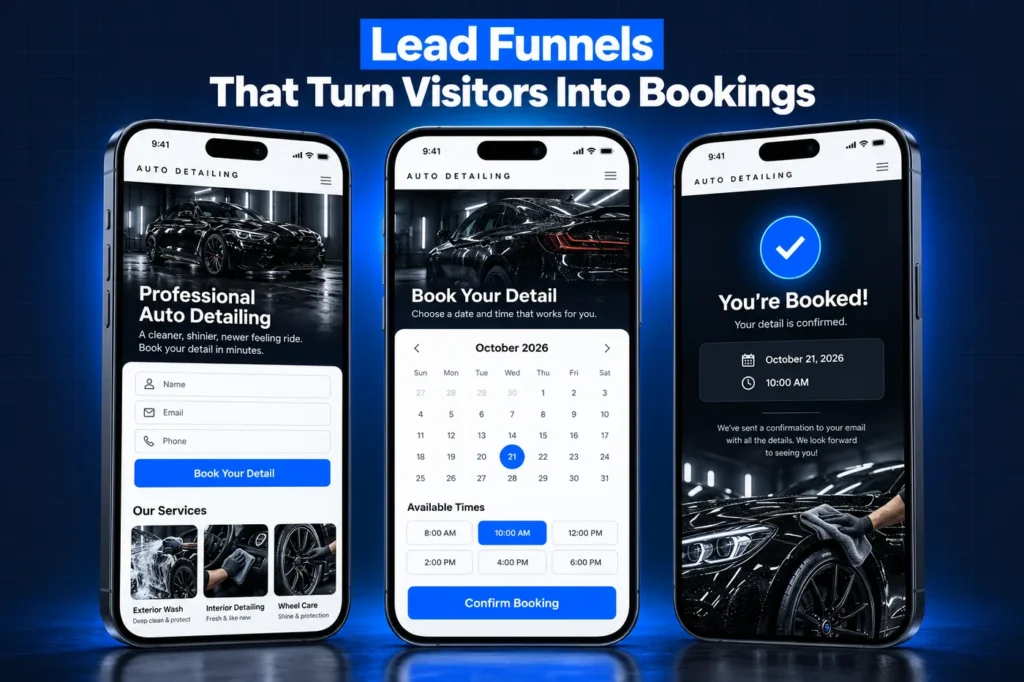
✓ An SMS and email reschedule template written to be sent to that day's customers at once
✓ A rebooking link so customers choose a new slot themselves
✓ A short note template for customers with covered parking who still want to keep the appointment
You decide when to send. The GoHighLevel auto detailing snapshot gives you the words and the link, so a rainy morning takes minutes to sort out.
How it works
Your Detailing Account, Ready in 4 Steps
1
Package Review
We list your packages, vehicle sizes, add-ons, deposit policy, service area and any membership you offer.
2
Tailored Build
We set up the booking menu, pipelines, pages and templates with your prices, photos and wording.
3
Install and Connect
We load the snapshot, then connect your payment gateway, domain and phone number so deposits and texts work.
4
Test Booking
We place test bookings with a deposit, check every message and show you how to run the day.
Memberships and Ceramic-Coating Care
Recurring revenue is what steadies a detailing business through slow months, and the GoHighLevel auto detailing snapshot treats it as its own sales line. The Maintenance Memberships pipeline tracks members from signup to active, paused and cancelled, so you can see who needs a nudge before they drift.
Signups can run through a HighLevel payment link, which can combine one recurring product with one-time items on a single checkout, such as a monthly wash plan plus a first full detail. Billing itself runs through your connected payment gateway.
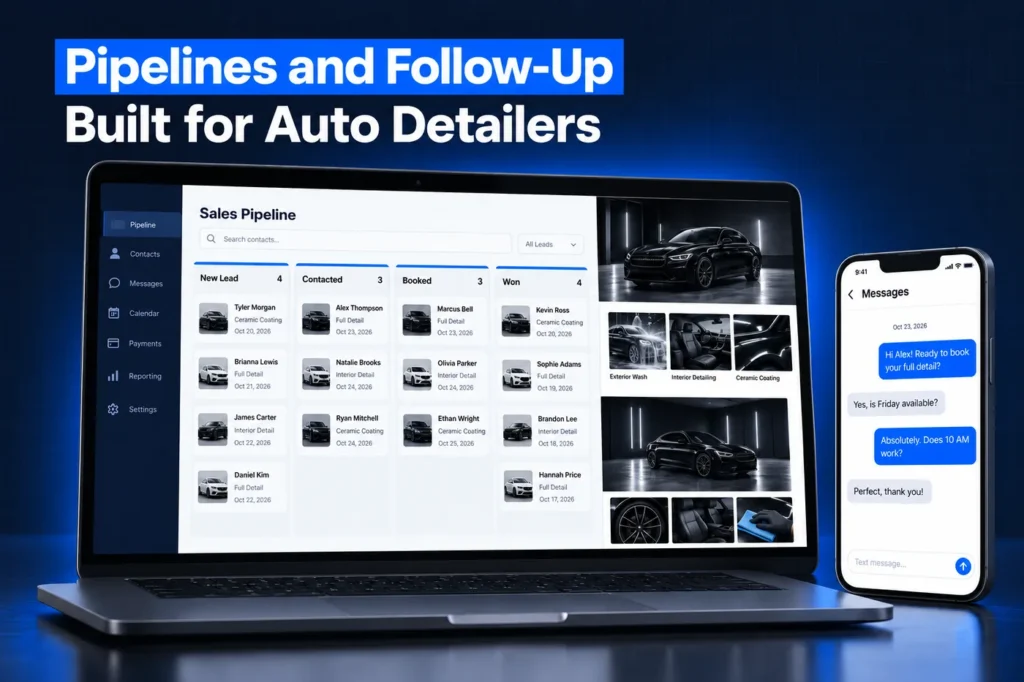
The Ceramic Coating Care pipeline follows every coating customer after the install. They get reminders when an inspection or maintenance wash is due, which matters when the coating you install calls for periodic inspections, and it brings the car back to you instead of a tunnel wash.
After those visits, the review request asks for a quick Google review and invites before-and-after photos. Detailing is a visual business, and real photos sell the next coating better than any ad.
What You Reconnect After the Snapshot Loads
A snapshot carries configuration, and the HighLevel snapshots overview is clear that Stripe connections and other integrations stay behind. For a detailer that matters: deposits and membership billing do not work until your own gateway is connected.
✓ Payment gateway connection for deposits, invoices and memberships
✓ Phone number and carrier registration through our A2P 10DLC registration service
✓ Your domain, since funnels and websites arrive unpublished until one is connected
✓ Your Google review link and any existing customer list, imported with consent checked
Any detailing job app you already use for routes or job photos stays separate unless we scope a connection for it.
Installing It and Avoiding Bad Snapshot Buys
Agencies can create a new sub-account from the snapshot or load it into an existing one, choosing to override or skip conflicts. Owners usually let us install it. A loaded snapshot cannot be unloaded, so we review conflicts first, and our snapshot installation guide covers both paths.
If you are shopping for any GoHighLevel auto detailing snapshot, watch for these warning signs:
✓ An import link resold with no support or updates
✓ Templates still carrying a demo business name or someone else's review link
✓ Texting automations with no consent wording on forms or opt-out language in messages
✓ Deposit settings that assume a gateway you do not have
For the business side of running a detailing CRM, see our auto detailing CRM guide, and weigh custom vs free GoHighLevel snapshots before you buy.
Questions and answers
GoHighLevel Auto Detailing Snapshot FAQs
Straight answers before you book a call. Have a question that is not covered here? Ask us directly.
What is in a GoHighLevel auto detailing snapshot?

Ours includes package booking with vehicle-size options and add-ons, deposit collection, a service-area check, pipelines for new bookings, memberships and ceramic-coating care, landing pages, weather reschedule and balance-due templates, and review requests. Every asset is renamed, repriced and reworded for your business before installation.
Can customers pay a deposit when they book?
Yes. HighLevel calendars can collect a partial payment at booking, as a flat amount or a percentage, through Stripe, NMI or Authorize.net. The remaining balance is recorded as a draft invoice that you send yourself, which is why the build includes a balance-due message template.
Does the snapshot work for mobile detailers?
Yes. The booking form checks the customer's zip code against your service area before a slot is taken, mobile and shop work use separate calendars, and an on-my-way template lets customers know when you are heading over. Multi-van operations can assign bookings to different team members.
Can I sell monthly maintenance-wash memberships?
Yes. Memberships are tracked in their own pipeline, and signups can run through a HighLevel payment link that combines one recurring product with one-time items. Billing runs through your own connected payment gateway, which has to be connected after the snapshot is loaded because snapshots do not carry payment connections.
Is my payment gateway included in the snapshot?
No. HighLevel snapshots never carry Stripe or other integrations, so deposits and memberships stay switched off until your own gateway is connected. We connect it during install and run a test booking with a deposit before handing the account over. Phone numbers and texting registration are set up separately too.
How do I install the detailing snapshot?
Agencies can build a new sub-account from it or load it into an existing one and pick what to override or skip. Detailers usually have us install it. Our snapshot installation guide explains both paths and what to reconnect afterward.
Ready when you are
Get a GoHighLevel Auto Detailing Snapshot Built for You
Book a free strategy call and we will scope your detailing build around your packages and service area. Prefer to chat? WhatsApp us at +1 (681) 276-7045.