
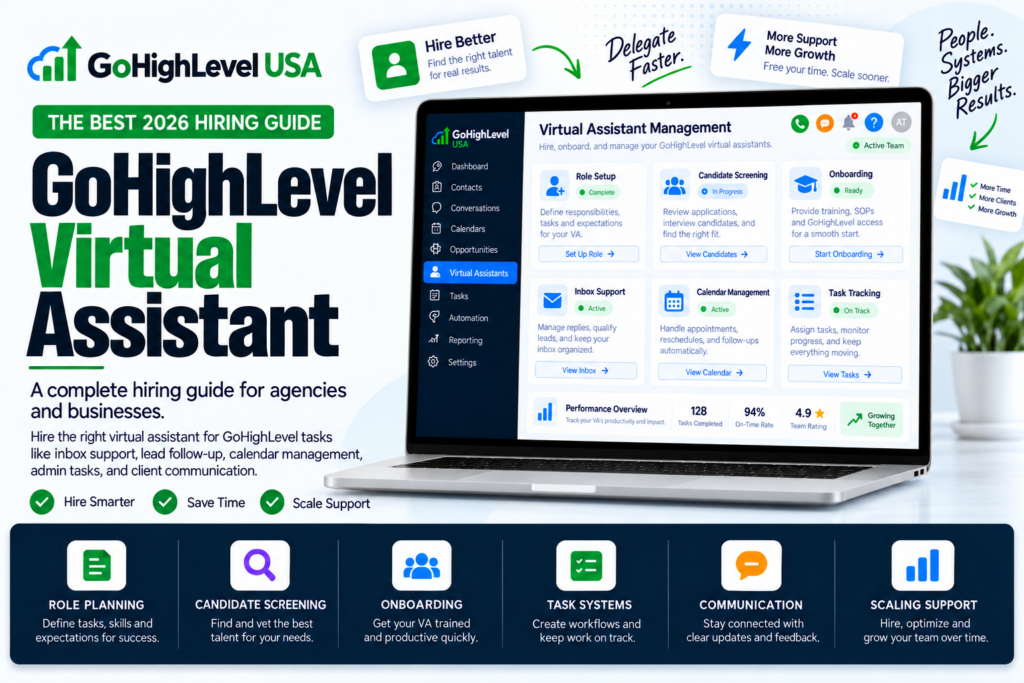
GoHighLevel can run almost your whole business. But someone still has to build the workflows, clean the pipeline, and fix the form that broke on Friday night. That someone is often a GoHighLevel virtual assistant.
In this guide you will learn what a GoHighLevel virtual assistant does, what one costs in 2026, how to test one before you hire, and how to give access safely. We kept it simple so you can use it today.
What Is a GoHighLevel Virtual Assistant?
A GoHighLevel virtual assistant is a remote worker who knows the GoHighLevel platform well. They log in to your account and handle the daily work inside it. You pay by the hour or by the month.
This is a real person, not a bot. HighLevel also sells an “AI Employee,” which is software that answers chats and calls. We compare the two later in this post.
What Does a GoHighLevel Virtual Assistant Do?
The job changes with your business, but most owners hand off tasks like these:
- Lead handling: tagging new leads, assigning them to the right person, and moving them through pipeline stages.
- Workflows: building, testing, and fixing automations that send texts, emails, and tasks.
- Funnels and forms: editing pages, checking that forms submit, and testing on mobile phones.
- Calendars: setting up booking calendars, confirmations, and reminders.
- Campaigns: loading email and SMS campaigns and scheduling them.
- Reports: pulling weekly numbers like leads, bookings, and open rates.
- Cleanup: removing duplicate contacts and fixing old tags.
A good GoHighLevel virtual assistant also spots problems early. For example, they notice when a workflow stops firing before your client does.
How Much Does a GoHighLevel Virtual Assistant Cost?
Price depends mostly on where the assistant lives and how skilled they are. Here are typical 2026 hourly rates reported by VA hiring guides:
- Philippines: about $6 to $12 an hour.
- Latin America: about $8 to $15 an hour.
- Eastern Europe: about $12 to $25 an hour.
- USA, Canada, and UK: about $30 to $60 or more an hour.
By the month, the same guides break it down by skill level:
- Entry level: about $600 to $900 a month for contact updates, tagging, and calendar work.
- Mid level: about $900 to $1,500 a month for workflow builds and funnel edits.
- Advanced: about $1,500 to $3,000 or more a month for full campaign management across many accounts.
Most small agencies land in the middle. A skilled GoHighLevel virtual assistant at $900 to $1,500 a month is often the sweet spot between cost and quality.
Skills to Look For Before You Hire
Not every VA who lists “GoHighLevel” on a profile can really use it. Look for proof of these skills:
- Building workflows with triggers, waits, and if/else branches.
- Managing pipelines, tags, and smart lists.
- Finding out why an email or text did not send.
- Editing funnels and forms without breaking the design.
- Loading and adjusting snapshots.
- Clear written English and fast replies.
Ask for 2 or 3 screenshots of workflows they built, plus a short screen video walking through one. A real GoHighLevel virtual assistant can show you in minutes.
Smart Interview Questions
These questions separate real users from people who only watched a course:
- How do you tag and assign new leads automatically?
- Walk me through the longest workflow you have built.
- A text is not sending. What do you check first?
- How do you make sure no lead falls through the cracks?
- Have you loaded or updated a snapshot before?
- What part of GoHighLevel do you know best?
Listen for specific steps, not general words. “I check the contact’s DND setting and the A2P status” is a strong answer. “I look into it” is not.
Give a Paid Trial Task
The best way to judge a GoHighLevel virtual assistant is to watch them work. Pay for a small trial in a test sub account. Pick two or three of these:
- Build a workflow that tags new form leads and assigns them to a team member.
- Create a 3 step nurture: welcome email, wait 1 day, then a text and a task.
- Check a funnel for broken links and mobile layout issues.
- Build a smart list of contacts with a certain tag who have not booked.
- Set up a review request that goes out after an appointment.
Judge speed, accuracy, and how clearly they explain what they did. Those three things predict how the real job will go.
How to Give Access Safely
Never share your own login. Add your GoHighLevel virtual assistant as their own user instead. In the sub account, go to Settings > My Staff and add a team member.
HighLevel has two main roles:
- Admin: can manage users, change roles, and control the sub account.
- User: gets only the permissions you turn on.
Start your new VA as a User with limited permissions. Only give Admin rights after they earn your trust. Also remember that agency level admins can reach every client account, so be extra careful at that level.
Separate logins also give you a record of who changed what. That makes it easy to remove access if the work ends.
How Many Hours Do You Really Need?
Many owners hire full time too soon. Start small and grow. Here is a simple way to think about it:
- One business, light work: 5 to 10 hours a week is usually enough for lead cleanup, calendar checks, and small edits.
- Small agency with 5 to 10 clients: 20 hours a week covers workflow fixes, reports, and new client onboarding.
- Growing agency with 20 or more clients: a full time assistant, or two part time people with different skills.
Track what your assistant does for the first month. If they run out of work, cut hours. If tasks pile up, add hours. Real data beats guessing.
Where to Find One
You can find skilled people in a few common places:
- Freelance sites: Upwork and OnlineJobs.ph have many GoHighLevel profiles. Check reviews and past work closely.
- VA agencies: they screen and train people for you, then charge a bit more per hour. You also get a backup if your VA is sick.
- GoHighLevel communities: Facebook groups and forums often have members who offer VA work.
Whichever path you pick, run the same interview and trial task. The source does not matter as much as the proof.
Set Your VA Up to Win
Even a great GoHighLevel virtual assistant needs clear direction. These habits help a lot:
- Write SOPs: short step lists or screen videos for every repeat task.
- Use a task board: ClickUp or Trello, so nothing hides in chat.
- Hold a weekly check in: 15 minutes to review wins and problems.
- Ask for a change log: a simple list of what they changed each day.
- Test before going live: build in a test account first, then copy over.
GoHighLevel Virtual Assistant vs AI Employee
People often mix these up. Here is the simple difference:
- AI Employee is HighLevel software. It answers chats, takes calls, and replies to reviews all day and night. The Unlimited plan is $97 a month per sub account.
- A GoHighLevel virtual assistant is a human. They build and fix the systems, including the AI Employee itself.
You do not have to choose. Many agencies let the AI handle first replies and let a human VA manage the setup, testing, and reports.
Red Flags to Watch For
- They ask for your main login instead of their own user.
- They cannot show a single workflow they built.
- They go silent for days without warning.
- They make big changes in live accounts without testing.
- They promise to “guarantee” A2P approval. Nobody can.
VA or Done For You Service?
A GoHighLevel virtual assistant is great for ongoing daily work. But if you need a full account built from zero, a VA can take a long time to figure it out.
In that case, many owners get the build done first, then hire a VA to maintain it. Our done for you GoHighLevel setup handles the heavy build. For strategy questions, talk to a GoHighLevel consultant. If funnels are your main need, see our GoHighLevel funnels service.
Final Thoughts
The right GoHighLevel virtual assistant gives you back hours every week. Hire for proven skill, test with a paid trial, give limited access first, and support them with clear SOPs.
Do that, and your GoHighLevel virtual assistant becomes one of the best investments in your business.
Sources: DDIY: GoHighLevel Virtual Assistant Cost, DDIY: GoHighLevel VA Hiring Guide, HighLevel: Admin vs User Roles.