
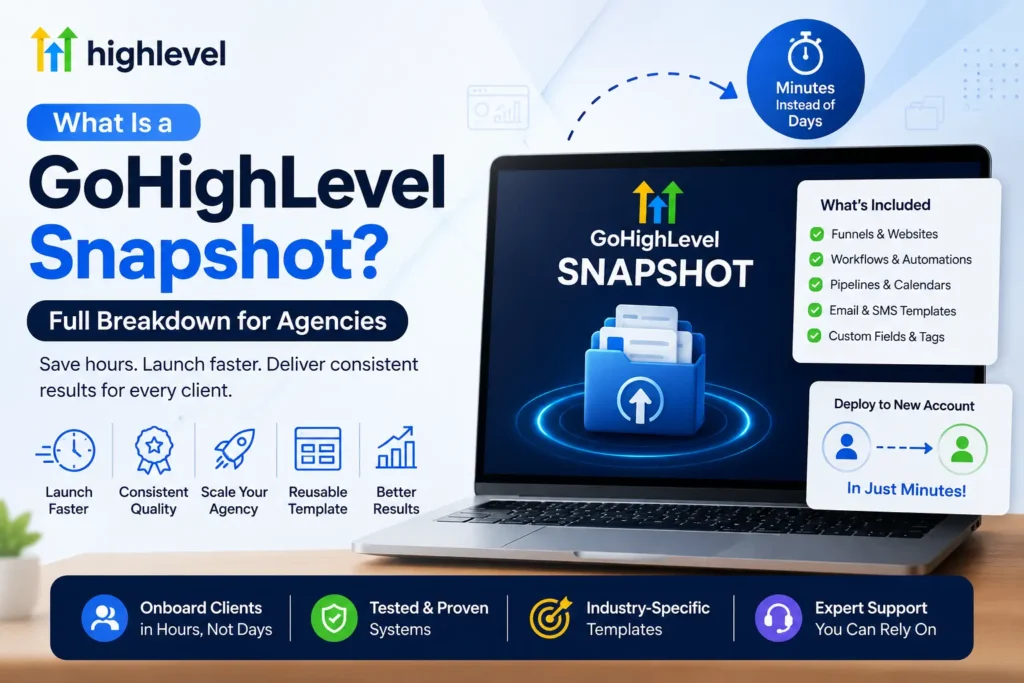
A GoHighLevel snapshot is a reusable template that copies the configuration of one sub-account so you can load it into another. That includes workflows, pipelines, funnels, calendars, forms and custom fields. It copies structure only. Contacts, conversations, phone numbers and connected integrations never travel with it.
This guide explains exactly what a snapshot includes and leaves out, and how agencies create, share and update snapshots. It shows where they go wrong and how to judge whether a ready-made snapshot is worth using.
What is a GoHighLevel snapshot?
A GoHighLevel snapshot is a saved copy of a sub-account’s setup, built from a source account in the agency view. Loading it into a new or existing sub-account recreates those assets there. That lets agencies launch consistent client accounts without rebuilding every workflow and page by hand.
- You build and test a source sub-account first, then create the snapshot from it.
- The snapshot captures the assets you select, not a full clone of the account.
- It is a template, not a backup. It does not protect or restore customer data.
Think of it as the blueprint for a working account. The quality of every account you load it into depends on how clean and tested the source account was.
What does a GoHighLevel snapshot include?
A GoHighLevel snapshot can include almost every configuration asset in a sub-account. That covers workflows and triggers, pipelines, calendars, funnels and websites, forms and surveys, and email and text templates. Custom fields and custom values, tags, Conversation AI and Voice AI agents, reports and dashboards can come too.
| Category | Examples of assets a snapshot can carry |
|---|---|
| Automation and AI | Workflows, triggers, Conversation AI, Voice AI agents, Agent Studio, Brand Voice |
| CRM structure | Pipelines, custom fields, custom objects, custom values, tags, trigger links, Smart List settings |
| Calendars | Calendars, services, add-ons, resources and groups |
| Marketing and content | Funnels and websites, forms, surveys, quizzes, blogs, email builder templates, text and email templates, social planner |
| Reporting | Custom reports, dashboards and custom metrics |
| Other | Memberships and offers, webinars, documents and contracts, knowledge bases, review settings, WhatsApp templates, ad campaigns |
You choose which of these to include when you create the snapshot. Agencies often keep several smaller snapshots, for example one per industry, rather than one giant template.
New to GoHighLevel? Try it free for 30 days
HighLevel's standard free trial is 14 days. Through our partner link you get 30 days plus HighLevel's free onboarding bootcamp. Rather have it built for you? Our US team sets up GoHighLevel accounts, websites, funnels and automations.
Partner link: we may earn a commission at no extra cost to you. Disclosure
What does a GoHighLevel snapshot not transfer?
A GoHighLevel snapshot does not transfer live account data or anything tied to a specific business identity. Contacts, appointments, conversations, Stripe and other third-party connections, and phone numbers stay behind. Each new sub-account has to be connected, verified and registered on its own.
- Customer data: contacts, appointments, conversations, message history, reputation data and contact associations.
- Connections: Stripe, Google Calendar and other third-party integrations must be reconnected in each account.
- Phone numbers: Voice AI agents arrive without a number, so you assign an LC-Phone number after loading.
- Protected and private items: private dashboards and assets the creator has protected.
- Some website pieces: domains, WordPress plugin or theme licenses may need updating after loading.
Compliance does not travel either. Each business that texts needs its own A2P 10DLC brand and campaign. Each sending domain needs its own SPF, DKIM and DMARC records on LC-Email. A snapshot can give the new account consent-ready forms, but the A2P 10DLC registration still has to be done per business.
How do agencies create and share snapshots?
Agencies create a snapshot in the agency view under Account Snapshots by naming it, choosing the source sub-account and selecting the assets to include. They then share it through a link, which can be reusable, one-time, emailed, or restricted to a specific agency or sub-account.
- Reusable links suit an agency deploying its own template many times.
- One-time links suit selling or handing a snapshot to a single buyer.
- Restricted links limit who can import it, which protects a proprietary build.
- Marketplace options exist for creators who sell snapshots more widely.
Loading works two ways. You can create a new sub-account from the snapshot, or import it into an existing one and pick which assets to bring in. Our GoHighLevel snapshot installation guide covers the import side in more detail.
What happens when you load a snapshot into an existing sub-account?
Loading a snapshot into an existing sub-account adds the selected assets and leaves contacts and existing data in place. An incoming asset may conflict with one that already exists. GoHighLevel then asks you to override or skip it, and existing data only changes when you choose to override.
This is where most accidental damage happens. Overriding a workflow or custom field that a client has already edited replaces their version with yours.
- Review every conflict instead of overriding everything at once.
- Check that custom field and custom value names match what existing forms and workflows expect.
- Turn on imported workflows only after the account’s phone, email and calendars are connected.
How do you update a snapshot after clients are using it?
Snapshots do not update themselves. When you improve the source sub-account, you refresh the snapshot to capture the changes, then push the refreshed assets to linked sub-accounts. Manage Linked Assets controls which assets stay linked and receive future pushes. Pushing is powerful but blunt.
If a client has customized a workflow since the first load, a push can overwrite that work, so many agencies unlink customized assets before pushing.
Keep a simple version note for each refresh: what changed, why and which accounts received it. Without that record, troubleshooting a client’s account months later turns into guesswork.
Why do agencies build their business around snapshots?
Agencies use GoHighLevel snapshots because they turn a proven build into a repeatable product. Every new client starts from tested pipelines, workflows and pages instead of a blank account. That keeps quality consistent and frees the team to spend time on strategy rather than rebuilding.
- Consistency: every account starts from the same tested structure.
- Speed: launch work shifts from building to connecting and customizing.
- Industry fit: a snapshot can carry pipeline stages, forms and messaging written for one type of business.
- Productization: agencies can package a snapshot as part of an offer or share it with partners.
The trade-off is maintenance. A snapshot library is software you own: it needs testing, version notes and updates when HighLevel changes a feature.
What are the most common snapshot mistakes?
The most common GoHighLevel snapshot mistakes come from the source account. Untested workflows, hard-coded names or links instead of custom values and test contacts left in triggers are typical. So is assuming that phone numbers, integrations or A2P registration copy across. Each one breaks quietly in the client’s account.
- If workflows reference a specific user, calendar or email address, then they fail or route wrongly in the new account. Use custom values instead of hard-coded details.
- If the source account was never tested end to end, then every copy inherits the same bugs.
- If you assume integrations copy, then forms submit, payments fail and webhooks go nowhere until each connection is rebuilt.
- If one generic template serves every industry, then pipeline stages and messages fit nobody well.
- If you push updates without checking customizations, then client edits get overwritten.
Integrations deserve extra care. Custom webhooks, API connections and third-party tools need to be reconnected and tested in every account. That is why our GoHighLevel API and webhook integration work is usually scoped per account rather than per snapshot.
Should you buy a ready-made snapshot or build a custom one?
A ready-made GoHighLevel snapshot makes sense when your business closely matches the industry it was built for and you can customize the wording yourself. A custom snapshot makes sense when your sales process, services or compliance needs differ enough that you would rebuild most of a template anyway.
| Question | Ready-made snapshot | Custom snapshot |
|---|---|---|
| Fit to your process | Generic for the industry | Built around how you sell and book |
| What you still do | Rewrite copy, adjust stages, reconnect everything | Review, connect and approve |
| Hidden work | Removing assets you do not need | Agreeing scope up front |
| Best for | DIY owners with time to customize | Agencies and businesses that want it working at launch |
Before buying any snapshot, ask what assets it contains, whether workflows use custom values, whether it includes AI agents and how updates are delivered. Our comparison of custom vs free GoHighLevel snapshots goes deeper on that choice.
Bought a snapshot that never quite worked?
A snapshot may leave your account with broken triggers, duplicate workflows or forms that do not text anyone. The problem is usually the source build or a load that overrode the wrong assets. A structured audit finds those faults faster than rebuilding from scratch, and it shows which parts are worth keeping.
Our GoHighLevel sub-account audit and rebuild reviews workflows, triggers, pipelines and connections and gives you a fixed quote to get the account working. If you want a template built properly from the start, see our turnkey GoHighLevel snapshots, or compare GoHighLevel service plans and pricing.
Frequently Asked Questions
Here are short answers to the questions agencies and business owners ask most about GoHighLevel snapshots. They cover contacts, workflows and triggers, updating a loaded snapshot, existing sub-accounts and compliance. Each answer reflects what HighLevel’s snapshot tools copy today and what you still set up per account.
Does a GoHighLevel snapshot copy contacts?
No. A GoHighLevel snapshot copies configuration, not customer data. Contacts, appointments, conversations, message history and reputation data stay in the original sub-account. Smart Lists transfer only as list settings, without the records inside them. To move contacts between accounts you need a separate import or a migration, not a snapshot.
Do workflows and triggers transfer in a snapshot?
Yes. Workflows and triggers are among the assets a snapshot can carry, along with pipelines, calendars, forms, templates and custom fields. They arrive as configuration only. You still need to connect phone numbers, email sending, calendars and integrations in the new account. Test each workflow before turning it on for live leads.
Can you update a snapshot after a client has loaded it?
Yes. You refresh the snapshot from the improved source sub-account, then push the refreshed assets to linked sub-accounts. Manage Linked Assets controls which assets keep receiving pushes. Because a push can overwrite client customizations, review which accounts and assets you are updating and unlink anything a client has deliberately changed.
Does A2P 10DLC registration transfer with a snapshot?
No. A2P 10DLC registration belongs to the business that sends the messages, so every sub-account with its own legal identity needs its own brand and campaign. Phone numbers do not transfer either. A snapshot can supply consent-ready forms and opt-in wording, but registration and number assignment happen separately in each account.
Can you load a snapshot into an existing sub-account?
Yes. You can import a snapshot into an existing sub-account and choose which assets to bring in. Existing contacts and data stay in place. If an incoming asset conflicts with one already in the account, you choose to override or skip it. Only an override changes what was there before.
Is a GoHighLevel snapshot worth it for a small business?
Often, yes, if the snapshot matches how the business sells and books. A good snapshot gives a small business working pipelines, forms and follow-up from the start. A poor fit can create more cleanup than it saves, so check the included assets and plan time for customization and testing.