
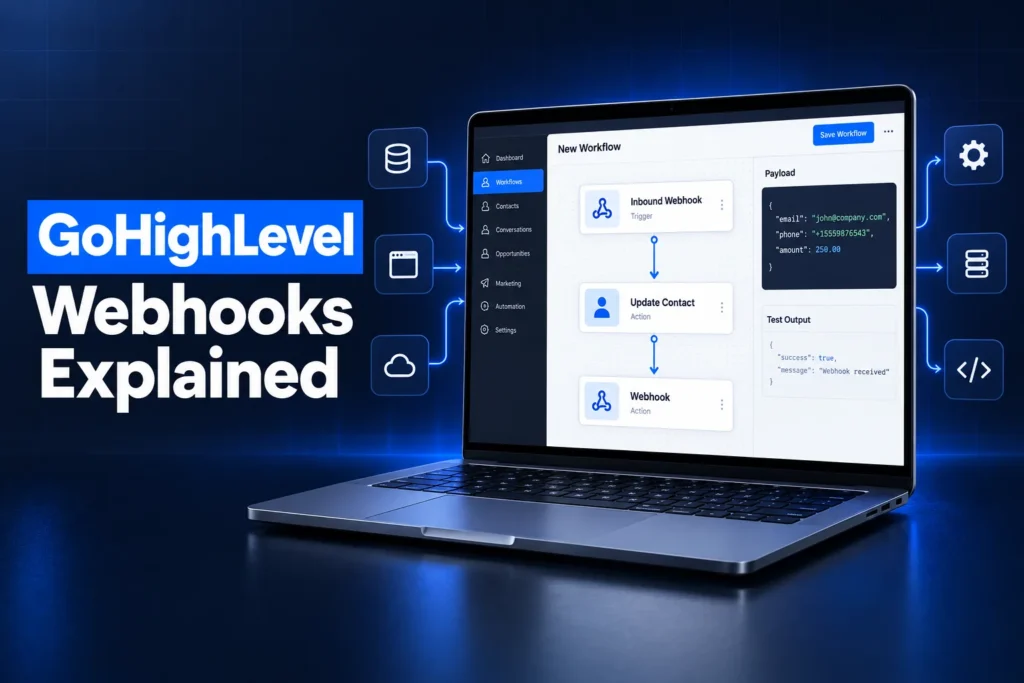
GoHighLevel webhooks move data between HighLevel and other apps the moment something happens. An outbound webhook sends contact and event data from a GoHighLevel workflow to another system’s URL. An inbound webhook gives a workflow its own URL, so another app can post data in and start an automation.
This guide explains how each type works, what the payloads contain, what webhooks cost under HighLevel’s premium execution billing, how to keep them secure, and when a webhook is the right tool compared with Zapier, a native integration or the full API.
What is a GoHighLevel webhook?
A GoHighLevel webhook is an automatic HTTP request that carries data between HighLevel and another app when an event happens, such as a form fill, a payment or a pipeline change. Instead of one app asking the other for updates, the data is pushed the moment the event fires.
In HighLevel there are three places webhooks show up, and they solve different problems:
- Inbound Webhook trigger: a workflow trigger with a unique URL. Another app sends a request to that URL and the workflow runs.
- Webhook (Outbound) and Custom Webhook actions: workflow steps that send data out of a sub-account to a URL you choose.
- Marketplace app webhooks: event notifications that HighLevel sends to an app built on the HighLevel API, such as contact created or opportunity updated.
Most agencies only need the first two. Marketplace webhooks matter when a developer is building an app that listens across many sub-accounts.
Inbound vs outbound webhooks: what is the difference?
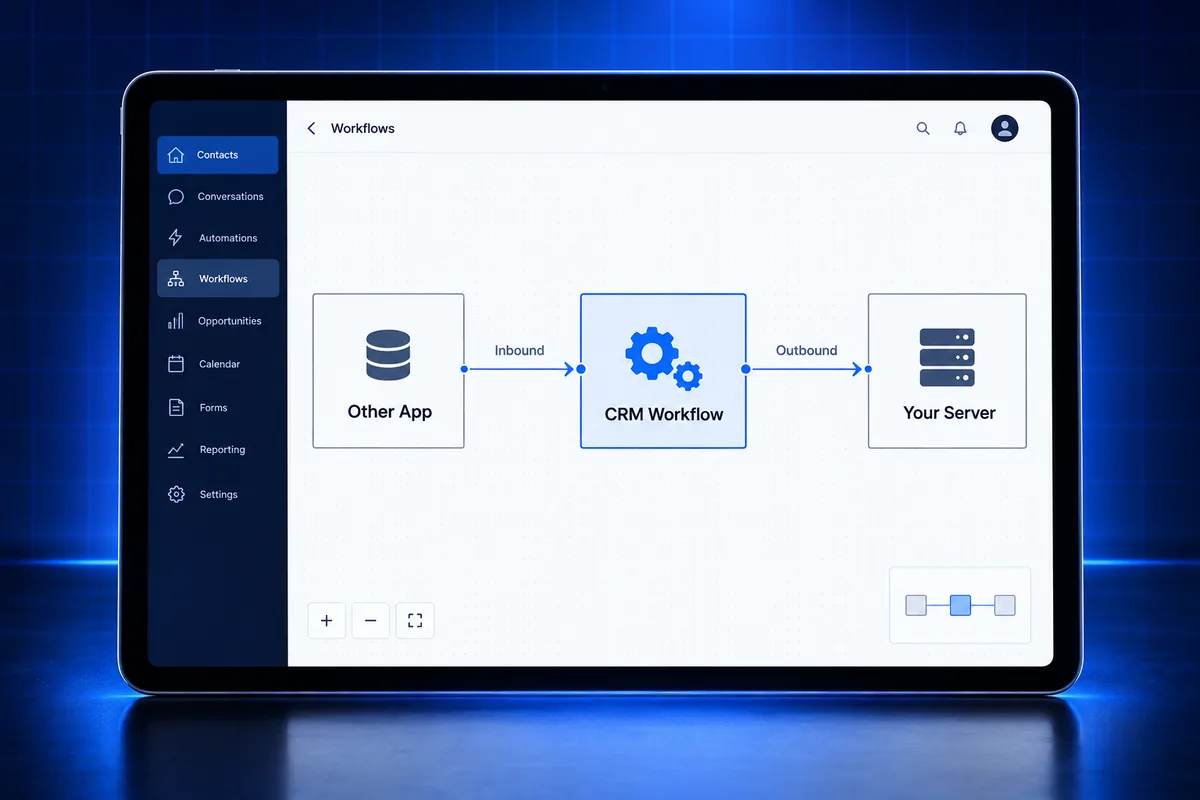
The difference between inbound and outbound GoHighLevel webhooks is direction. An inbound webhook brings data into HighLevel and starts a workflow. An outbound webhook sends data from a HighLevel workflow to another system. Many integrations use both, one for each direction.
| Question | Inbound webhook | Outbound webhook |
|---|---|---|
| Where it lives | Workflow trigger | Workflow action |
| Direction of data | Another app to HighLevel | HighLevel to another app |
| What starts it | A request to the trigger’s unique URL | A contact reaching that step in a workflow |
| HTTP methods | POST, GET and PUT | POST by default; Custom Webhook adds GET, PUT and DELETE |
| Typical use | Payments, bookings or leads from outside tools | Sending leads, sales or status changes to a server, sheet or app |
| Billing | Premium trigger | Custom Webhook is premium; check the standard action in your account |
A simple way to remember it: inbound answers “when something happens out there, do something in here”, and outbound answers “when something happens in here, tell the other system”.
New to GoHighLevel? Try it free for 30 days
HighLevel's standard free trial is 14 days. Through our partner link you get 30 days plus HighLevel's free onboarding bootcamp. Rather have it built for you? Our US team sets up GoHighLevel accounts, websites, funnels and automations.
Partner link: we may earn a commission at no extra cost to you. Disclosure
How does the GoHighLevel inbound webhook trigger work?
The GoHighLevel inbound webhook trigger generates a unique URL for a workflow. When an external app sends a POST, GET or PUT request with data to that URL, HighLevel captures the payload, lets you map its fields to contact fields or variables, and starts the workflow for that record.
Setting one up follows the same pattern every time:
- Choose Inbound Webhook as the trigger and copy the URL HighLevel generates.
- Paste that URL into the other app as its webhook destination.
- Send a real test request so HighLevel can read a sample payload.
- Map the incoming fields, such as email, phone or amount, then save the trigger.
Two details decide whether an inbound webhook works in production:
- A contact to act on. Workflows run on contacts, so the payload needs something to find or create one, usually an email or a phone number. A payload without either has nothing to attach to.
- Stable field names. The mapping is built from the sample. If the sending app renames a field later, the mapping breaks quietly and data stops landing where it should.
HighLevel’s own example is a payment processor such as Stripe posting payment details, after which the workflow marks the lead as paid and sends a confirmation. The same idea covers bookings from a scheduling tool, leads from a landing page builder or status updates from a job management system.
How do GoHighLevel outbound webhooks work?
A GoHighLevel outbound webhook is a workflow action that sends a request to a destination URL whenever a contact reaches that step. HighLevel packages the contact’s standard and custom fields, the location details and data about the triggering event, then delivers it in real time to the other system.
What the outbound payload contains
- Contact data, always: name, email, phone, address, tags, and all standard and custom fields.
- Location data: the sub-account’s name, address and id.
- Event data, when relevant: opportunity, appointment, order, invoice, task, note, message or workflow details, depending on the trigger. A tag-added trigger, for example, sends contact data only.
- Custom data: extra key and value pairs you add, which can use merge values such as the contact’s source.
Webhook (Outbound) vs Custom Webhook
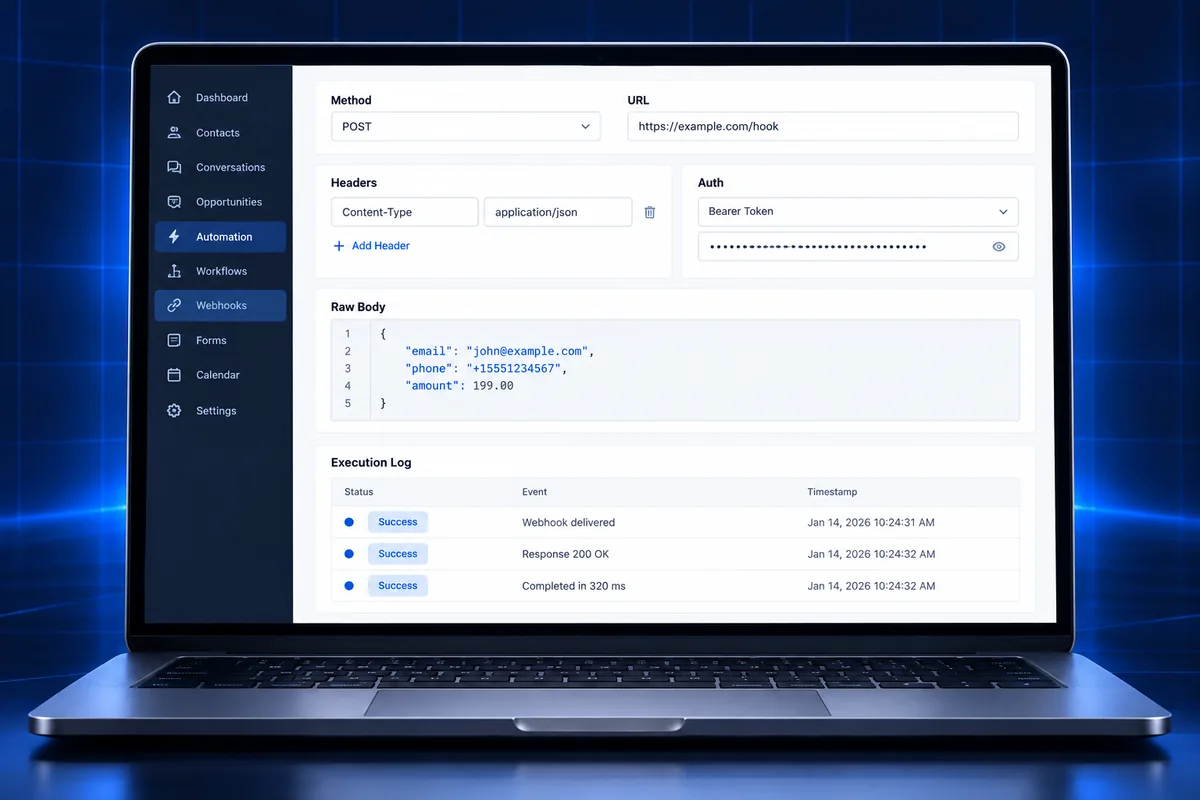
HighLevel has two outbound actions. The standard Webhook (Outbound) action is the simple option for sending a predefined payload. The Custom Webhook action is the advanced one, built for APIs that expect a specific request.
- Methods: GET, POST, PUT and DELETE.
- Authentication: Bearer token, API key, Basic Auth, OAuth2 (set up in global workflow settings) or custom headers.
- Body formats: raw JSON, including nested objects, or form-encoded key and value pairs.
- Responses: an option to save the response from the webhook, where your account has it.
Two limits are worth knowing before you plan an integration. The outbound action cannot send images or files, and HighLevel’s execution logs show whether the step ran but not the payload itself, so testing needs a receiving endpoint you can inspect.
How much do GoHighLevel webhooks cost?
GoHighLevel bills inbound webhooks and custom webhooks as premium workflow features. Each eligible sub-account gets 100 free lifetime premium executions, then the standard rate is $0.01 per premium execution, or lower per-execution rates on a Workflow Pro plan. Agencies can rebill these charges to clients.
| Option | Monthly price | Included premium executions | After that |
|---|---|---|---|
| Free | $0 | 100 lifetime (do not reset) | $0.01 each |
| Workflow Pro Starter | $10 | 10,000 per month | $0.008 each |
| Workflow Pro Growth | $25 | 30,000 per month | $0.006 each |
| Workflow Pro Scale | $50 | 65,000 per month | $0.004 each |
These are HighLevel’s published rates as of October 2026. A few practical points follow from them:
- Count executions, not workflows. Every time the inbound trigger fires or a custom webhook step runs, it counts. A busy form or payment feed adds up faster than people expect.
- Rebilling is per sub-account. Agencies switch on rebilling for premium workflow features in each client’s billing settings. HighLevel notes that a multiplier is not the same as a margin, so a 2x multiplier on $0.01 means the client pays $0.02.
- Workflows keep running. When an allowance runs out, workflows continue and overage rates apply, so nothing breaks, but the bill grows.
If you are still choosing a plan, our GoHighLevel service pricing shows which setups include integration work.
How do you keep GoHighLevel webhooks secure?
GoHighLevel webhook security comes down to treating every webhook URL as a secret, sending credentials only over HTTPS headers, and checking that incoming data is real before acting on it. A leaked inbound URL lets anyone start your workflow, so access to it should be limited.
- Guard inbound URLs. HighLevel’s inbound trigger article lists no built-in authentication option, so anyone who has the URL can send data to it. Share it only with the app that needs it, and replace it if it leaks.
- Validate before acting. Check that required fields exist and look sensible before the workflow updates a contact, sends a message or moves money-related records.
- Use real authentication outbound. On Custom Webhook, use a Bearer token, API key or OAuth2 rather than putting secrets in the URL.
- Verify Marketplace signatures. HighLevel signs Marketplace app webhooks. The current header is X-GHL-Signature (Ed25519), and the older X-WH-Signature (RSA) header was scheduled for deprecation on September 1, 2026. Verify against the raw request body and reject anything that fails.
- Plan for retries. HighLevel retries Marketplace webhooks that do not get a 2xx response, up to 12 times with exponential backoff. Each payload carries a webhookId, so store processed ids and skip duplicates.
Consent rules still apply to data that arrives by webhook. A phone number posted into a sub-account is not permission to text it; texting still needs consent and an approved A2P 10DLC registration.
Webhooks vs Zapier vs native integrations: which should you use?
Use a native GoHighLevel integration when one exists for the app, Zapier when you need a quick no-code bridge between common apps, webhooks when you want a direct real-time connection without a middle tool, and the HighLevel API when you need to read, search or update records on demand.
| Option | Best for | Watch out for |
|---|---|---|
| Native integration | Apps HighLevel connects to directly, such as Stripe or Google Calendar | Limited to the fields the integration supports |
| Zapier | Fast, no-code links between popular apps | A separate subscription and another place for things to break |
| Webhooks | Real-time, event-driven data in either direction | Premium execution charges and field mapping upkeep |
| HighLevel API | Lookups, bulk updates, two-way sync and custom apps | Needs a developer, authentication and rate-limit handling |
In practice the strongest builds mix them. A webhook can tell your server that a deal closed, and the server can then use the API to update several records at once. When a CRM move is involved, as in our Pipedrive to GoHighLevel migration guide, webhooks are often what keeps the old and new systems in step during the switch.
What can you do with GoHighLevel webhooks?
GoHighLevel webhooks are used to connect the tools a business already runs to its CRM, so leads, payments, bookings and job updates show up in the right sub-account instantly and trigger the right follow-up, without anyone copying data by hand.
Common outcomes agencies build with them:
- Payments into the pipeline: a sale in an outside checkout marks the opportunity won and starts onboarding.
- Leads from anywhere: forms, chat tools and lead vendors post straight into the CRM, where speed-to-lead follow-up starts at once.
- Accounting and operations: won deals or paid invoices are pushed to bookkeeping or job software. Our GoHighLevel QuickBooks integration guide covers that pairing.
- Reporting: events are sent to a data warehouse or sheet for reporting HighLevel does not offer natively.
- Custom apps: a client portal or internal tool reacts to CRM events as they happen.
Each of these is an outcome, not a template. The right design depends on which system is the source of truth for each field, which is the first thing to settle before building.
Why is my GoHighLevel webhook not working?
A GoHighLevel webhook usually fails because the workflow is not published, the sample mapping no longer matches the payload, the receiving server rejects the request format or credentials, or the contact data needed to run the workflow is missing. Execution logs and a test endpoint find most causes quickly.
- Workflow still in draft. Triggers and actions only run in a published workflow.
- Mapping drift. The sending app changed field names or nesting after the sample was captured.
- Wrong method or body. The receiving API expects JSON but gets form data, or expects PUT but gets POST. A 400, 401 or 422 response usually points here.
- Rate limits. A 429 response means the receiving service wants fewer requests; slow the flow down.
- Silent duplicates. Two workflows fire on the same event and both send the webhook, so the other system gets the record twice.
When an account has grown messy, webhook problems are often a symptom of wider workflow issues. Our GoHighLevel tech audit guide explains how to review an account end to end, and the GoHighLevel CRM optimization guide covers cleaning up fields and pipelines that integrations depend on.
Frequently Asked Questions
Are GoHighLevel webhooks free?
GoHighLevel webhooks are not fully free. HighLevel bills inbound webhooks and custom webhooks as premium workflow features. Each eligible sub-account gets 100 free lifetime premium executions, then the standard rate is $0.01 per execution, with lower rates on Workflow Pro plans from $10 per month. Agencies can rebill the cost to clients.
Where do I find my GoHighLevel webhook URL?
The GoHighLevel webhook URL for inbound data is created when you add the Inbound Webhook trigger to a workflow. HighLevel generates a unique URL for that trigger, which you copy into the other app. For outbound webhooks it works the other way: you paste the other system’s URL into the webhook action.
What is the difference between an inbound and an outbound webhook in GoHighLevel?
An inbound webhook in GoHighLevel receives data from another app and starts a workflow, so it is a trigger. An outbound webhook sends contact and event data from a workflow to another app’s URL, so it is an action. Inbound brings data in; outbound pushes data out when a contact reaches that step.
Can GoHighLevel webhooks send files or images?
GoHighLevel’s outbound webhook action cannot send images or files, according to HighLevel’s help documentation. It sends contact fields, location details, event data and any custom key and value pairs you add. If a process needs files, send a link or an id in the payload and let the receiving system fetch the file.
Do I need Zapier to use GoHighLevel webhooks?
You do not need Zapier to use GoHighLevel webhooks. The inbound trigger and the outbound and custom webhook actions are built into HighLevel workflows and connect directly to any app that sends or accepts webhooks. Zapier is useful when an app has no webhook support or when you want a no-code bridge.
Are GoHighLevel webhooks secure?
GoHighLevel webhooks are as secure as the way they are set up. Inbound trigger URLs should be treated as secrets, outbound custom webhooks should use real authentication such as a Bearer token or OAuth2, and Marketplace app webhooks should be verified with HighLevel’s signature header before any data is trusted.
Webhook stuck, duplicating or dropping data?
If a webhook is firing twice, losing fields or breaking every time another app updates, a clean rebuild is usually faster than patching. Our GoHighLevel API and webhook integration service designs the connection around your source of truth, sets up authentication and testing, and hands it over documented. If the problem sits in the account itself, our GoHighLevel account audit and rebuild finds what is breaking first.