
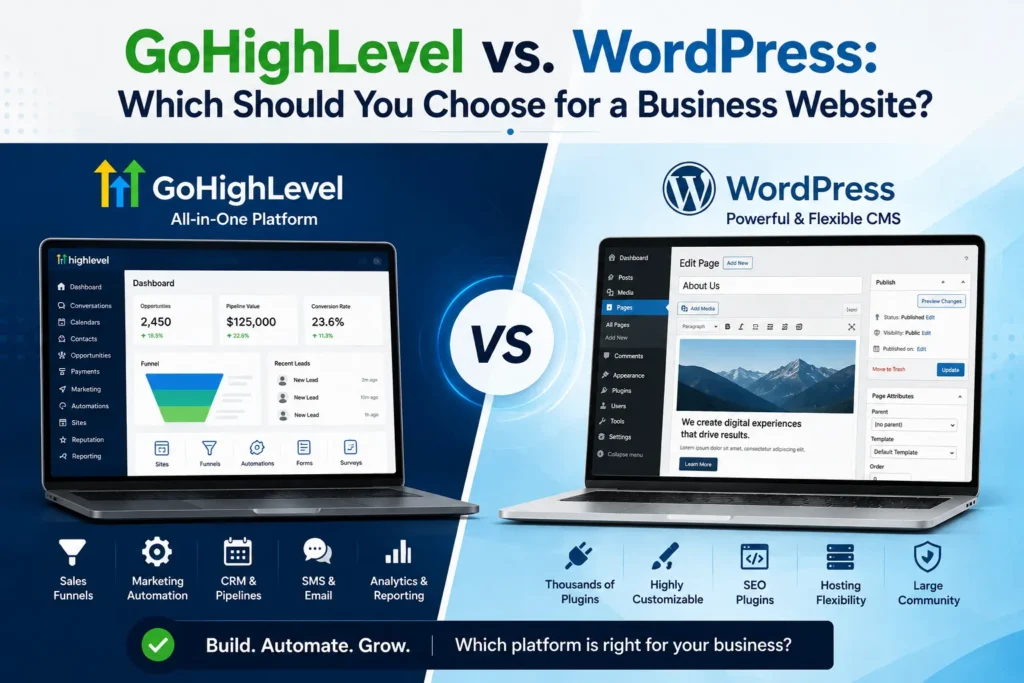
Choosing between GoHighLevel website vs WordPress is one of the biggest decisions a growing business makes. Both platforms build websites, but they solve different problems. One is more content-centric, and the other is more lead, funnel, and automation-centric. This guide explains the actual differences so you can select the best one. We will also let you know where businesses succeed or fail with each option in GoHighLevel USA. At the conclusion, you’ll be sure that you have the right platform for your objectives.
What Is a GoHighLevel Website?
GoHighLevel website is a component of an all-in-one CRM and marketing platform. It combines the site builder, funnels, forms, calendars, blog and automation tools in one account. All the content is contained within a single dashboard, not in separate plugins and apps. This arrangement is ideal for service-based businesses that are looking for leads.
A GoHighLevel website can hook someone in and then start another series of actions. Its greatest strength is the integration between design and marketing automation that it offers out of the box.
What Is WordPress for a Business Website?
For more than twenty years, WordPress for business website projects have ruled over the internet. The WordPress.org software is free and open source, but you pay for hosting, a domain and any premium themes or plugins. Its official directories list thousands of free themes and tens of thousands of free plugins, so you can build almost anything you can imagine.
However, a WordPress website builder setup is more difficult to put together manually. A separate tool for CRM, email marketing, and lead tracking is usually required. This flexibility has its advantages but does require more technical time and maintenance.
New to GoHighLevel? Try it free for 30 days
HighLevel's standard free trial is 14 days. Through our partner link you get 30 days plus HighLevel's free onboarding bootcamp. Rather have it built for you? Our US team sets up GoHighLevel accounts, websites, funnels and automations.
Partner link: we may earn a commission at no extra cost to you. Disclosure
GoHighLevel website vs WordPress: Head-to-Head Comparison
| Feature | GoHighLevel | WordPress |
| Setup speed | Fast, ready-made templates | Slower, often needs a developer |
| Customization | Moderate, funnel-focused | High, near-unlimited |
| CRM built in | Yes | No, needs plugins |
| Sales funnels | Built in | Plugin-based |
| Marketing automation | Built in | Requires separate tools |
| SEO tools | Built-in meta data, sitemap and redirects | Deeper via plugins |
| Hosting | Included | Purchased separately (included on WordPress.com) |
| Maintenance | Low, managed | Higher, manual updates |
| Pricing | Plan fee plus usage-based messaging | Free core, costs add up |
| Best fit | Lead-driven local businesses | Content-heavy or highly custom sites |
Any sort of GoHighLevel website vs WordPress comparison has to factor beyond design. There are only a few factors that truly matter in the business decision-making process: speed, cost, and lead generation power. Let’s compare both site solutions on what’s important.
Ease of use: GoHighLevel website vs WordPress
- GoHighLevel: designed for a quick setup with pre-made templates and funnels.
- WordPress is flexible, but can require a developer for more advanced builds.
Gohighlevel website vs wordpress customization
With unlimited plugins and integrations, WordPress takes the cake when it comes to design freedom. GoHighLevel sacrifices some of the flexibility for speed and automation.
CRM and website builder functionality: GoHighLevel website vs WordPress
This is where things become interesting. GoHighLevel has a built-in CRM and website builder. To match similar functionality, WordPress requires third-party plugins.
SEO-friendly website structure: GoHighLevel website vs WordPress
If properly configured, both of these platforms offer the ability to create an SEO friendly website. There are a few more dedicated WordPress plugins for SEO. Unlike other SEO tools, GoHighLevel’s suite does not require additional downloads.
Gohighlevel Website vs wordpress performance and hosting.
Plugin bloat and hosting quality are critical for website performance. WordPress performance can range greatly from one website hosting provider to another and from one WordPress installation to another. GoHighLevel hosts every site on managed infrastructure with SSL included, so there is no server or caching to configure. Heavy images, embedded videos and extra scripts can still slow a page, so speed testing still matters.
GoHighLevel website vs WordPress| Features
Looking at GoHighLevel website features vs WordPress side by side highlights the automation gap. Landing pages, sales funnels, and email marketing automation are all built-in and included in GoHighLevel. WordPress requires several plugins to achieve the same. One other major distinction between the two platforms is that one is more effective for generating leads. GoHighLevel has pipelines and follow-ups built-in to track each visitor. While WordPress is not set up to create leads, it can, but typically from standalone forms and third-party plugins.
Here’s a brief look at native capabilities:
- Sales funnels and landing pages: built-in with GoHighLevel, plugin-based with WordPress.
- Marketing automation: native in GoHighLevel, requires added tools in WordPress.
- Customer relationship management: included in GoHighLevel, absent by default in WordPress.
- Website templates: available in both, more design variety in WordPress.
Plugins, Integrations, and the Content Management System: GoHighLevel website vs WordPress which one is for your business?
WordPress is still the most versatile content management system (CMS) available today. It has a plugin library that includes everything from e-commerce to membership sites, forums, and more. WordPress can most likely provide you with the special functionality that your business requires if it’s a specific feature. A flexibility, though, comes at a price.
The more you have, the more updates there are, the more compatibility checks there are, the more potential conflicts there are. One of the old plugins can cause an entire site to become slow or even fail. On the other hand, GoHighLevel has a more focused strategy for the same issue. The platform provides a range of tools, rather than relying on third-party plugins. This decreases the amount of technical surface that could break over time.
Blogging and SEO: What Each Platform Gives You
Search visibility is the main worry for owners thinking about leaving WordPress. GoHighLevel now covers the core SEO controls a service business needs: titles, meta descriptions, slugs, canonicals and an automatic sitemap. WordPress still offers more depth for large content sites through its SEO plugins.
| SEO or blog feature | GoHighLevel | WordPress |
| Page titles and meta descriptions | Built in, per page and per post | Built in, extended by SEO plugins |
| Custom URL slugs | Yes | Yes |
| Canonical URLs | Set per blog post | Through SEO plugins |
| XML sitemap | Updates automatically when you publish | Core sitemap, extended by plugins |
| 301 redirects | Built into domain settings | Through a plugin or server rules |
| Categories, authors and scheduled posts | Yes | Yes |
| Advanced schema and custom content types | Limited, usually added with custom code | Extensive through plugins |
For a local business publishing a few articles a month, GoHighLevel blogs are usually enough. When we set up a GoHighLevel blog, we check that each post has a unique title and description, a clean slug and a category. We also make sure the sitemap is submitted in Google Search Console.
WordPress remains the stronger choice for publishers who need editorial workflows, large archives or advanced schema. W3Techs data shows WordPress runs roughly 40 percent of all websites, so almost every SEO tool and developer supports it.
GoHighLevel Website vs WordPress: Security and Maintenance
A GoHighLevel website needs less upkeep than WordPress, because HighLevel manages platform updates for you. WordPress depends on regular plugin, theme and core updates to stay secure, and someone has to apply and test them. Here is how upkeep compares between the two platforms:
- WordPress: requires regular plugin, theme, and core updates to stay secure.
- GoHighLevel website: managed platform updates reduce the maintenance burden on your team.
Fewer moving parts generally means that there are fewer fixes that have to be made at night when the business owner is busy. The difference is more noticeable as the website gets larger and larger in size and traffic.
Using GoHighLevel and WordPress Together
Many owners want to keep their WordPress site and still use GoHighLevel to capture and follow up with leads. That is a common, workable setup. HighLevel supports it in two official ways: the free LeadConnector plugin for WordPress and its own managed WordPress hosting add-on.
The LeadConnector plugin
HighLevel publishes a free LeadConnector plugin in the WordPress.org directory. It adds the GoHighLevel chat widget and embeds forms, calendars, surveys, quizzes, review widgets and funnel pages through shortcodes. Leads then land straight in the CRM.
HighLevel WordPress hosting
HighLevel also hosts WordPress sites as a paid add-on. The Standard tier is $10 per month for one site, or $9 per month billed annually, on top of your HighLevel plan. Larger tiers cover 25 sites for $220 a month or unlimited sites for $497 a month.
The hosting includes a CDN, unmetered bandwidth, 500 GB of storage and backups you can restore from the last 30 days. On hybrid setups, we often keep WordPress on the main domain and put GoHighLevel funnels on a subdomain. Each platform then does what it does best.
GoHighLevel website vs WordPress Costs
Comparing GoHighLevel pricing vs WordPress costs is not straightforward. GoHighLevel bundles the website, CRM and automation tools into one plan fee of $97, $297 or $497 a month. SMS, email and AI usage are billed separately. WordPress itself is free, but plugins, themes and hosting can get expensive.
With CRM tools, email marketing, and funnel plugins, the price tag can add up quickly. With GoHighLevel, those core tools are already part of the plan, so the main variable is how much you send.
What WordPress Costs: WordPress.org vs WordPress.com
WordPress means two different things, and the cost depends on which one you use. WordPress.org is free software that you host yourself, paying for hosting, a domain and premium add-ons. WordPress.com is hosted WordPress sold as monthly plans. Neither includes a CRM or SMS follow-up.
- WordPress.org: the free, open-source software. You pay for hosting, a domain and any premium themes or plugins, and you handle updates and backups or pay someone to.
- WordPress.com: hosted WordPress. Paid plans run from about $4 to $45 per month billed annually, and annual plans include a free domain for the first year.
Neither version includes a CRM, SMS follow-up or pipeline tracking. When we compare quotes, we add those tools to the WordPress side so the comparison with a GoHighLevel plan is fair. Our GoHighLevel website cost guide breaks down the plan, hosting and usage fees on the other side.
Which Is the Best Website Platform for Business Growth? GoHighLevel website vs WordPress
What about the best website platform for business growth? The truth is, it depends on your business needs on a day-to-day basis. WordPress is better suited to a blog or publication that has a lot of content. On the other hand, a local, lead-driven business will be better suited for GoHighLevel website.
For every home service, real estate, dental, and med spa company, swift lead conversion is required. The importance of a mobile-friendly website with instant follow-up is greater than the number of designs that fit these industries. In most cases, automation trumps raw flexibility if you have a conversion-focused website. Since the beginning, GoHighLevel was created with that as a mission. Consider your team’s technical comfort as well. Founders who aren’t working with a developer might want to use the guided setup on GoHighLevel. If you have more marketing people with design skills, you might consider WordPress instead. When it comes to traffic objectives, a GoHighLevel website is no exception to the rule. WordPress offers excellent publishing tools and a depth of SEO plugins, which are a content-driven blog’s best qualities. GoHighLevel’s built-in funnels and follow-up speed are more beneficial to businesses that are in the local area and rely on lead generation.
Moving From WordPress to a GoHighLevel Website
For the full step-by-step plan, including redirects, the blog importer and DNS cutover, see our guide to migrating WordPress to GoHighLevel without losing SEO. If you decide to switch, the migration matters more than the build. Rankings do not move automatically, so the goal is to keep every valuable URL working.
When we plan a move from WordPress, we check these points first:
- A full list of current URLs, taken from the WordPress sitemap and Search Console.
- Which posts the GoHighLevel blog importer can bring over, since it reads the sitemap and carries post content, SEO titles and descriptions.
- Authors, categories and tags mapped during import, so posts publish instead of landing as drafts.
- A 301 redirect for every old URL whose path changes.
- Forms, tracking codes and email DNS records rebuilt or re-pointed before the domain moves.
Themes and page designs do not transfer, so service pages are rebuilt in the GoHighLevel builder. Our GoHighLevel migration service handles this end to end if you prefer not to do it in-house.
GoHighLevel USA Recommends the Right Platform for You
We don’t force one platform on any client at GoHighLevel USA. We evaluate your business objectives and then forward you a suggestion that is based on your requirements, which is either GoHighLevel website or WordPress. We construct online business website projects along with full GoHighLevel systems.
If you’re a local service business, we prefer its built-in business growth tools. Emergency booking, review tracking, and automated follow-up fit these industries well. All websites are optimized for local search and mobile users. No matter which platform fits your business, our process stays the same. We audit your current setup, recommend the right platform, and build a site engineered to convert.
Frequently Asked Questions
Here are short answers to the questions small business owners ask most when comparing a GoHighLevel website with WordPress. They cover which is better for leads, using both together, SEO tools, hosting and moving without losing rankings. Each answer reflects both platforms’ current features and pricing.
For small businesses, is GoHighLevel better than WordPress?
This depends on your business goals, but for small businesses focused on leads, GoHighLevel is the better option. WordPress, on the other hand, works better for sites with a lot of content that require a lot of customization.
Can I integrate GoHighLevel with WordPress?
Yes, some businesses use WordPress for content, and GoHighLevel for CRM and funnels. The official LeadConnector plugin for WordPress embeds GoHighLevel chat widgets, forms, calendars and funnel pages, which suits bigger, content-heavy brands.
Does GoHighLevel have Seo tools such as WordPress plugins?
Each page on GoHighLevel comes with basic SEO elements. WordPress has more specialized SEO plugins to provide more advanced control.
Is WordPress more affordable overall than GoHighLevel?
Not always. WordPress is available at a lower cost but typically requires a pricey plugin for CRM and automation. GoHighLevel includes those features in one plan fee, while messaging and AI usage are billed separately.
What platform is simpler to keep in a local business?
GoHighLevel is usually easier to maintain than a standard WordPress site. There are fewer plugins, which means there’s less to update and less to mess up.
Can GoHighLevel host my WordPress site?
Yes. HighLevel offers managed WordPress hosting as an add-on, starting at $10 per month for one site, or $9 per month billed annually. It runs on top of your HighLevel plan rather than replacing it and includes a CDN and restorable backups. You manage the site from the same account as your CRM and funnels.
Will I lose SEO rankings moving from WordPress to GoHighLevel?
You can, if URLs change without redirects. Rankings are tied to your pages, content and links rather than the platform. Keep the same URLs where possible and add 301 redirects where they change. GoHighLevel supports page-level meta data, automatic sitemaps and redirects, so it gives you the tools to protect your visibility.
Do I need the LeadConnector plugin to connect WordPress to GoHighLevel?
It is the simplest option. The free LeadConnector plugin adds the GoHighLevel chat widget and embeds forms, calendars, surveys and funnel pages with shortcodes. You can also paste GoHighLevel embed codes into most page builders. Or send existing WordPress form submissions to the CRM with webhooks if you prefer to keep your current forms.
Looking to create a website that converts?
It should not be confusing or risky to pick one of the two platforms: GoHighLevel website vs WordPress. GoHighLevel USA assists local businesses in choosing the correct site and then creates the site optimized for leads. All projects undergo testing for speed, mobile functionality, and searchability before going live.
Get a FREE quote today and allow our staff to create a website that’s just perfect for your business.