
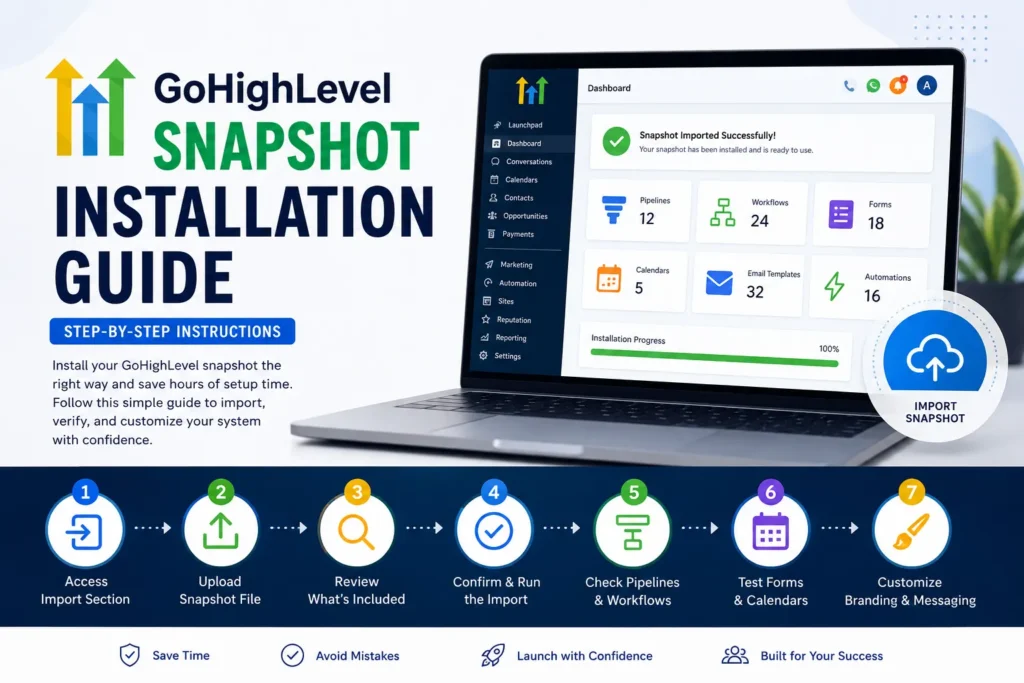
To import a snapshot in GoHighLevel, open the snapshot share link while signed in to your agency account and click Import Now. The snapshot lands in your agency snapshot library. You then load it into a sub-account from Agency View, choose which assets to apply and resolve any conflicts.
This GoHighLevel snapshot installation guide walks you through every step, start to finish. A snapshot is a packaged copy of a sub-account’s build: workflows, pipelines, forms, calendars, funnels and templates. Installing it properly saves hours over building everything by hand. Most problems come from skipped checks, not from the import itself.
What You Need Before You Import a Snapshot in GoHighLevel
Before you import a snapshot in GoHighLevel, you need agency-level access, the snapshot share link from its creator and a clear target sub-account. Know which existing pipelines, calendars and workflows that sub-account must keep. Plan a quiet time for the load, so testing never touches live leads or running campaigns.
Snapshots are imported at the agency level, so a sub-account user login is not enough. If you bought a snapshot, the seller sends a share link rather than a file. Some share links are restricted to approved sub-accounts, so tell the seller where you plan to load it.
Step 1: Sign In to Your Agency Account
Sign in to the HighLevel agency where you want the snapshot stored. Use an admin user with access to Agency View. Importing adds the snapshot to the agency library only. Nothing changes in any sub-account at this stage.
Step 2: Open the Snapshot Share Link
Open the share link in the same browser, or paste it into a new tab. An import pop-up appears with the snapshot’s name. You can enter a custom name here, which helps when you manage several snapshots for different clients.
Step 3: Click Import Now and Wait
Click Import Now, then find the new entry under your imported snapshots. It appears greyed out while HighLevel processes it. Wait until it is active before you start another import or try to load it anywhere.
Step 4: Load the Snapshot Into a Sub-Account
In Agency View, find the destination sub-account and open its action menu. Choose Manage Client, then Actions, then Load Snapshot. Pick the imported snapshot from the list and continue to the asset selection screen.
Step 5: Choose Assets and Review Conflicts
Select the assets you want to apply, such as workflows, pipelines, forms and calendars. HighLevel then lists any conflicts with assets that already exist in the sub-account. Review each one and choose the right action for the existing asset before you confirm the load.
Step 6: Check Pipelines and Workflows
Open each imported pipeline and confirm every stage is present. Check that workflows have the triggers you expect. Imported workflows may need to be published or switched on before they run, so review their status one by one.
Step 7: Test Forms, Calendars and Messages
Submit a test entry through each form and confirm the contact reaches the right pipeline stage. Book a test appointment to check reminders, buffers and time zone. Send yourself the SMS and email templates to see how they read.
Step 8: Customize Branding and Messaging
Replace placeholder logos, colors, business names and contact details with your own. Rewrite email and SMS templates in your brand voice. Connect your own phone number, email domain and calendars, because those settings do not carry over in a snapshot.
Choosing the Right Time to Install Your Snapshot
The best time to load a snapshot into a working sub-account is a quiet period, such as early morning or after hours. That gives you room to test forms, calendars and workflows without live leads triggering half-finished automations. New, empty sub-accounts can be loaded at any time, because nothing is running yet.
New to GoHighLevel? Try it free for 30 days
HighLevel's standard free trial is 14 days. Through our partner link you get 30 days plus HighLevel's free onboarding bootcamp. Rather have it built for you? Our US team sets up GoHighLevel accounts, websites, funnels and automations.
Start 30-day free trialBook a free strategy call
Partner link: we may earn a commission at no extra cost to you. Disclosure
Backing Up Your Existing Account First
Before you load a snapshot into a sub-account that already has a build, back it up. The simplest backup is to create a snapshot of that sub-account first. If a conflict choice overwrites something you needed, you can load the earlier version of that asset back from your own snapshot.
Understanding Snapshot Compatibility With Existing Workflows
A snapshot can clash with what already runs in a sub-account when names, tags or triggers overlap. Two workflows that fire on the same form, or two pipelines with similar names, confuse both automations and staff. Review the conflict list carefully and remove duplicates after the load, so every trigger has one clear owner.
Training Your Team After Installation
A snapshot only works if the people using it understand it. Walk your staff through the new pipelines, forms and calendars before real leads arrive. Show them where conversations land and which stages they move by hand. Keep a short written note of who owns each part of the system.
Monitoring Performance in the First 30 Days
The first weeks after installation matter as much as the load itself. Watch new leads move through the imported pipelines and check that each workflow fires when it should. Small problems caught early, such as a missing reminder or a wrong tag, never grow into lost leads or confused clients.
When to Consider a Professional Installation Instead
A professional installation makes sense when the target sub-account already runs live automations or when you load several snapshots. It also helps when nobody on your team has time to test properly. We follow each step in this GoHighLevel snapshot installation guide for our clients. That removes the guesswork and the risk of breaking working systems.
Common Snapshot Installation Mistakes to Avoid
Most snapshot problems come from a handful of avoidable mistakes made during or right after the load. Check your process against this list before you confirm the load and again after testing. Each one is quick to prevent and slow to fix once real leads and messages are flowing.
- Confirming the load without reviewing conflicts, so existing assets change without warning.
- Leaving imported workflows untested, so broken automations go unnoticed for days.
- Ignoring calendar settings, which causes double bookings or wrong time zones.
- Keeping duplicate tags and pipelines, which splits contacts across two versions.
- Going live with placeholder branding and generic messages.
How to Install GoHighLevel Snapshot Files From an Agency
A snapshot from an agency or marketplace seller arrives as a share link, not a downloadable file. You import it into your own agency account, then load it into the sub-account that needs it. Ask the seller for a list of included assets, so you can check the load against it.
A good seller also tells you which settings you must connect yourself, such as phone numbers, email domains, payment integrations and calendars. Those are never copied by a snapshot. Our snapshot builds ship with that checklist.
What to Do After a Successful Installation
After the snapshot is live, stay close to it for the next few days. Read the workflow history for errors, check that notifications reach the right people and watch the first real leads move through each stage. Adjust messages and timings as you learn how your leads respond.
Final Thoughts
Learning how to import a snapshot in GoHighLevel takes minutes, and the care you take around it decides the result. Import from the share link, load into the right sub-account, resolve conflicts, then test and brand everything. GoHighLevel USA supports clients through this process, from build to handover.
Frequently Asked Questions
Will loading a snapshot replace my current GoHighLevel account?
No. Loading adds the selected assets to a sub-account. Where an asset already exists, HighLevel shows a conflict and you decide what happens to it. Your contacts and conversations stay in place.
How long does it take to install a snapshot?
Importing from a share link usually takes a few minutes. Large snapshots take longer, and they stay greyed out until processing ends.
Can I edit a snapshot after installing it?
Yes. Everything loaded into the sub-account can be edited there. Those edits do not change the original snapshot in your library.
What should I test first after installation?
Start with pipelines and workflows, then forms and calendars. Those are the parts that touch real leads first.
Do I need technical knowledge to import a snapshot myself?
Not for the import itself, which is a few clicks. Resolving conflicts and testing automations needs more care, especially in a sub-account that already runs live workflows.
Need Help Installing Your GoHighLevel Snapshot?
Leave the guessing to us. Contact our GoHighLevel USA team for a free quote on a snapshot installation.