
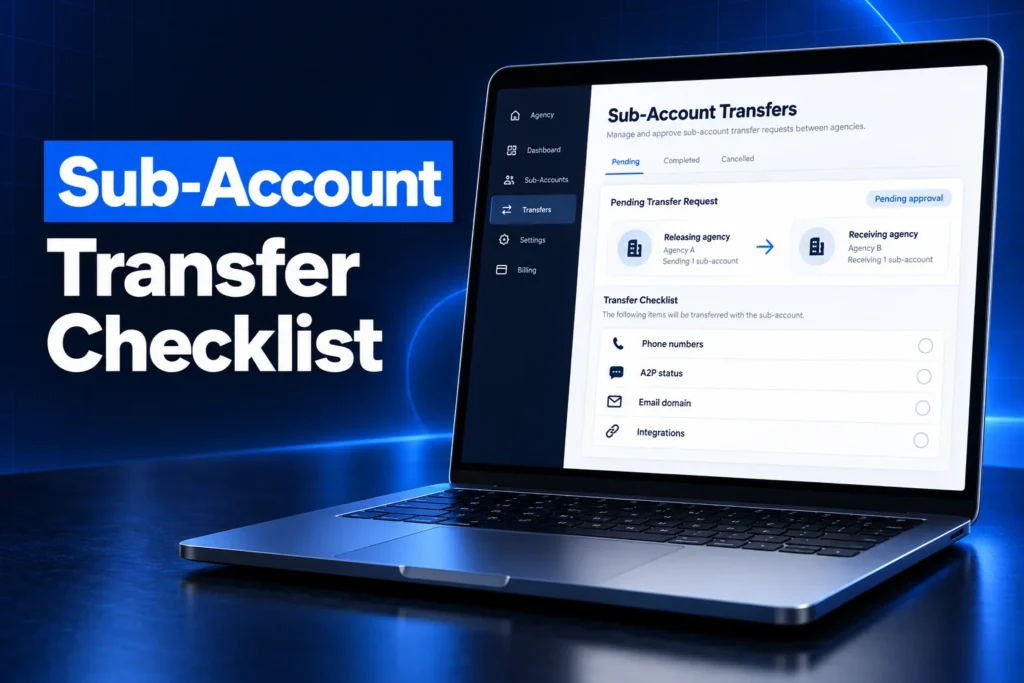
A GoHighLevel sub-account transfer moves an entire client sub-account from one agency to another, with its contacts, conversations, funnels, calendars and workflows intact. The releasing agency sends the request using the receiving agency’s Relationship Number, and the move completes once the receiving agency approves it.
This guide explains when a transfer is the right tool, exactly what moves and what does not, how phone numbers, A2P 10DLC registration and email domains behave, the request and approval steps on both sides, the risks that break accounts during a switch, and the audit to run the day after. It is written for business owners changing agencies and for agencies taking on a new client.
What is a GoHighLevel sub-account transfer?
A GoHighLevel sub-account transfer is HighLevel’s built-in way to hand a whole sub-account from a releasing agency to a receiving agency. It is not a merge and not a partial copy. The sub-account keeps its data and history and simply starts living under a different agency account.
In HighLevel, every business runs inside a sub-account (once called a “location”), and every sub-account belongs to an agency account. Whoever owns the agency account controls billing, white-label branding, the phone and email providers, and who can log in. A transfer changes that parent without rebuilding anything.
- Whole account: HighLevel’s help center states a transfer does not merge two sub-accounts or move only selected data.
- History stays together: contacts, conversations, supported assets and account history move as one unit.
- One-way and approved: nothing moves until the receiving agency accepts the request.
When do you need a sub-account transfer?
You need a sub-account transfer when a business wants to keep its existing GoHighLevel account but change the agency that hosts, bills and supports it. Common triggers are switching agencies, leaving a reseller for your own agency account, or consolidating accounts after a merger.
- Switching agencies: the current agency is unresponsive, overpriced or closing down, and you want a new team without losing years of contacts and conversations.
- Going independent: a business that outgrew a reseller opens its own agency account and pulls its sub-account across.
- Agency acquisitions: one agency buys another’s client book and moves the accounts in one batch.
- Cleanup after a freelancer: an account was built under a freelancer’s agency, and the owner wants it under an agency they can hold accountable.
If you only want a template of the build and not the client’s data, a transfer is the wrong tool. In that case the agency shares a snapshot, which copies funnels, workflows, pipelines and settings but never contacts or conversations. Our guide to GoHighLevel snapshots covers that route.
New to GoHighLevel? Try it free for 30 days
HighLevel's standard free trial is 14 days. Through our partner link you get 30 days plus HighLevel's free onboarding bootcamp. Rather have it built for you? Our US team sets up GoHighLevel accounts, websites, funnels and automations.
Partner link: we may earn a commission at no extra cost to you. Disclosure
What moves with the account and what does not?
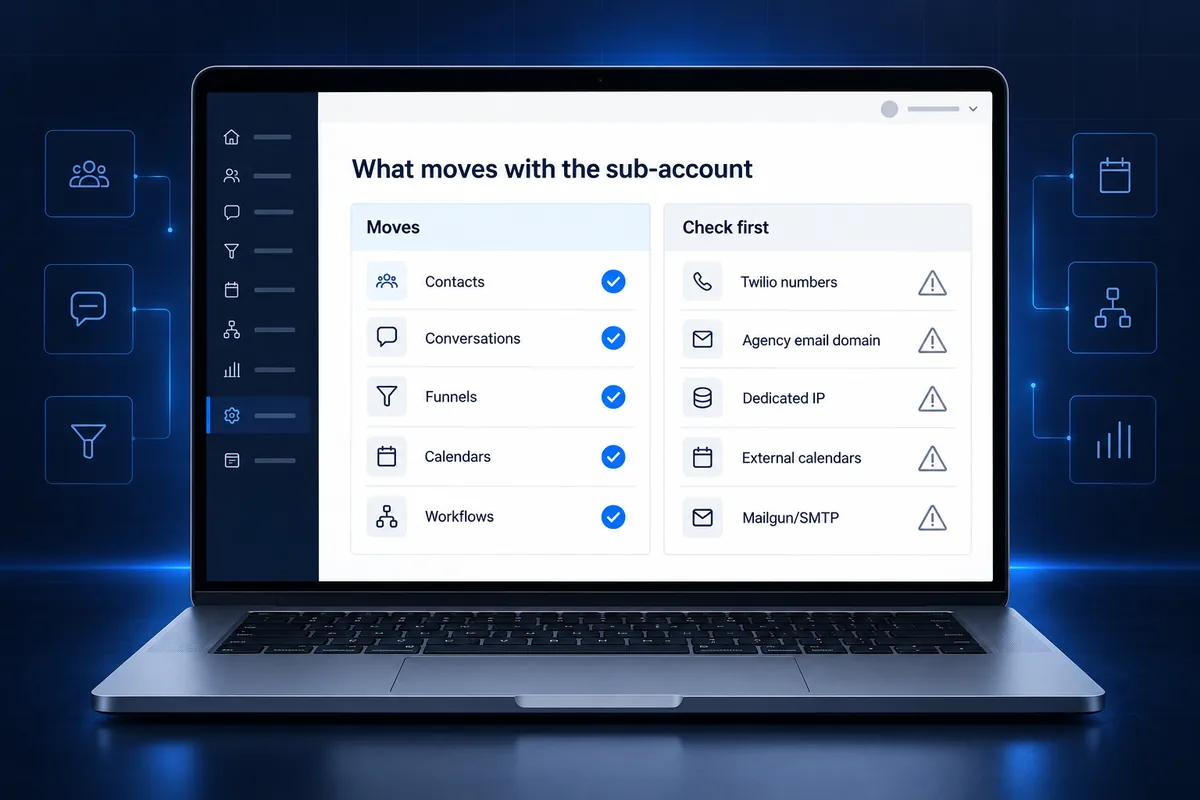
A sub-account transfer moves the core build and data: contacts, conversations, websites, funnels, calendars and automations. Phone numbers, email sending domains, dedicated IPs and external integrations depend on the providers each agency uses, and those are where most transfer problems start.
| Item | What happens in a transfer | What to check |
|---|---|---|
| Contacts, conversations, history | Move with the sub-account | Spot-check a few contact timelines after the move |
| Websites, funnels, calendars, workflows | Move with the sub-account | Confirm workflows are in the state you expect |
| LC Phone numbers (both agencies on LC Phone) | Move with the sub-account; eligible A2P registration stays with the numbers | Usage is billed to the receiving agency from then on |
| Twilio numbers (either agency on Twilio) | Do not move automatically | Plan a separate number migration before the switch |
| LC Email, agency-assigned dedicated domain | Removed during the transfer | Set up a sending domain the business owns |
| LC Email, sub-account-owned dedicated domain | Moves with the sub-account | Re-check DKIM, SPF and DMARC records |
| Dedicated IP | Unassigned; the related subscription is removed | Decide whether the new agency needs one |
| Mailgun or SMTP settings | Removed; the account adopts the receiving agency’s default provider | Re-verify email sending before any campaign |
Anything connected to an outside service deserves a manual check after the move. That includes Stripe or other payment connections, Google or Outlook calendar syncs, social and ad accounts, and any webhook or API key the old agency set up. HighLevel does not promise these survive, so treat them as reconnect-and-test items.
How do phone numbers, A2P 10DLC and email behave?
Phone numbers, A2P 10DLC registration and email domains depend on the providers. When both agencies use LC Phone, numbers and eligible A2P registration move with the sub-account. When either side uses Twilio, numbers stay behind and must be migrated separately, which can interrupt texting.
LC Phone vs Twilio
LC Phone is HighLevel’s native phone system, and Twilio is the older bring-your-own option. HighLevel’s transfer guide says that if either agency uses Twilio, numbers do not transfer automatically. The agencies and the Twilio account owner must coordinate the number move themselves.
- Ask the current agency, in writing, which provider your numbers sit on before you request anything.
- If a number is on the old agency’s Twilio account, that agency controls it until it is ported or moved.
- Your main business number is often printed on vehicles, Google Business Profile and ads, so losing it is the most expensive mistake in a switch.
A2P 10DLC registration after a transfer
On LC Phone, HighLevel states the eligible A2P registration stays with the numbers, and future usage is billed to the receiving agency. If numbers are on Twilio, the brand and campaign registered with The Campaign Registry (TCR) may sit on the old agency’s account. A new brand, campaign and carrier vetting may then be needed before texting resumes.
Plan for that gap instead of discovering it when texts start failing. If you do need to register again, our A2P 10DLC registration service prepares the brand, campaign and opt-in evidence for a $50 flat service charge.
Email domains and deliverability
If the old agency assigned the dedicated sending domain, HighLevel removes it during the transfer. A domain owned by the sub-account moves across. Either way, re-check the DKIM, SPF and DMARC records and send a test before any campaign, because a broken domain quietly sends mail to spam.
How do you request a transfer between agencies?
To request a transfer, the releasing agency opens the sub-account from Agency Level, chooses Transfer Sub-account under Actions, and enters the receiving agency’s Relationship Number. The receiving agency then reviews and approves the request, and the sub-account moves as soon as it is approved.
This is the standard HighLevel process from the official help center, not a custom build:
- Receiving agency shares its Relationship Number. Every agency account has one; HighLevel’s help center explains where to find it.
- Releasing agency sends the request. Agency Level, then Sub-Accounts, then Manage Client on the account, then Actions, then Transfer Sub-account. Enter the number and confirm.
- Receiving agency approves. The owner gets an email with a Review Request button, or opens Sub-Accounts and then Sub-account Transfers.
- Track the status. Requests show as pending, completed, rejected, canceled or blocked. The sender can cancel a pending request from the Send tab.
Who can send or approve a transfer?
By default only the Agency Owner can request or complete a transfer. The owner can grant that permission to specific Agency Admins. The receiving agency must be active, have room for another sub-account, and hold any compliance add-ons the account needs, such as HIPAA.
HighLevel also supports bulk transfers for agencies moving many accounts at once. For a single business switching agencies, the one-account flow above is what you will use.
What if your old agency will not release the account?
If your old agency will not release the sub-account, you cannot force a transfer yourself, because only the releasing agency can send the request. Your options are a written request, a conversation about your contract, escalation to HighLevel support, or rebuilding in a new account.
- Put the request in writing. Ask for the transfer, the provider your numbers use and an export of your contacts, all with a clear date.
- Read your agreement. Many agency contracts say who owns the build, the data and the phone numbers. Settle that before anything else.
- Export what you can. If you still have sub-account access, export contacts and save key assets while you negotiate.
- Rebuild as a last resort. A new sub-account plus a data import keeps your contacts, but conversation history and automations must be rebuilt.
Getting stuck here is common after a freelancer disappears. Our comparison of a GoHighLevel freelancer vs agency explains how to avoid the same lock-in next time.
What can go wrong during a sub-account transfer?
The biggest risks in a sub-account transfer are lost phone numbers, a texting gap while A2P is re-registered, email going to spam after the sending domain changes, and integrations that silently stop. Most of these are preventable with a short pre-transfer check of providers, ownership and live automations.
- Workflows firing at the wrong moment: automations move across, so review anything live before the switch so nothing sends twice or to the wrong list.
- Broken integrations: payment gateways, calendar syncs, Zapier connections, webhooks and API keys tied to the old agency may stop without warning.
- Billing confusion: after the move, phone and email usage bill to the new agency, so settle any open balances or wallet questions with the old one first.
- User access: staff logins and permissions may need to be reissued, and old agency users should lose access.
- Compliance add-ons: a HIPAA-enabled account cannot move to an agency without the HIPAA Compliance add-on.
Integrations are the piece most often missed. If your account relies on webhooks, custom fields fed by other tools or a CRM data sync, our GoHighLevel API and webhook integration service can reconnect and test them after the move.
What should you check before the transfer?
Before a sub-account transfer, confirm which providers the phone numbers and email use, who owns the sending domain, which A2P brand and campaign are registered, and which outside tools connect to the account. These answers decide whether the switch is seamless or causes days of downtime.
- List every phone number and its provider (LC Phone or Twilio).
- Record the A2P brand and campaign status in the Trust Center.
- Note the email provider and whether the sending domain belongs to the agency or the sub-account.
- List integrations: payments, calendars, social accounts, Zapier, webhooks and API keys.
- Export contacts as a backup, even though they should move.
- Pause or review high-volume campaigns scheduled for transfer day.
What should you audit after the transfer?
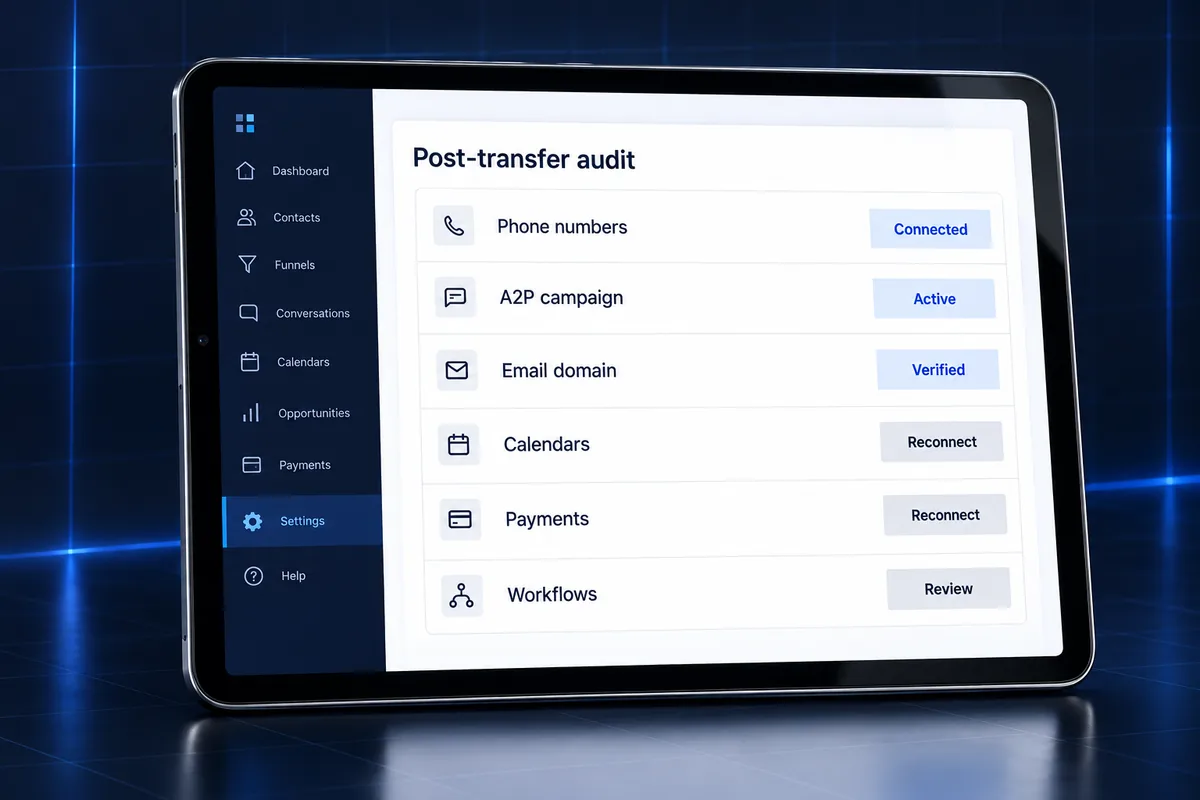
After the transfer, audit the account the same day: test inbound and outbound calls and texts, confirm the A2P campaign is active, send a test email, reconnect calendars and payments, and review every published workflow. A same-day audit catches problems before customers notice them.
- Phone: place a test call, send and receive a test text, and check missed-call text-back still fires.
- Compliance: confirm the A2P 10DLC campaign status and that opt-out keywords still work.
- Email: verify DKIM, SPF and DMARC pass and that a test email lands in the inbox.
- Calendars and payments: reconnect external calendars and test a booking and a payment link.
- Automations: review published workflows, triggers and pipelines for anything pointing at the old agency.
- Access: confirm the right users can log in and old agency users cannot.
For a deeper review, our GoHighLevel tech audit guide lists what a full technical check covers, from DNS to duplicate triggers.
Switching agencies and worried about breaking things?
A switch is the moment a messy account becomes visible: workflows nobody understands, numbers on someone else’s Twilio and an email domain you never owned. Our GoHighLevel sub-account audit and rebuild checks the account before and after the transfer and gives you a fixed quote to fix what is broken.
If you want ongoing help once the account is under your new agency, see our GoHighLevel service plans and pricing.
Frequently Asked Questions
How long does a GoHighLevel sub-account transfer take?
A GoHighLevel sub-account transfer completes as soon as the receiving agency approves the request, according to HighLevel’s help center. Timing can stretch if eligibility requirements or account dependencies need to be resolved first, such as missing capacity or a required add-on. The planning around phone numbers and A2P usually takes longer than the transfer itself.
Do contacts and conversations transfer with the sub-account?
Yes. A sub-account transfer moves contacts, conversations, supported assets and account history together, because the whole sub-account changes agency rather than being copied. This is the main advantage over a snapshot, which copies funnels, workflows and settings but never contacts or conversation history. Export a contact backup beforehand anyway as a precaution.
Will my phone numbers transfer to the new agency?
Phone numbers transfer automatically only when both agencies use LC Phone, HighLevel’s native phone system. If either agency uses Twilio, numbers do not move with the sub-account, and the agencies must coordinate a separate number migration with the Twilio account owner. Confirm your provider in writing before requesting the transfer.
Do I need to redo A2P 10DLC registration after a transfer?
Not always. When both agencies use LC Phone, HighLevel says eligible A2P registration stays with the numbers. When numbers sit on Twilio, the brand and campaign may belong to the old agency’s account, so a new A2P 10DLC brand and campaign registration could be required before texting resumes. Check the Trust Center status on both sides.
Can I transfer my sub-account without my old agency?
No. Only the releasing agency’s owner, or an admin they authorize, can send a transfer request. If the old agency refuses or has disappeared, ask in writing, review your contract, and contact HighLevel support. As a last resort, export your contacts and rebuild in a new sub-account under your new agency.
What is the difference between a transfer and a snapshot?
A transfer moves the live sub-account, with its contacts, conversations and history, to a different agency. A snapshot is a template that copies the build, such as funnels, workflows, pipelines and settings, into another sub-account without any customer data. Use a transfer to change agencies and a snapshot to duplicate a setup.