
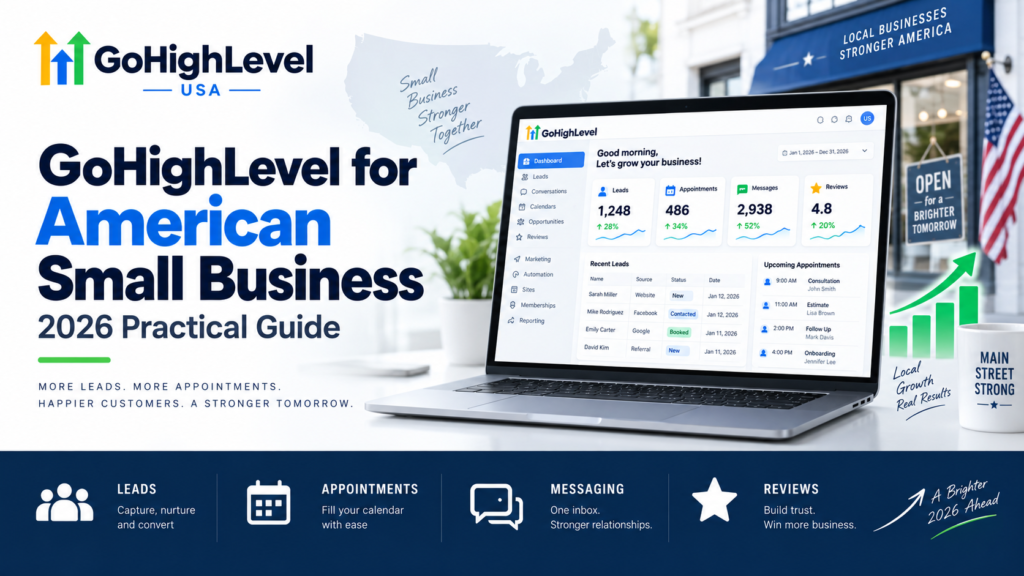
Quick Answer: GoHighLevel for American small business works best as a focused operating system for leads, appointments, follow-up, reviews, and customer communication. Start with one pipeline, one calendar, clean contact data, authenticated email, properly registered US messaging, and a few tested workflows. Add features only when the team can operate and measure the core process.
Small businesses rarely need more software. They need fewer gaps between the tools they already use. GoHighLevel can bring customer records, forms, calendars, email, SMS, calls, funnels, automation, and reporting together, but consolidation only helps when the setup reflects how the business actually sells and serves customers.
Is GoHighLevel a Good Fit for an American Small Business?
It can be a strong fit for appointment-based and lead-driven businesses such as home services, clinics, consultants, professional services, gyms, real-estate teams, and local agencies. The platform is especially useful when missed inquiries, inconsistent follow-up, or disconnected systems are limiting growth.
A very simple business with few leads and no repeatable sales process may not need the full platform. The decision should be based on workflow needs, staff capacity, and total operating cost rather than feature count.
Core Tools Small Businesses Can Use
CRM and pipeline
A shared contact record gives the team one place to see lead source, messages, appointments, tasks, opportunities, and customer history. A short pipeline helps owners understand what needs attention without maintaining a separate spreadsheet.
Forms and landing pages
Website forms and campaign pages can create contacts, capture service interest, and route inquiries. Each form should collect only the information needed for the next step.
Calendars and reminders
Online booking reduces back-and-forth. Availability, buffers, time zones, assignment, confirmation, rescheduling, and cancellation rules must be tested before the calendar is promoted.
Email, SMS, and calls
Centralized communication helps employees respond with context. Businesses should authenticate email domains, use accurate sender identities, document consent, honor opt-outs, and follow current US messaging requirements.
Workflow automation
Workflows can acknowledge inquiries, assign owners, create tasks, send appointment reminders, follow up on missed calls, and start onboarding. Automation should stop or notify a person when a customer replies or reaches an exception.
Reputation management
A review request can be sent after a real service milestone. The process should invite honest feedback and avoid incentives or filtering that could violate platform policies.
A Practical Small-Business Setup
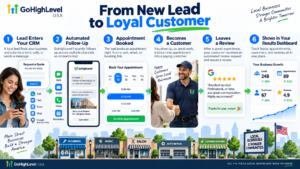
- Map the customer journey. Document how an inquiry becomes an appointment, sale, completed service, and repeat customer.
- Clean the contact structure. Define required fields, sources, owners, and duplicate-handling rules.
- Create one pipeline. Use stages that represent real decisions and give each stage a clear owner.
- Connect communication. Configure domains, sender addresses, phone numbers, calendars, and user notifications.
- Build two or three workflows. Start with new-lead response, appointment reminders, and post-service follow-up.
- Test every path. Submit forms, reply, opt out, book, cancel, reschedule, and check the contact and pipeline.
- Train the team. Show employees how to handle conversations, tasks, stages, exceptions, and reporting.
For a detailed implementation sequence, read the GoHighLevel setup guide for US businesses.
US Email and SMS Considerations
Email authentication commonly includes SPF, DKIM, and DMARC records for the sending domain. These records support identity and monitoring, but good deliverability also depends on permission, accurate content, list quality, and complaint rates.
Businesses sending application-to-person messages over US local numbers should review current A2P 10DLC registration and carrier requirements. Brand details, campaign use case, sample messages, opt-in language, and website policies should be accurate and consistent.
If a registration is rejected, use the GoHighLevel A2P help guide to audit the submission. This content is operational guidance, not legal advice, and businesses should confirm current official requirements.
What Should a Small Business Automate First?
- Immediate acknowledgement of a new inquiry
- Assignment and task creation for the responsible employee
- Missed-call text-back with appropriate consent controls
- Appointment confirmation and reminders
- No-show and cancellation follow-up
- Customer onboarding after a verified sale
- Review requests after completed service
Do not automate sensitive complaints, complex negotiations, unusual payment issues, or situations that require professional judgment without a human review step.
Costs to Include in the Decision
Calculate the subscription, phone and messaging usage, email sending, domains, integrations, implementation, content, training, administration, and ongoing optimization. A platform can still reduce total cost when it replaces several tools and improves follow-up, but the comparison must include the complete system.
See the GoHighLevel setup pricing guide for a practical planning framework.
Metrics Small Businesses Should Track
- Lead response time
- Contact and appointment rates
- Appointment show rate
- Qualified opportunity and close rates
- Revenue by lead source
- Customer response time
- Opt-outs, failed messages, and duplicate records
- Tasks completed on time
Common Small-Business Mistakes
- Buying a complex template before defining the process
- Importing old contacts without permission or data cleanup
- Launching workflows before sender and calendar testing
- Using too many tags, fields, pipelines, and automations
- Ignoring replies, opt-outs, quiet hours, and failure alerts
- Giving every employee administrator permissions
- Failing to document the final system
Frequently Asked Questions
Can one person manage GoHighLevel?
Yes, when the setup is focused and documented. A small system with clear naming, limited workflows, and regular checks is easier to manage than a large template bundle.
Can GoHighLevel replace multiple tools?
It can replace or consolidate several CRM, calendar, funnel, messaging, review, and automation tools. Confirm each required feature and integration before cancelling existing services.
Does a small business need an agency account?
Not always. The suitable plan depends on the number of business locations, sub-accounts, users, and agency requirements. Review current HighLevel plan details before purchasing.
How should a business begin?
Begin with one customer journey, clean data, one pipeline, one calendar, and a small number of tested workflows. Measure results before adding complexity.
Build a System Your Team Will Use
GoHighLevel for American small business creates value when it makes customer follow-up faster, ownership clearer, and performance easier to measure. Keep the first version simple, verify US communication requirements, and improve the system based on real team use.
Contact GoHighLevel USA for help auditing or implementing a practical small-business system.