
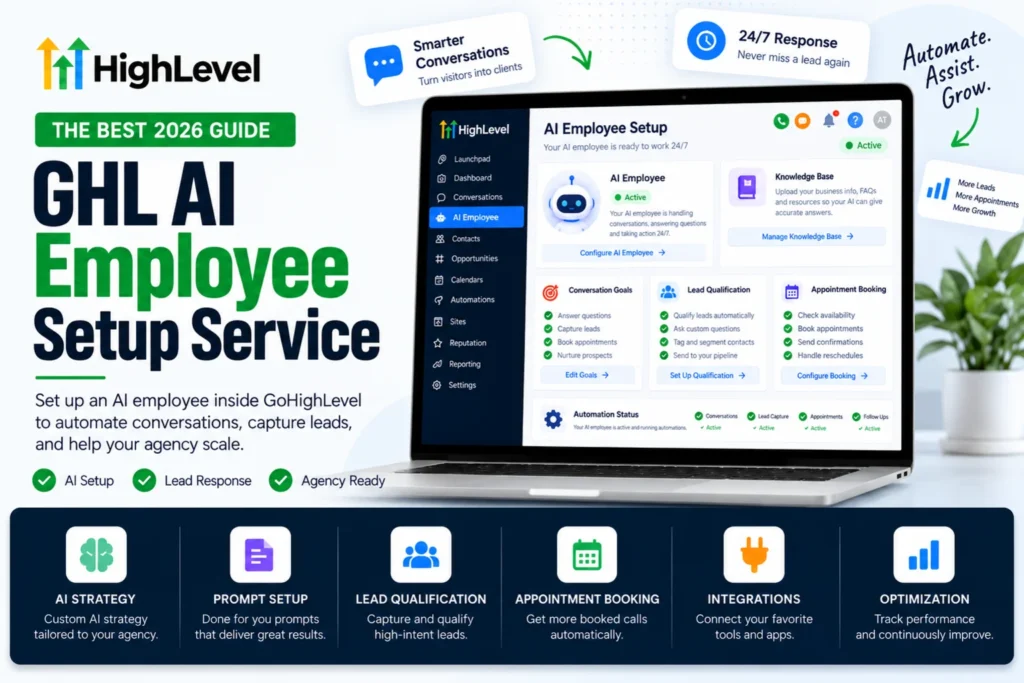
If you are looking for a GHL AI employee setup service, it helps to know exactly what you are buying. The AI Employee is not one feature. It is a bundle of tools inside GoHighLevel, and each one needs its own setup, its own testing and its own budget.
This guide explains what the AI Employee includes, what a proper GHL AI employee setup service builds for you, what it costs and what to check before you switch it on for real leads.
Every number here comes from HighLevel’s own pricing and help pages.
What Does A GHL AI Employee Setup Service Actually Cover?
HighLevel bundles six AI tools under the AI Employee name.
Conversation AI replies in chat, SMS, email, Facebook, Instagram and WhatsApp. It qualifies leads and books appointments.
Voice AI answers inbound phone calls, holds a real conversation, and can transfer the call or book the appointment.
Reviews AI writes replies to your Google reviews.
Content AI writes copy and generates images inside funnels and emails.
Ask AI answers questions about your own account data.
AI Studio lets you build custom agents for tasks the standard bots do not cover.
A serious GHL AI employee setup service does not just switch these on. It picks the two or three that actually move money for your business and builds those properly.
What Does A GHL AI Employee Setup Service Build First?
For most local service businesses the order is simple.
Voice AI comes first, because missed calls are the biggest leak in any service business. Conversation AI comes second, because web chat and SMS leads go cold within minutes. Reviews AI comes third, because it runs itself once it is set.
Content AI and Ask AI are useful, but they save you time rather than make you money, so they belong at the end of the list.
If a provider wants to build all six in week one, that is a warning sign. Each agent needs testing against real calls before it touches a real lead.
How Is A Voice AI Agent Set Up Properly?
This is the part with the most moving pieces, and it is where a GHL AI employee setup service earns its fee. Here is the real process inside the platform.
- Open AI Agents, then Voice AI, then the Agent List tab.
- Click Create Agent and choose a marketplace template, a custom agent or the flow based builder.
- Set the agent name, the voice, the model and the language.
- Write the agent prompt. This defines the role, the goal, what the agent must collect and when it should escalate to a human.
- Write the welcome message for inbound and outbound calls, and set the pause timing before it speaks.
- Attach a knowledge base so the agent can answer questions about your services, prices and policies.
- Add actions. Call transfer, trigger workflow, send SMS, update a contact field, book an appointment or a custom action.
- Set call duration, silence handling, response speed and interruption sensitivity.
- Test with a web call, then test with a real phone call. Try the awkward cases, not just the easy script.
- Open the Deploy tab, assign a phone number or number pool, pick the routing mode and set working hours.
A good GHL AI employee setup service spends most of its time on steps 4, 7 and 9. The prompt and the actions decide whether the agent is useful or embarrassing.
How Is Conversation AI Set Up?
Conversation AI is quicker but has one setting that matters more than the rest.
Open AI Agents, then Conversation AI, then Create Bot. You get three ways to build it. Guided form setup is best for lead capture and booking. A prompt based bot gives you control over tone and lets you pick the model. The flow based builder handles branching qualification.
The setting that matters is bot status. It can be Off, Suggestive or Auto Pilot. Suggestive drafts a reply and waits for your team to approve it. Auto Pilot sends on its own.
Never start on Auto Pilot. Run Suggestive for a week, read what the bot wanted to say, fix the prompt, then switch it over. Any GHL AI employee setup service that puts you straight on Auto Pilot is cutting corners.
What Does A GHL AI Employee Setup Service Cost To Run?
A GHL AI employee setup service leaves you with two bills. The build, which you pay once, and the usage, which runs every month.
For usage, HighLevel gives you three ways to pay.
| Option | Price |
| Pay per use | Charged per minute, per image or per review |
| AI Employee Growth | 50 dollars a month per sub account |
| AI Employee Unlimited | 97 dollars a month per sub account |
If you prefer pay per use, the published rates give you a feel for it. Voice AI speech to speech runs about 0.10 dollars per minute on Google Gemini or 0.20 dollars per minute on OpenAI. Content AI is about 0.063 dollars per image and 0.0945 dollars per thousand words. Reviews AI is about 0.01 dollars per review.
Here is the part people miss. Phone and SMS charges are billed separately through LC Phone or Twilio. The AI rate covers the thinking, not the call itself. Budget for both.
What Should Be In The Quote?
Ask any GHL AI employee setup service to put these in writing before you pay.
- Which agents are being built, and which are not.
- The written prompt for each agent, so you own it.
- The actions each agent can take, and what it must never do.
- The escalation rule that sends a caller to a human.
- The knowledge base content and who keeps it updated.
- How many rounds of testing are included.
- Whether the build is saved as a snapshot you can reuse.
- Who pays the usage bill during testing.
That last one catches people out. Testing a voice agent for two days costs real money.
What Goes Wrong Without Proper Setup?
These are the failures that make business owners turn AI off and never try again, and every one of them is avoidable.
The agent answers a question it should not, because nobody wrote an escalation rule. The knowledge base has last year’s prices in it. The bot books an appointment outside working hours because the calendar was never linked. The agent talks over the caller because interruption sensitivity was left on default. Nobody checked the transcripts for the first week, so the same mistake repeated two hundred times.
None of these are AI problems. They are setup problems, and they are exactly what you are paying a GHL AI employee setup service to prevent.
Can An Agency Control AI Access Per Client?
Yes, and this matters if you run client accounts.
Agencies can grant or deny AI Employee access to each sub account individually. That means you can switch it on for the three clients who want it and leave it off everywhere else, so the cost never appears on accounts that are not using it.
This is also how a GHL AI employee setup service should price client work. One setup fee per account, one usage plan per account, no shared pool that nobody can audit.
If you run many accounts, build the agents once and save them into a GoHighLevel snapshot so the next client starts from a working agent instead of a blank prompt.
Should You Build It Yourself Or Hire A Setup Service?
Build it yourself if you have one account, time to read transcripts every day for two weeks, and patience for the prompt to be wrong a few times. The tools are not hidden and the documentation is decent.
Hire a GHL AI employee setup service if you run client accounts, if missed calls are costing you jobs right now, or if you have already tried and the agent said something that made you cringe.
The honest difference is not access to the feature. It is the hours spent testing before a real customer meets the agent.
That testing is the core of our done for you GoHighLevel setup work, and it sits alongside the rest of the account build rather than being bolted on at the end.
Final Thoughts On Choosing A GHL AI Employee Setup Service
The AI Employee is six tools, not one. A good GHL AI employee setup service picks the two that pay, writes the prompts carefully, wires the actions to your calendar and workflows, tests against awkward real calls, and hands you the prompts so you are not locked in.
Start with Voice AI if you miss calls. Start with Conversation AI if your leads come from chat and forms. Run in Suggestive mode first. Read the transcripts.
Do that and the AI answers at two in the morning without ever embarrassing your brand.
Sources: HighLevel AI Employee overview, HighLevel AI product pricing and creating Voice AI agents.