
If you are looking for the right WhatsApp cover photo size for GHL, this guide gives you the real numbers. Most articles on this topic copy a Facebook banner size and call it a day. That advice is wrong, and it makes your business profile look broken.
WhatsApp Business does not show a wide banner on your profile the way Facebook does. It shows one square photo. When you connect WhatsApp inside GoHighLevel, that square photo is the image your customers see. So the size you need is not a banner size at all.
Below you will find the exact pixel size, the file limits, the upload path inside your GoHighLevel account, and the design rules that keep your logo clear at a very small size. Everything here about the WhatsApp cover photo size for GHL is checked against the official HighLevel and Meta documentation.
What Is The Correct WhatsApp Cover Photo Size For GHL?
The correct WhatsApp cover photo size for GHL is 640 x 640 pixels. It is a square image, not a wide banner.
HighLevel documents this in its own help center. The profile picture is cropped to a square, the file must stay under 5MB, and the recommended size is 640 x 640 pixels. The smallest side must be at least 192 pixels or the image may get rejected or look blurry.
Meta uses the same rule on its side. The WhatsApp Business API stores a profile photo with a maximum edge of 640 pixels and a maximum file size of 5MB, and it crops every upload to a square before saving it.
So when a blog tells you to use 1920 x 1080 or 1200 x 628 for WhatsApp, that number came from Facebook or LinkedIn. It was never a WhatsApp spec.
What Are The Exact Numbers Behind The WhatsApp Cover Photo Size For GHL?
Here is the WhatsApp cover photo size for GHL in one place so you can hand it straight to your designer.
| Setting | Value |
| Recommended size | 640 x 640 pixels |
| Minimum size | 192 x 192 pixels |
| Shape | Square, 1:1 ratio |
| How it displays | Circle, cropped from the square |
| Maximum file size | 5MB |
| File types | JPEG or PNG |
| Colour mode | RGB, 72 DPI is fine |
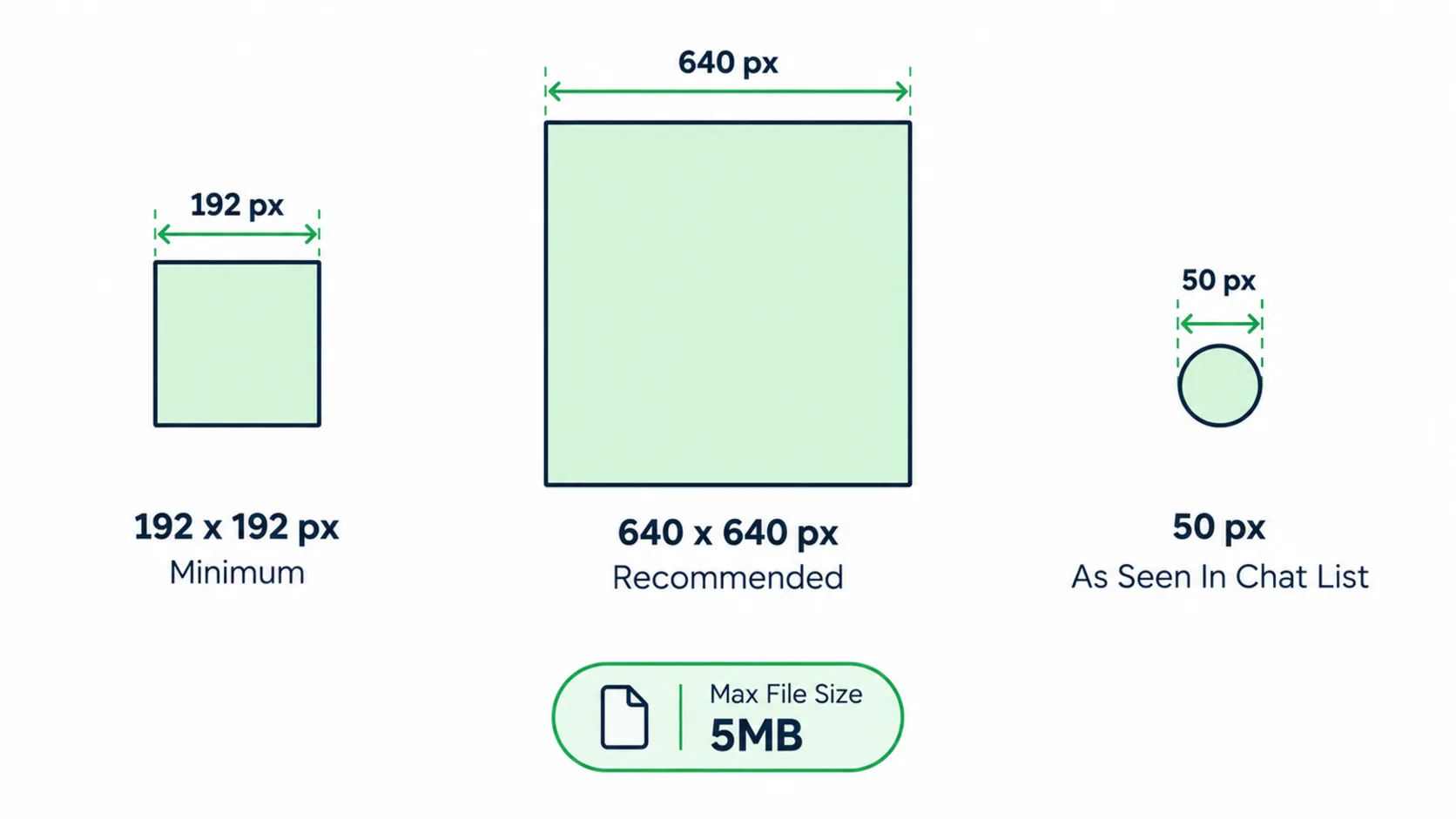
One more point that people miss. WhatsApp shows your photo inside a circle. Your square file is the upload, but the circle is what people see. Anything sitting in the four corners of your square will be cut off.
Why Does Everyone Call It A Cover Photo?
The name behind the WhatsApp cover photo size for GHL causes most of the confusion, so it is worth clearing up.
Back in 2022 WhatsApp tested a real cover photo for business profiles. It appeared in a small beta of the WhatsApp Business app on iOS, and testers reported a size close to 1211 x 681 pixels. It never became a normal feature for everyone, and it was never part of the WhatsApp Business API that GoHighLevel connects to.
Because the test was covered in the news, the phrase stuck. People still search for a WhatsApp cover photo, and other sites keep publishing banner sizes to match the search. The truth is simpler. Inside GoHighLevel there is one image field for your WhatsApp business profile, and it is square.
So if a client asks you for a WhatsApp cover photo, what they actually need is a 640 x 640 profile image.
How Do You Upload The Photo Inside GoHighLevel?
Once your file matches the WhatsApp cover photo size for GHL, the upload is quick. GoHighLevel pushes your profile changes straight to your WhatsApp Business Account through the Meta API, so you do not have to log into Meta Business Manager for this part.
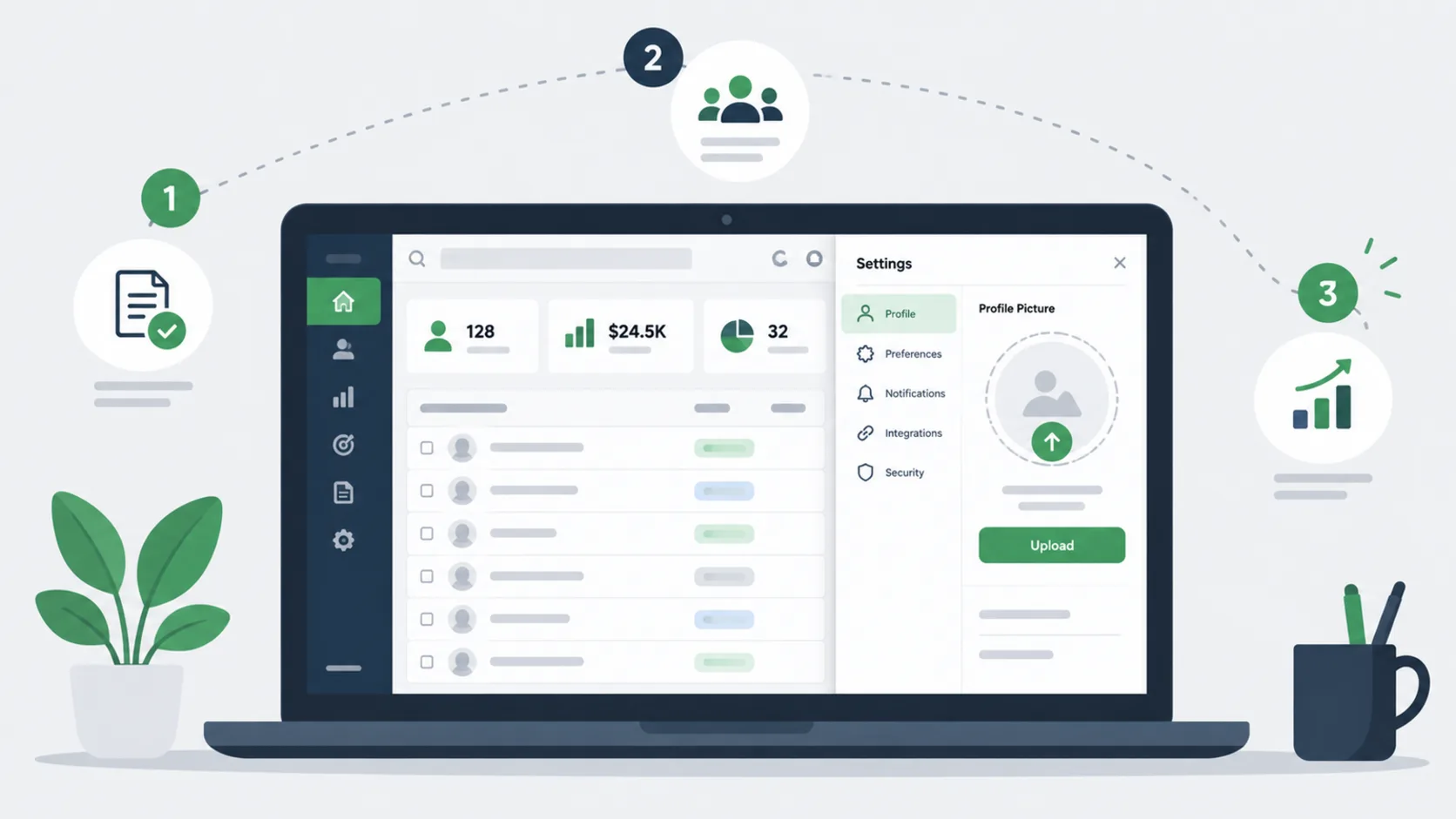
Follow this path in your sub account.
- Open Settings in the left menu.
- Click WhatsApp.
- Click Manage, then open the Profile tab.
- Click the profile picture area and pick your 640 x 640 file.
- Fill in the other profile fields while you are there. Business category, description, email, website and address all help.
- Click Save.
Profile changes apply as soon as you save. If you run more than one WhatsApp number, remember that each number carries its own profile. You will find them under Settings, then WhatsApp, then Numbers, and you have to set the photo on each one.
If the upload fails, the cause is almost always one of three things. The file is over 5MB, the file is a WebP or HEIC instead of a JPEG or PNG, or one side is under 192 pixels.
What Design Rules Keep Your Logo Readable?
The WhatsApp cover photo size for GHL sounds big at 640 x 640. It is not. In a chat list your photo shows at roughly 50 pixels wide. That is smaller than most people expect, and it is where most agency logos fall apart.
Use these rules when you build a file at the WhatsApp cover photo size for GHL.
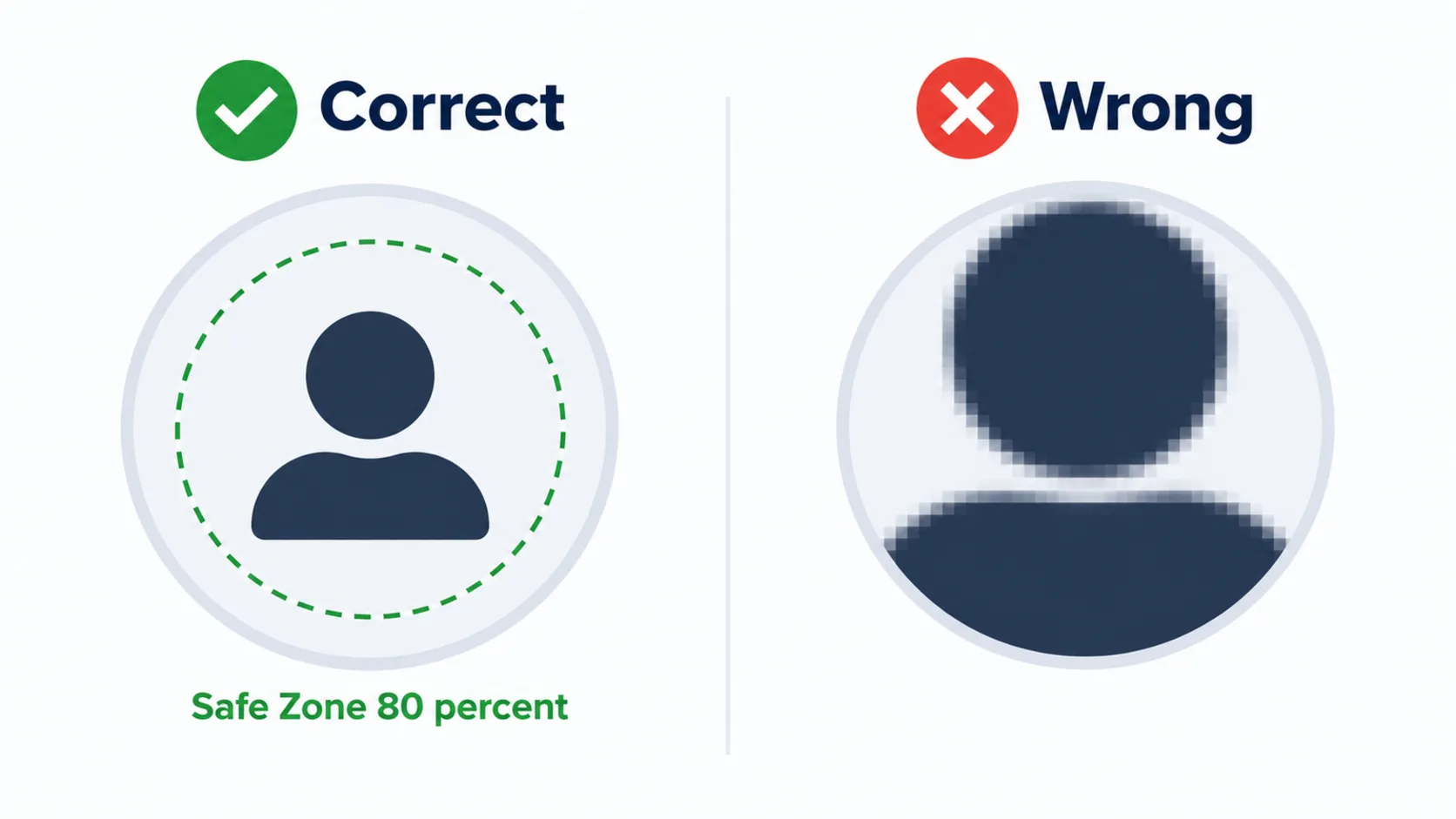
Keep the important part in the middle. Stay inside the centre 80 percent of the square. The corners will be cut by the circle.
Drop the tagline. Small text turns into grey fuzz at 50 pixels. If your logo has a strap line under it, remove it for this version.
Use a mark, not a full lockup. Wide horizontal logos shrink to nothing inside a square. A single icon, a monogram or the first letter of the brand reads much better.
Pick a solid background. A flat brand colour behind the mark gives you contrast in both light and dark mode. Photos and gradients get muddy.
Test it small. Before you upload, shrink the file to 50 x 50 pixels and look at it. If you cannot tell what it is, go back and simplify.
JPEG Or PNG For The WhatsApp Cover Photo Size For GHL?
Both work at the WhatsApp cover photo size for GHL, so pick based on what your image contains.
Choose PNG when your logo has flat colours, sharp edges or text. PNG keeps edges crisp and avoids the blocky mess that JPEG creates around hard lines. A simple logo saved as PNG at 640 x 640 usually lands between 30KB and 150KB, which is far under the limit.
Choose JPEG when the image is a photo, such as a headshot for a solo consultant or a coach. JPEG handles soft detail and gradients better and keeps the file small.
Do not upload WebP or HEIC. WhatsApp accepts JPEG and PNG for the profile photo, and modern design tools often export WebP by default, so check your export settings before you save.
Which Mistakes Cost Agencies The Most?
These are the errors that come up again and again when agencies get the WhatsApp cover photo size for GHL wrong.
- Designing a wide banner because a blog said cover photo, then cropping it badly to fit a square.
- Exporting at 3000 x 3000 for print quality. WhatsApp scales it down anyway, and a huge file can push you past 5MB.
- Forgetting the circle crop and losing part of the logo.
- Setting the photo on one number and assuming the other numbers picked it up.
- Matching the WhatsApp cover photo size for GHL correctly but saving as WebP, then blaming the platform when nothing uploads.
- Leaving the rest of the business profile empty. The photo is only one field.
Why Does A Clean WhatsApp Profile Matter So Much?
Your WhatsApp profile is not decoration. It is the trust check that happens before someone reads your message.
When a message lands from an unknown number, people look at two things first. The display name and the photo. If the photo is blank, blurry or clearly stretched, the message reads as spam and the reply rate drops. A clear brand mark plus a complete profile tells people this is a real business.
There is a practical side too. Meta reviews your display name and it must match your real business identity. Generic words, place names and words such as official or verified get rejected. You can change a display name up to ten times in a 30 day window, and approval usually takes from a few minutes to a few hours.
If WhatsApp is part of a bigger client build, the profile should match the rest of the system. That is the same thinking we apply on every GoHighLevel setup service project, where messaging, funnels and workflows are branded as one unit rather than pieced together later.
What Else Should You Fill In While You Are There?
Once the WhatsApp cover photo size for GHL is sorted and you are already inside the profile tab, finish the whole thing in one sitting.
Add a business category so WhatsApp can classify you correctly. Write a short description that says what you do and who you help, in plain words. Add the email address you actually monitor. Add your website so people can check you out. Add the physical address if you serve a local area, because it helps local trust.
A complete profile also pairs well with a saved template setup. Agencies that run the same build for many clients usually keep this work inside a GoHighLevel snapshot so the branding, workflows and templates carry over to the next account without rebuilding.
If you are moving a client from another platform and setting WhatsApp up for the first time, it is worth planning the messaging piece as part of the wider GoHighLevel migration rather than bolting it on at the end.
Final Thoughts On The WhatsApp Cover Photo Size For GHL
The short answer is that the WhatsApp cover photo size for GHL is 640 x 640 pixels, square, JPEG or PNG, under 5MB, with the minimum side at 192 pixels. There is no banner. There is one square photo shown inside a circle.
Build a simple mark, keep it centred, test it at 50 pixels, and upload it under Settings, then WhatsApp, then Manage, then Profile. Then fill in the rest of the business profile in the same visit.
Get the WhatsApp cover photo size for GHL right once and every WhatsApp message your client sends starts with a small piece of trust already in place.
Sources: HighLevel WhatsApp Business Profile Management, HighLevel WhatsApp Full Setup Guide for Agency and Meta WhatsApp profile photo reference.